
Assistant & knowledge · Import answers from Excel
How do I import dozens of fixed answers at once?
Already have a questions-and-answers file? Import it in one go instead of adding answers one by one.
Who this is for: Owner & manager
Where: Sidebar → Train your assistant → Fixed answers → «Import from Excel»
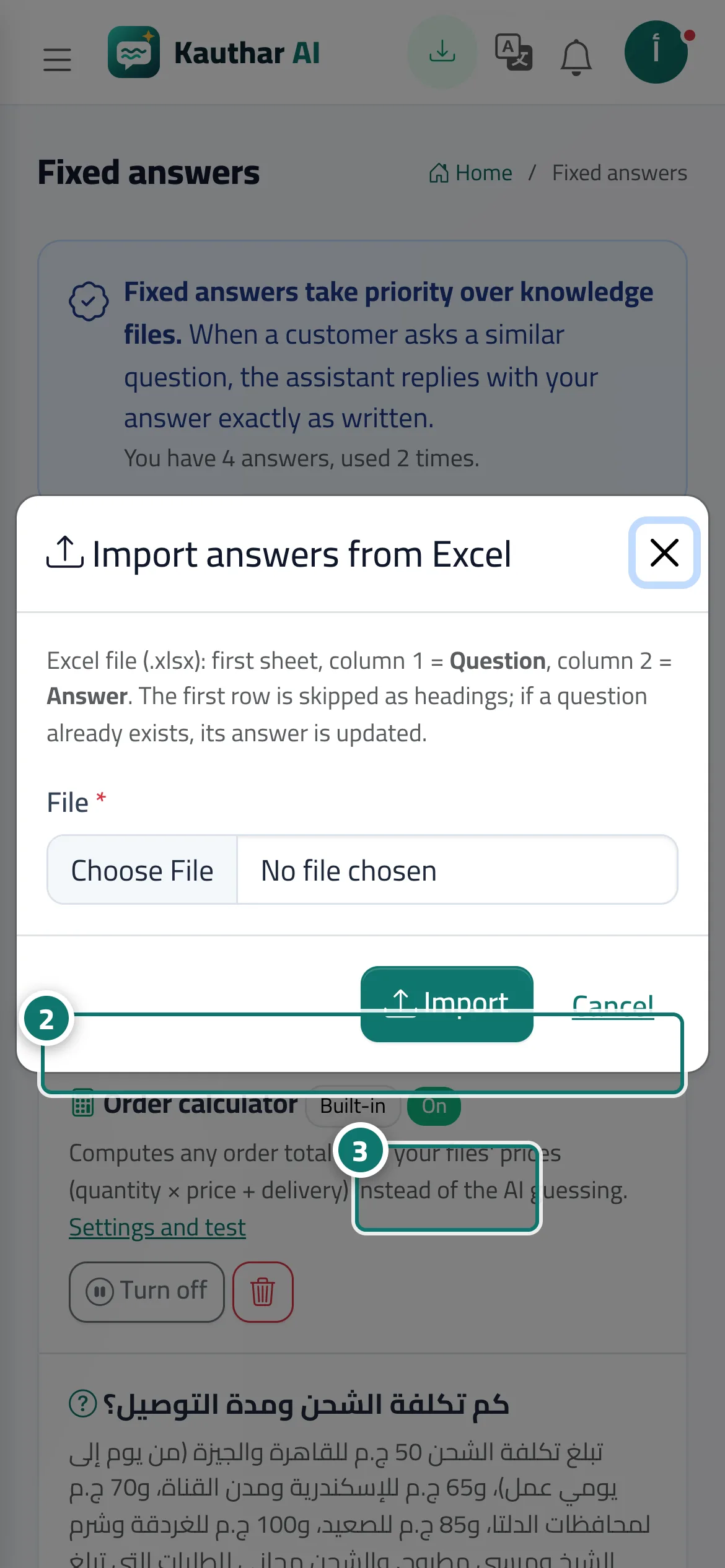
Steps
- Click «Import from Excel».
- Choose the «File» (Excel .xlsx: first column the question, second the answer). Number 2 on the picture
- Click «Import», then check the result message. Number 3 on the picture
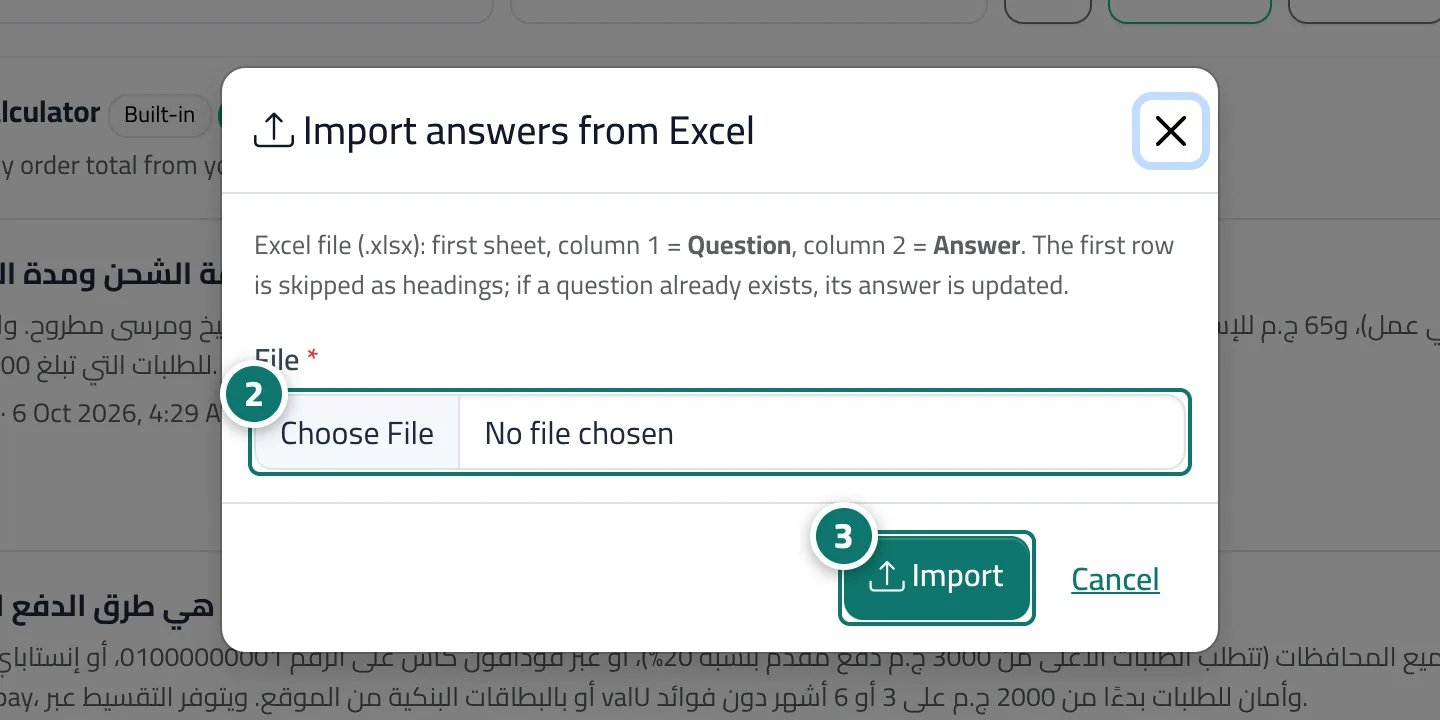
Steps
- Click «Import from Excel».
- Choose the «File» (Excel .xlsx: first column the question, second the answer). Number 2 on the picture
- Click «Import», then check the result message. Number 3 on the picture