
Assistant & knowledge · Order calculator
How does the assistant calculate a customer's order total accurately?
When a customer asks «What's my order total?», the assistant works it out in figures from the prices in your own files — quantity × price + delivery — instead of guessing.
Who this is for: Owner & manager
Where: Sidebar → Account → Assistant settings → «Order calculator» card (also at the top of «Fixed answers»)
Steps
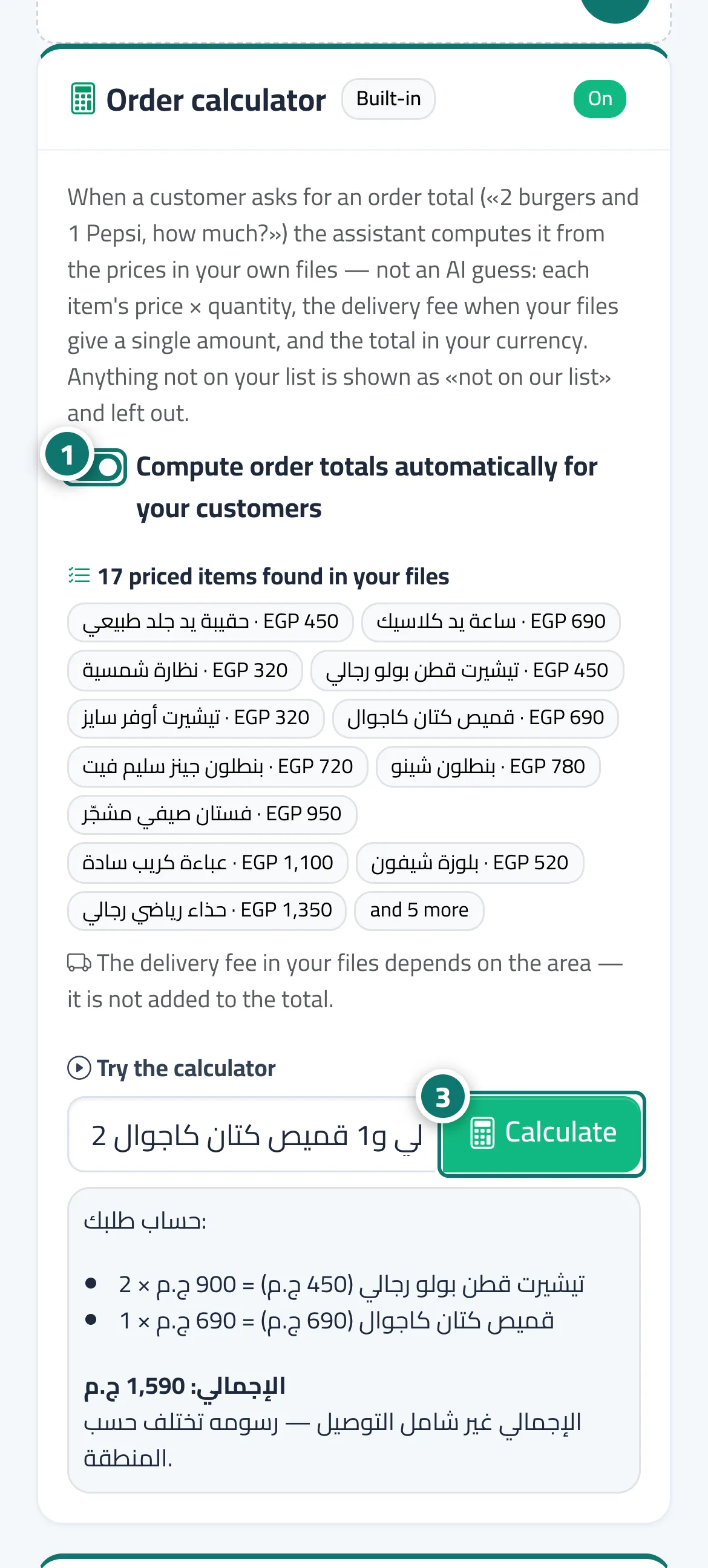
- Open «Assistant settings», scroll down to the «Order calculator» card, and make sure the «Compute order totals automatically for your customers» switch is on (status «On»). Number 1 on the picture
- Check the line «… priced items found in your files», the items listed under it, and the delivery fee line.
- In «Try the calculator», type an order the way your customer would and click «Calculate» to see the reply they will receive. Number 3 on the picture
Steps
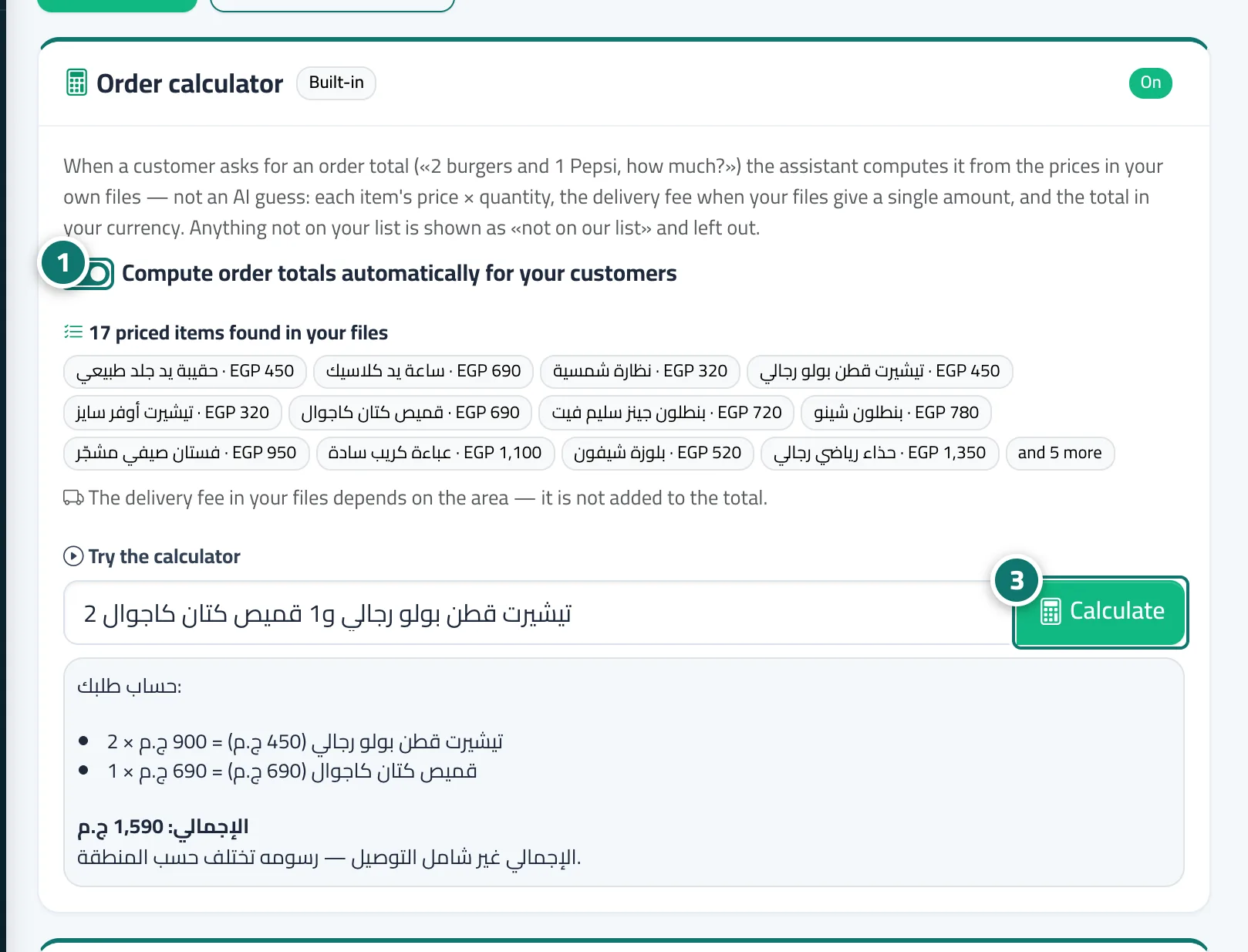
- Open «Assistant settings», scroll down to the «Order calculator» card, and make sure the «Compute order totals automatically for your customers» switch is on (status «On»). Number 1 on the picture
- Check the line «… priced items found in your files», the items listed under it, and the delivery fee line.
- In «Try the calculator», type an order the way your customer would and click «Calculate» to see the reply they will receive. Number 3 on the picture