
Billing & plans · Extra users (seats)
How do I add users beyond my plan's limit?
Add team members beyond your plan's users at any time, and pay only until your current subscription ends.
Who this is for: Owner & manager
Where: Sidebar → Account → Settings & subscription → «Subscription» tab → «Plans & subscription» → «Extra users» card
Steps
- Open the «Subscription» page.
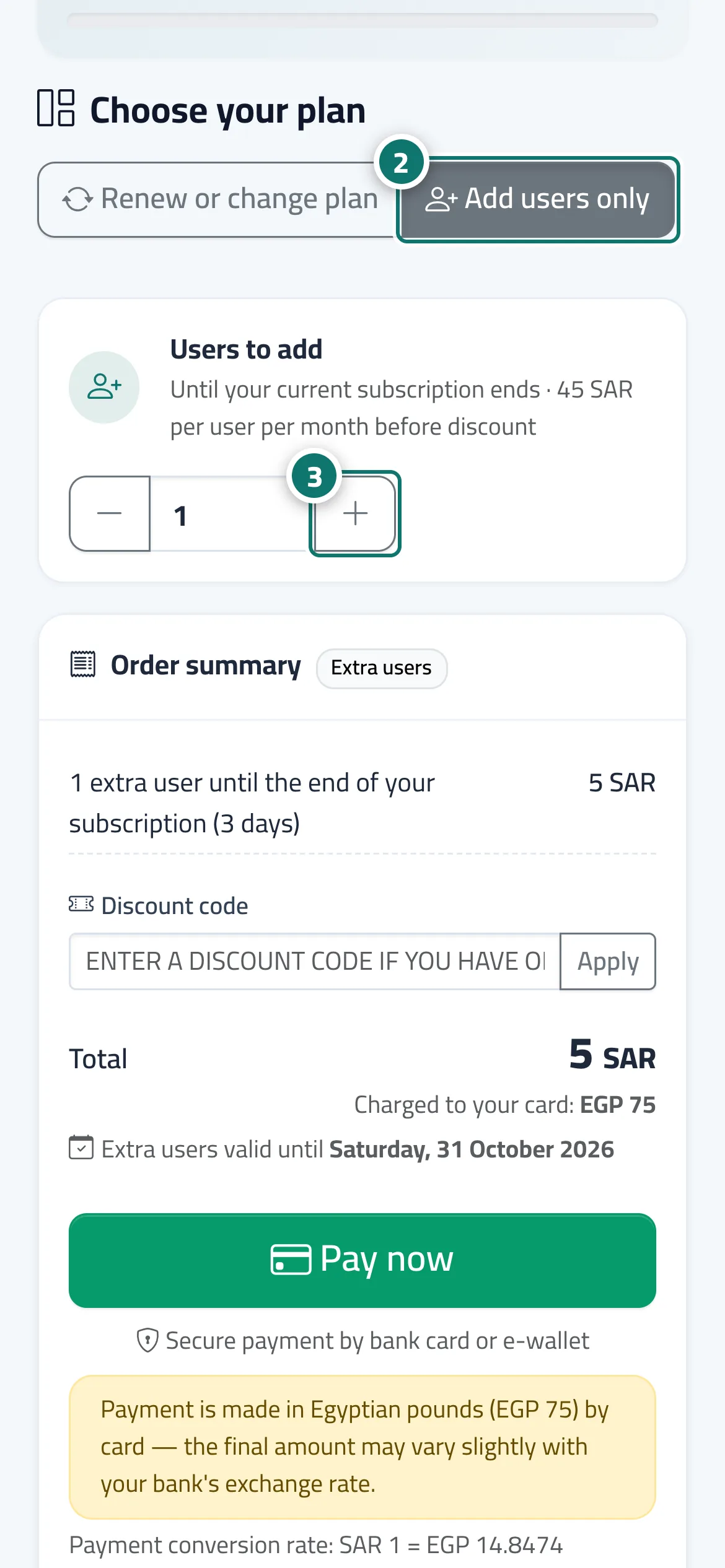
- To add users only, during an active paid subscription, choose «Add users only» next to «Renew or change plan». Number 2 on the picture
- Use the «+» and «−» buttons on the «Users to add» card (or «Extra users» when renewing), or type the number directly. Number 3 on the picture
- Review the «Order summary»: the line shows the number of users, the period and the discount, and the "Extra users valid until" date appears.
- Press «Pay now». After paying you get a «Users added» alert, and you can add the members from «Team & permissions».
Steps
- Open the «Subscription» page.
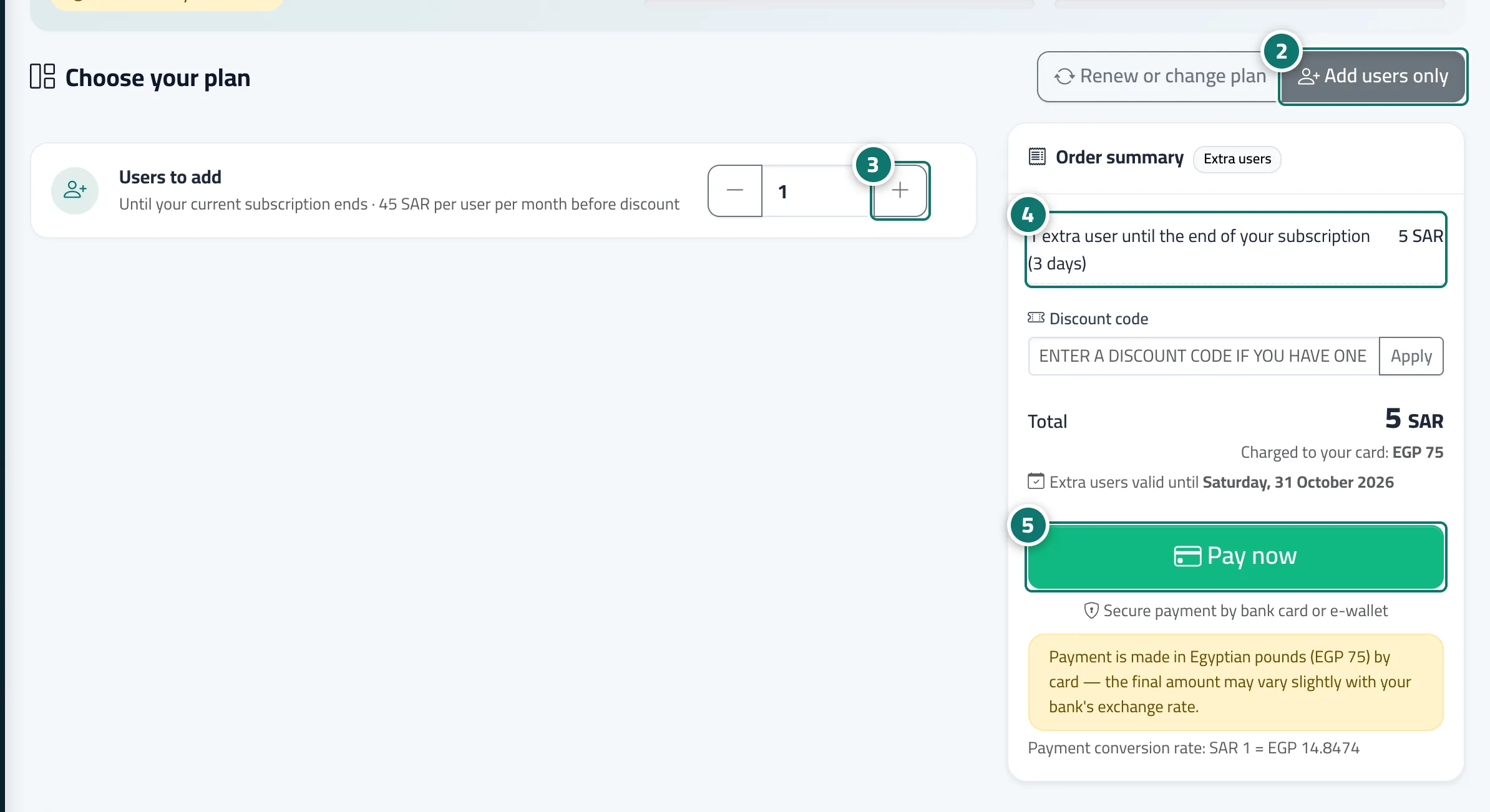
- To add users only, during an active paid subscription, choose «Add users only» next to «Renew or change plan». Number 2 on the picture
- Use the «+» and «−» buttons on the «Users to add» card (or «Extra users» when renewing), or type the number directly. Number 3 on the picture
- Review the «Order summary»: the line shows the number of users, the period and the discount, and the "Extra users valid until" date appears. Number 4 on the picture
- Press «Pay now». After paying you get a «Users added» alert, and you can add the members from «Team & permissions». Number 5 on the picture