
Billing & plans · Price calculator on the Kauthar website
How do I know what several services will cost before signing up?
Pick your country, term, services, plans and expected usage, and the page computes the exact total in your currency, adding the needed add-ons automatically when your usage exceeds the plan allowance.
Who this is for: Your customers
Where: Kauthar website → «Pricing» → «Calculate your subscription»
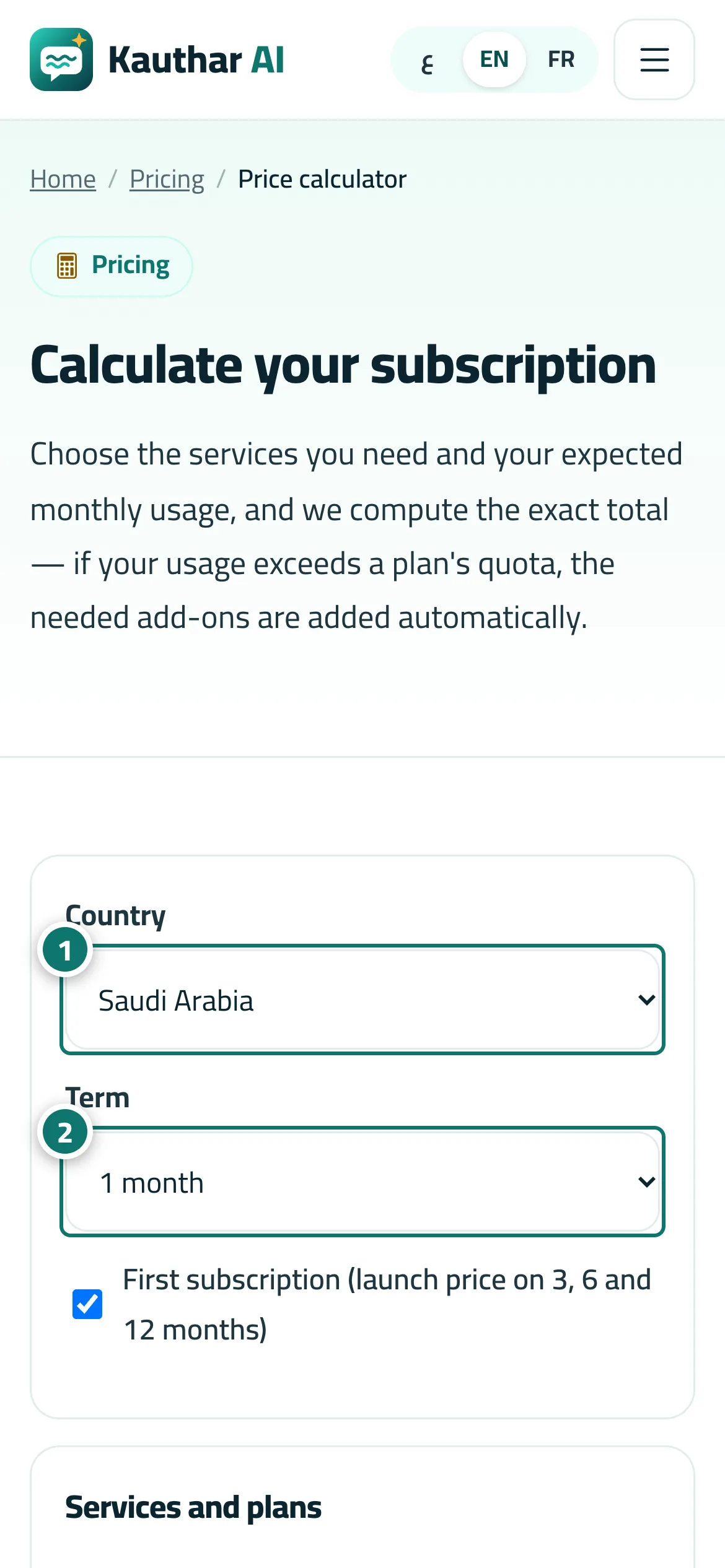
Steps
- Choose your country. Number 1 on the picture
- Choose the term and, if «First subscription» is shown, tick it when this is your first paid subscription. Number 2 on the picture
- Pick a plan for each service you need (or «— none —») and add your expected usage if you like.
- Review the lines and the total in the result.
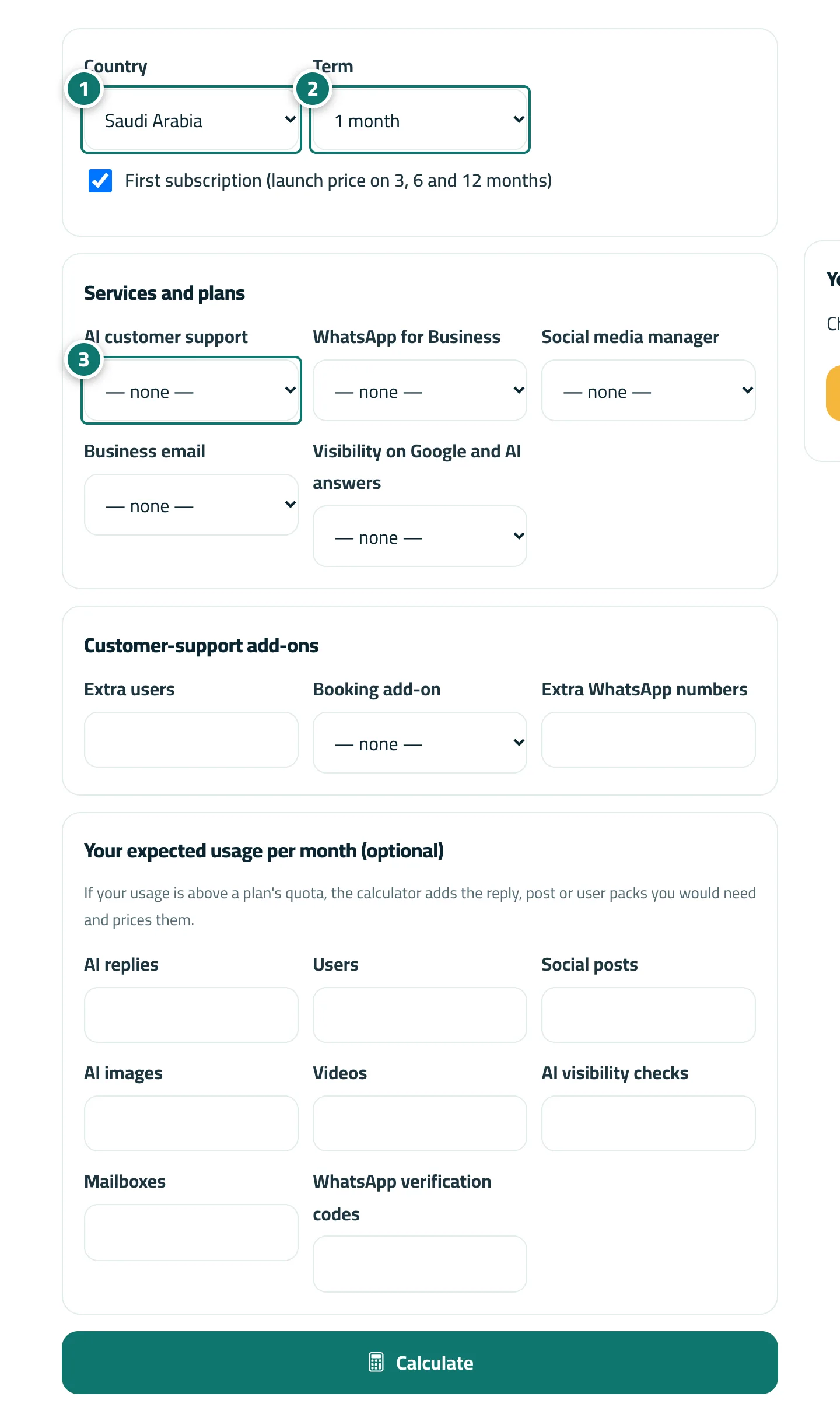
Steps
- Choose your country. Number 1 on the picture
- Choose the term and, if «First subscription» is shown, tick it when this is your first paid subscription. Number 2 on the picture
- Pick a plan for each service you need (or «— none —») and add your expected usage if you like. Number 3 on the picture
- Review the lines and the total in the result.