
Channels · Reply from your personal Telegram account (Telegram Business)
How do I get Kauthar to reply from my personal Telegram account?
With Telegram Premium, link your business bot to your own account: Kauthar then answers the people who message you directly, in your name, and you can still reply yourself.
Who this is for: Owner & manager
Where: Sidebar → Channels & customers → Channels → “Telegram” → “Reply from your personal Telegram account”
Steps
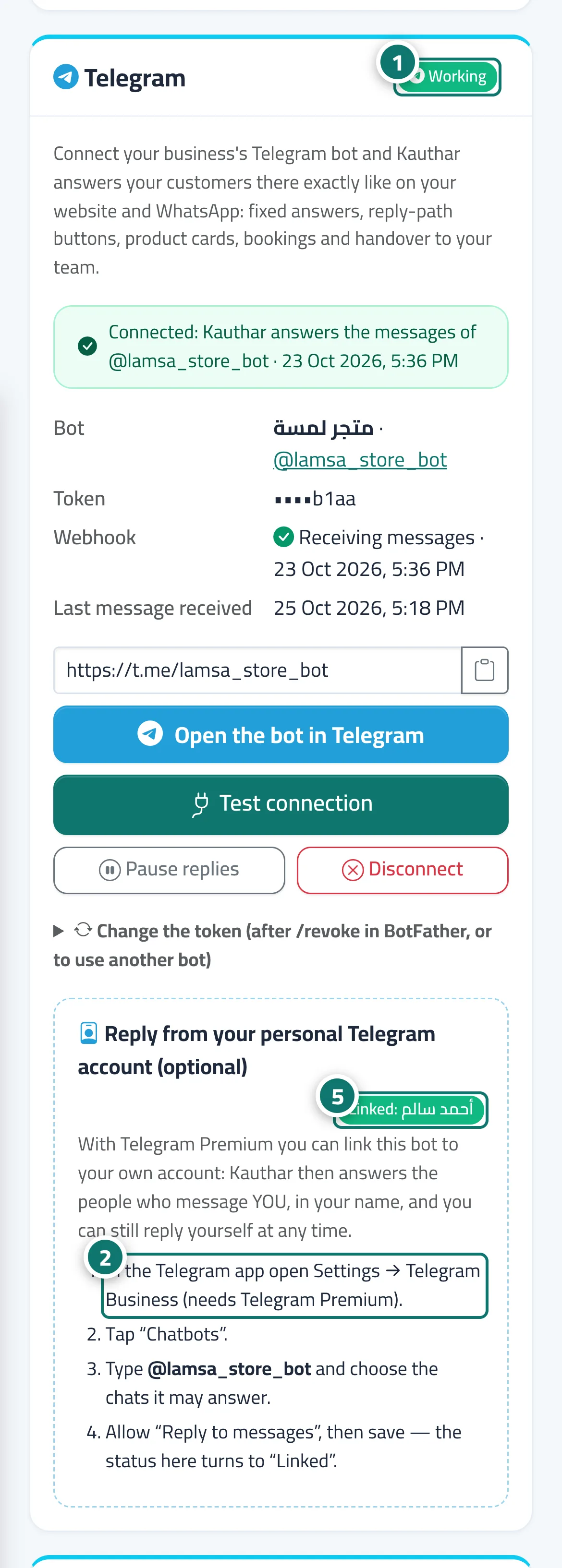
- Connect your business bot first (see “Connect a Telegram bot”) and make sure its status is “Working”. Number 1 on the picture
- In the Telegram app open Settings → Telegram Business (needs Telegram Premium). Number 2 on the picture
- Tap “Chatbots”, type your bot's username and choose the chats it may answer.
- Allow “Reply to messages”, then save.
- Back in Kauthar, the badge in that section turns to “Linked” with your name. Number 5 on the picture
Steps
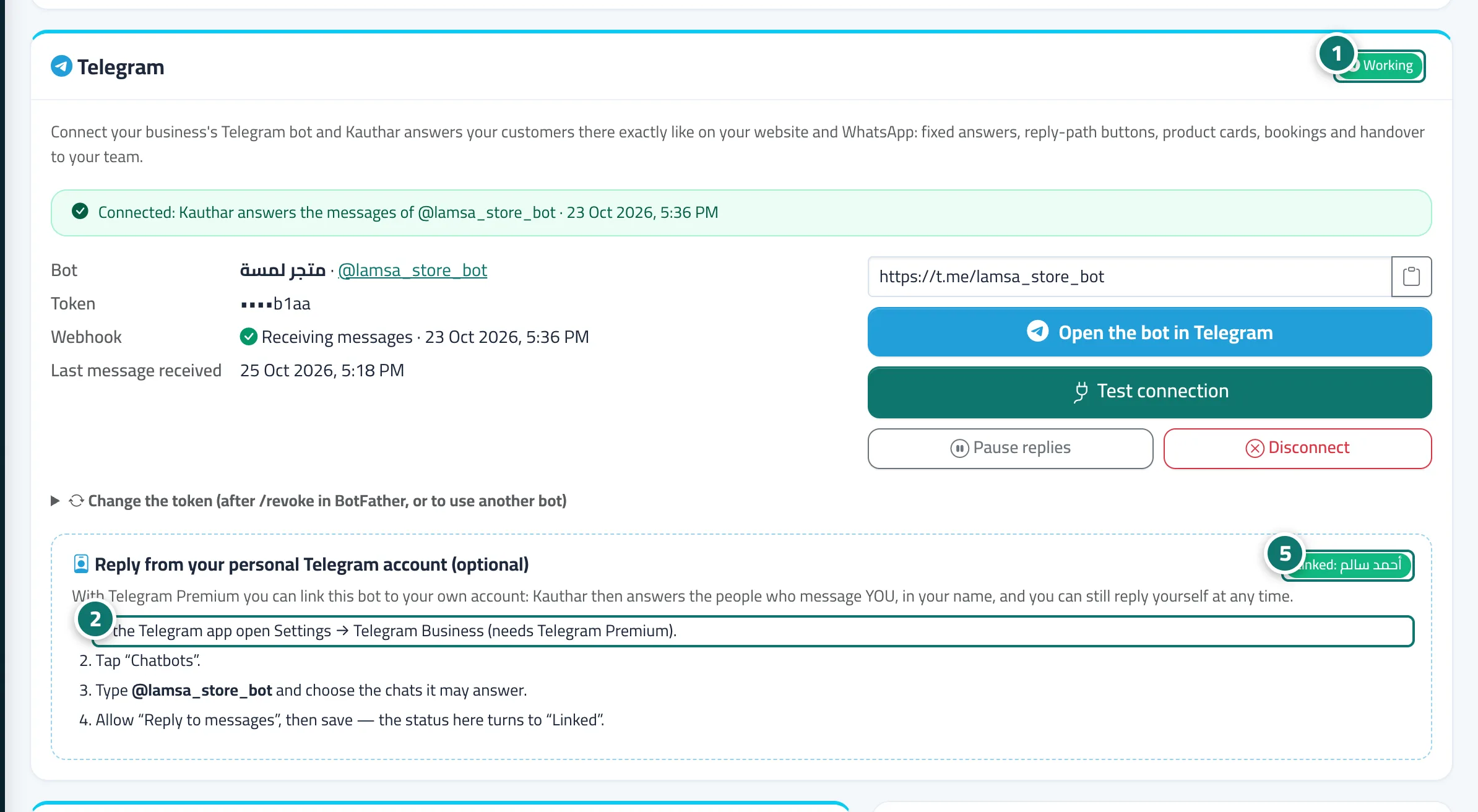
- Connect your business bot first (see “Connect a Telegram bot”) and make sure its status is “Working”. Number 1 on the picture
- In the Telegram app open Settings → Telegram Business (needs Telegram Premium). Number 2 on the picture
- Tap “Chatbots”, type your bot's username and choose the chats it may answer.
- Allow “Reply to messages”, then save.
- Back in Kauthar, the badge in that section turns to “Linked” with your name. Number 5 on the picture