
Channels · Connect a Telegram bot
How do I get Kauthar to answer my customers on Telegram?
Create a bot for your business with @BotFather, paste its token into Kauthar, and Kauthar answers your customers on Telegram just as she does on your website and WhatsApp.
Who this is for: Owner & manager · Team members
Where: Sidebar → Channels & customers → Channels → “Telegram” (from the channel bar at the top of the page)
Steps
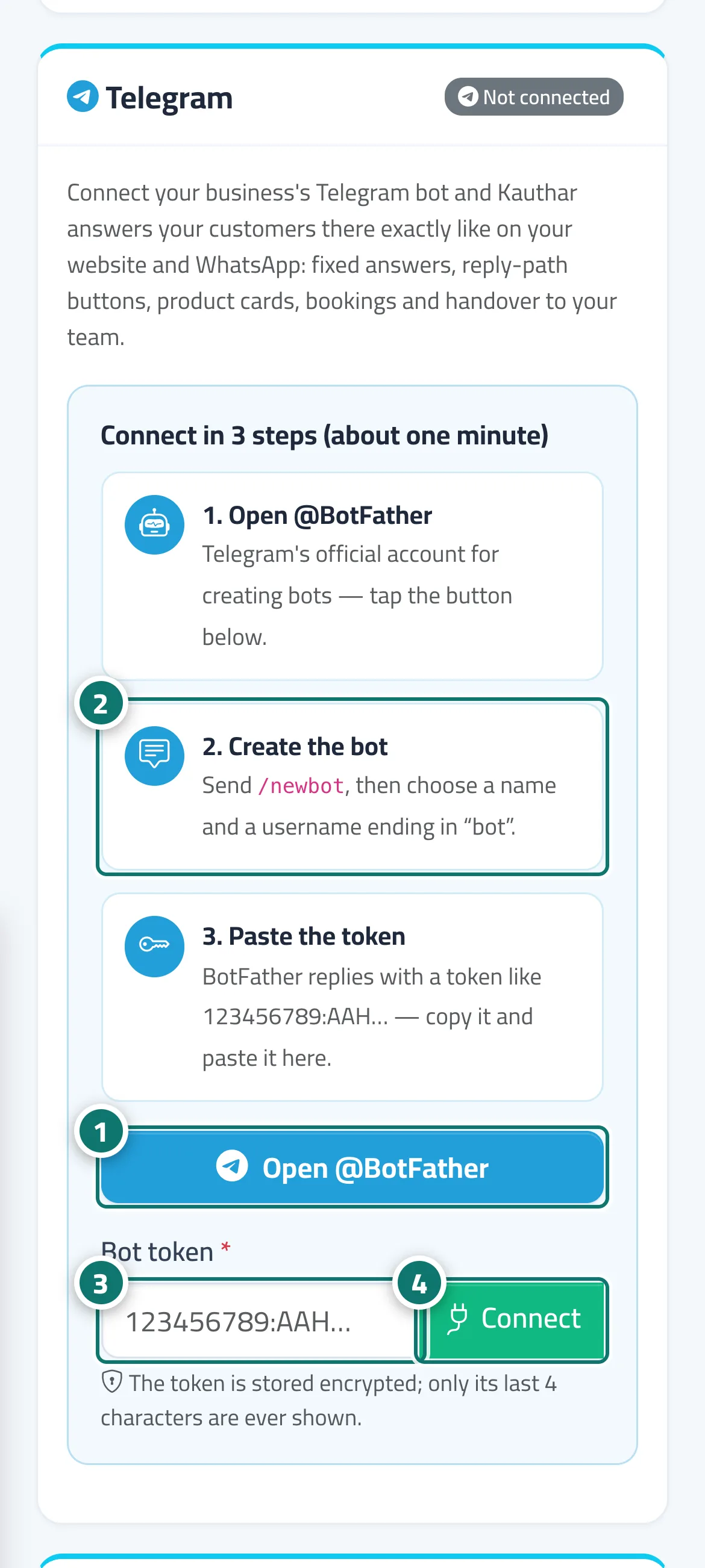
- In the “Telegram” card press “Open @BotFather” to open Telegram's official account for creating bots. Number 1 on the picture
- Send /newbot to BotFather, then choose a name for the bot and a username ending in “bot”. Number 2 on the picture
- Copy the token BotFather sends (numbers, a colon, then letters) and paste it into “Bot token”. Number 3 on the picture
- Press “Connect”. A “Connected” message and the “Working” status appear — send the bot a message on Telegram to try it. Number 4 on the picture
- To manage the bot later, use “Test connection”, “Pause replies” or “Disconnect” on the same card.
Steps
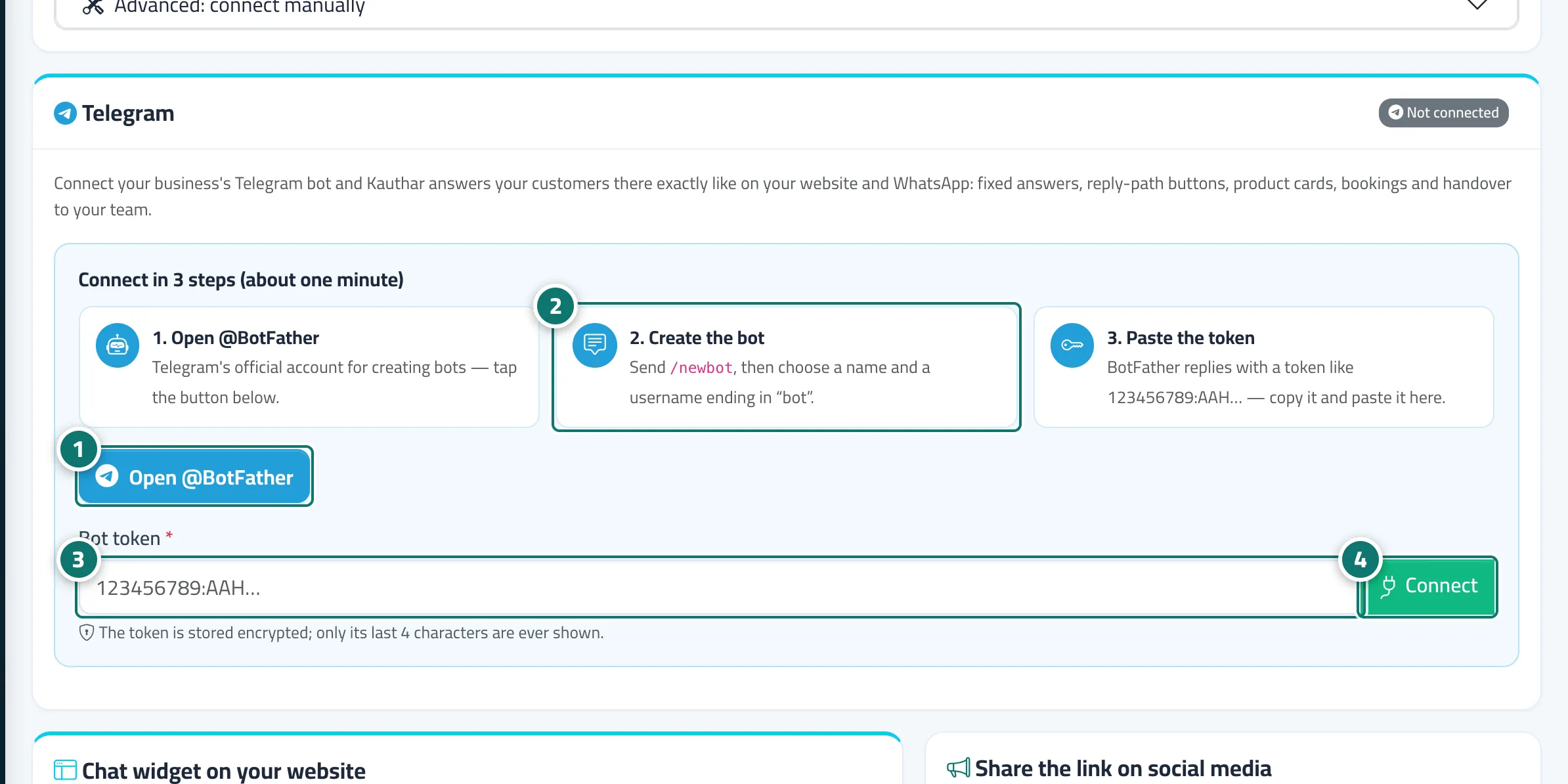
- In the “Telegram” card press “Open @BotFather” to open Telegram's official account for creating bots. Number 1 on the picture
- Send /newbot to BotFather, then choose a name for the bot and a username ending in “bot”. Number 2 on the picture
- Copy the token BotFather sends (numbers, a colon, then letters) and paste it into “Bot token”. Number 3 on the picture
- Press “Connect”. A “Connected” message and the “Working” status appear — send the bot a message on Telegram to try it. Number 4 on the picture
- To manage the bot later, use “Test connection”, “Pause replies” or “Disconnect” on the same card.