
Assistant et connaissances · Unanswered questions
How do I see the questions the assistant couldn't answer?
Every question the assistant couldn't answer is collected here; answer it once and the assistant knows it from then on.
Pour qui : Propriétaire et responsable · Membres de l'équipe
Où : Sidebar → Train your assistant → Unanswered questions
Étapes
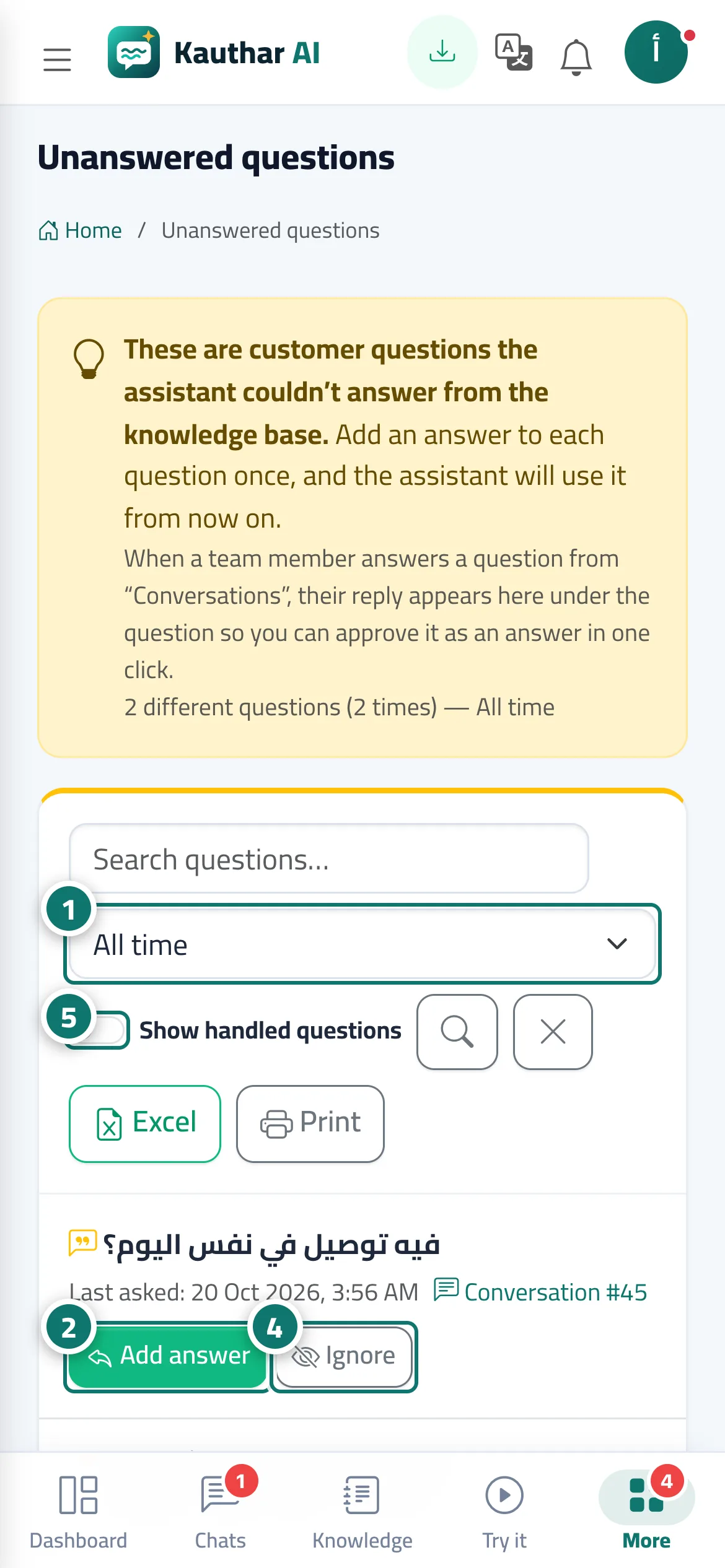
- Open «Unanswered questions» and choose the period: «Last 7 days», «Last 30 days» or «All time». Numéro 1 sur l’image
- Click «Add answer» next to the question. Numéro 2 sur l’image
- In the «Add a fixed answer» window, adjust the question's wording if you like, write the answer, then click «Save answer».
- For questions that have nothing to do with your business, click «Dismiss». Numéro 4 sur l’image
- Turn on «Show handled questions» to see what you have answered or dismissed; you can put any question back on the list with «Move back». Numéro 5 sur l’image
Étapes
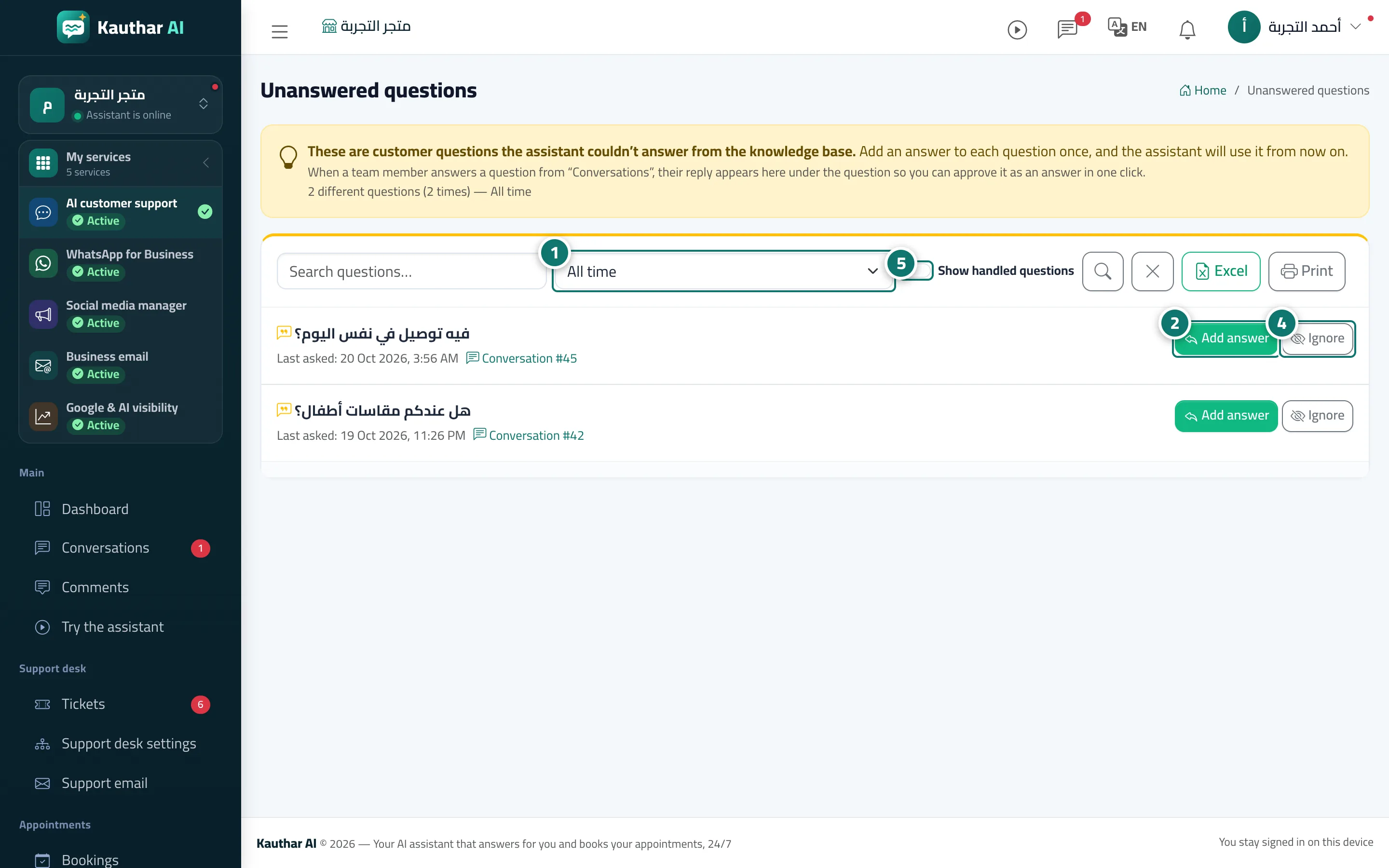
- Open «Unanswered questions» and choose the period: «Last 7 days», «Last 30 days» or «All time». Numéro 1 sur l’image
- Click «Add answer» next to the question. Numéro 2 sur l’image
- In the «Add a fixed answer» window, adjust the question's wording if you like, write the answer, then click «Save answer».
- For questions that have nothing to do with your business, click «Dismiss». Numéro 4 sur l’image
- Turn on «Show handled questions» to see what you have answered or dismissed; you can put any question back on the list with «Move back». Numéro 5 sur l’image