
Facturation et offres · Billed through Shopify
Why does Kauthar ask me to pay through Shopify?
If your business is connected through the Kauthar app on Shopify, every Kauthar subscription is added to your Shopify invoice, and you approve the amount on Shopify's official page.
Pour qui : Propriétaire et responsable
Où : Sidebar → Account → Settings & subscription → “Subscription” (or “My services” → the service → “Subscription”)
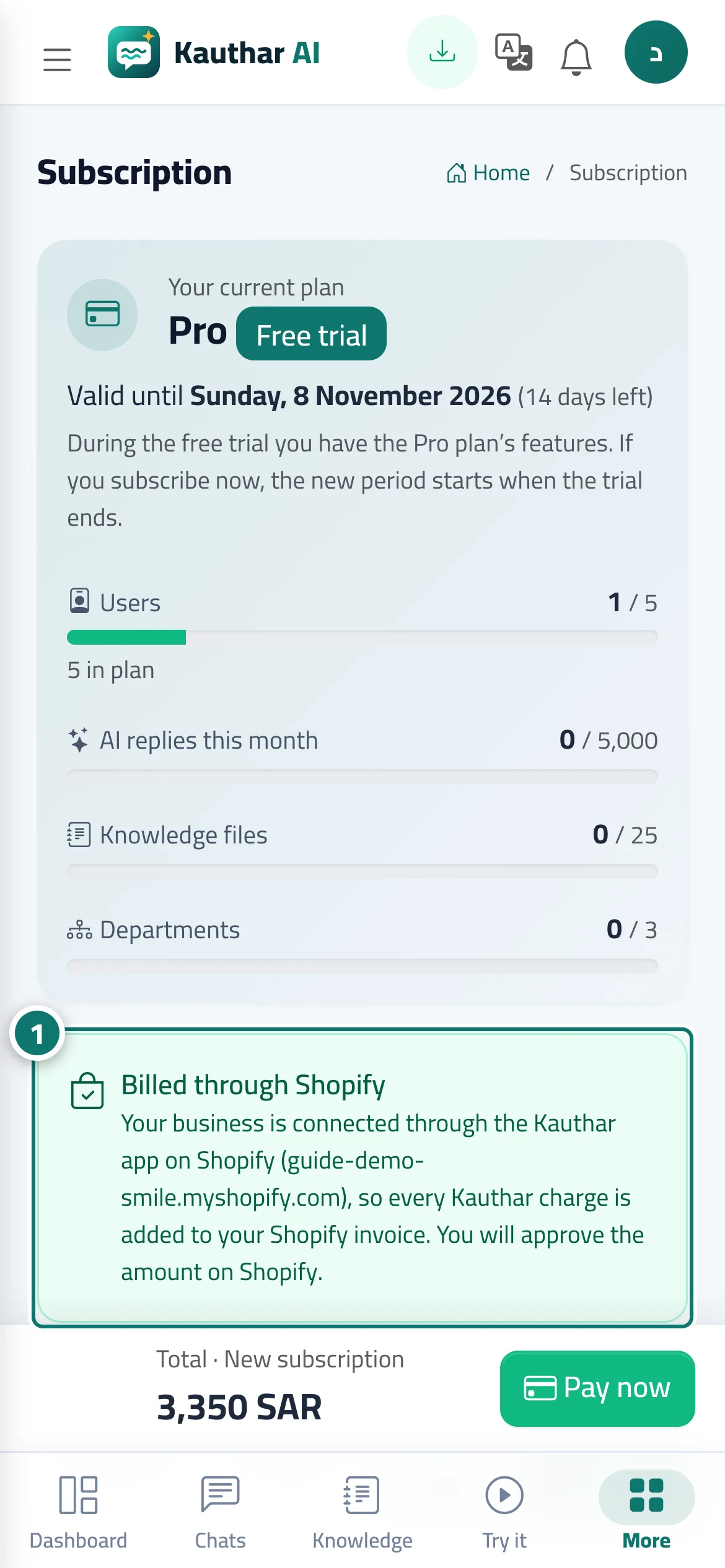
Étapes
- Open the subscription page — the “Billed through Shopify” box shows your store name. Numéro 1 sur l’image
- Choose the plan and term; the line under the price shows the amount Shopify will charge and how often.
- Press “Pay now” and approve the amount on Shopify's page; you return to Kauthar and your subscription is active.
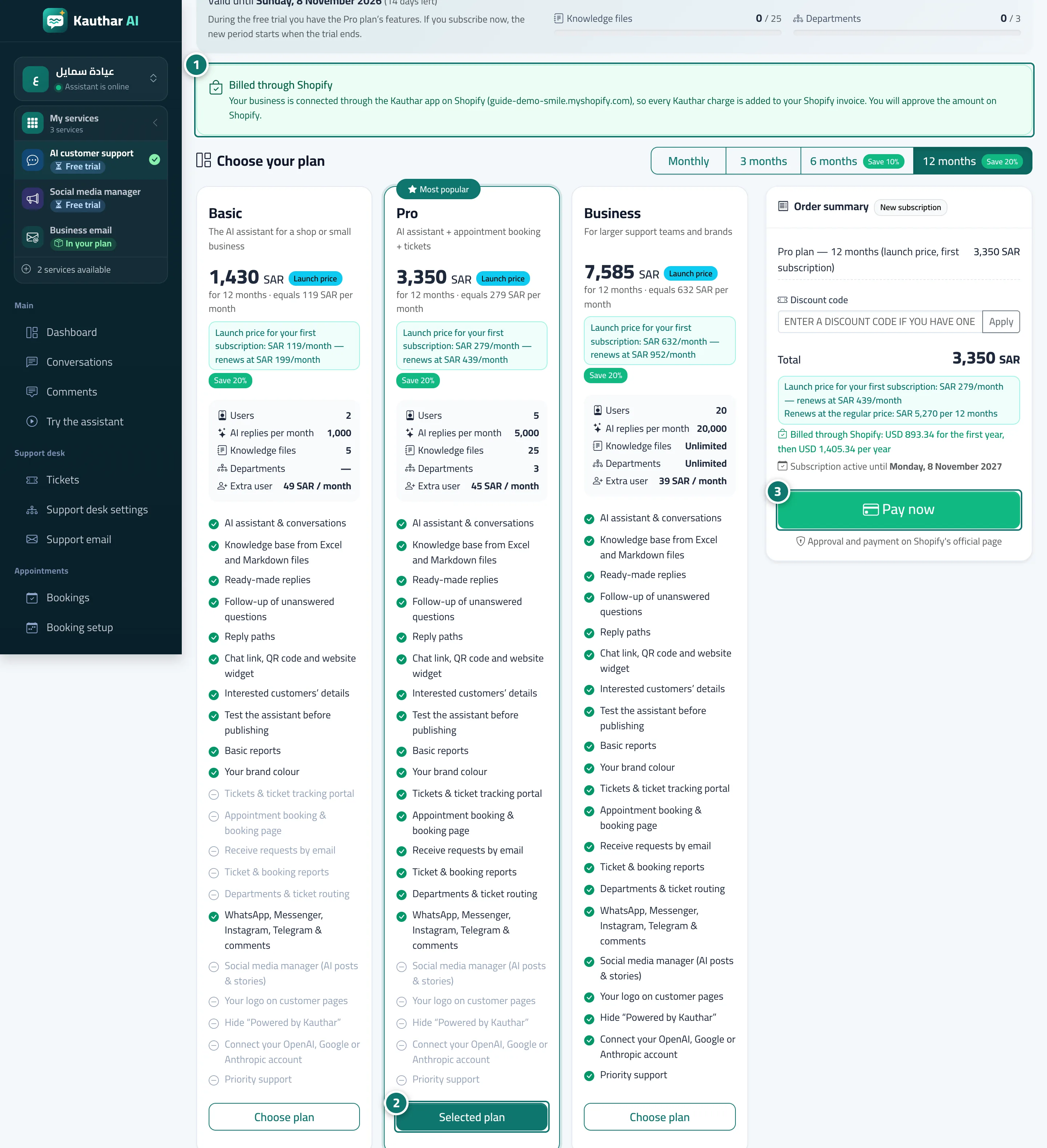
Étapes
- Open the subscription page — the “Billed through Shopify” box shows your store name. Numéro 1 sur l’image
- Choose the plan and term; the line under the price shows the amount Shopify will charge and how often. Numéro 2 sur l’image
- Press “Pay now” and approve the amount on Shopify's page; you return to Kauthar and your subscription is active. Numéro 3 sur l’image