
Facturation et offres · Paying for your subscription online
How do I pay for my Kauthar subscription?
Pay for or renew your subscription online by bank card or e-wallet; it activates as soon as the payment is confirmed, with a receipt.
Pour qui : Propriétaire et responsable
Où : Sidebar → Account → Settings & subscription → «Subscription» tab → «Plans & subscription»
Étapes
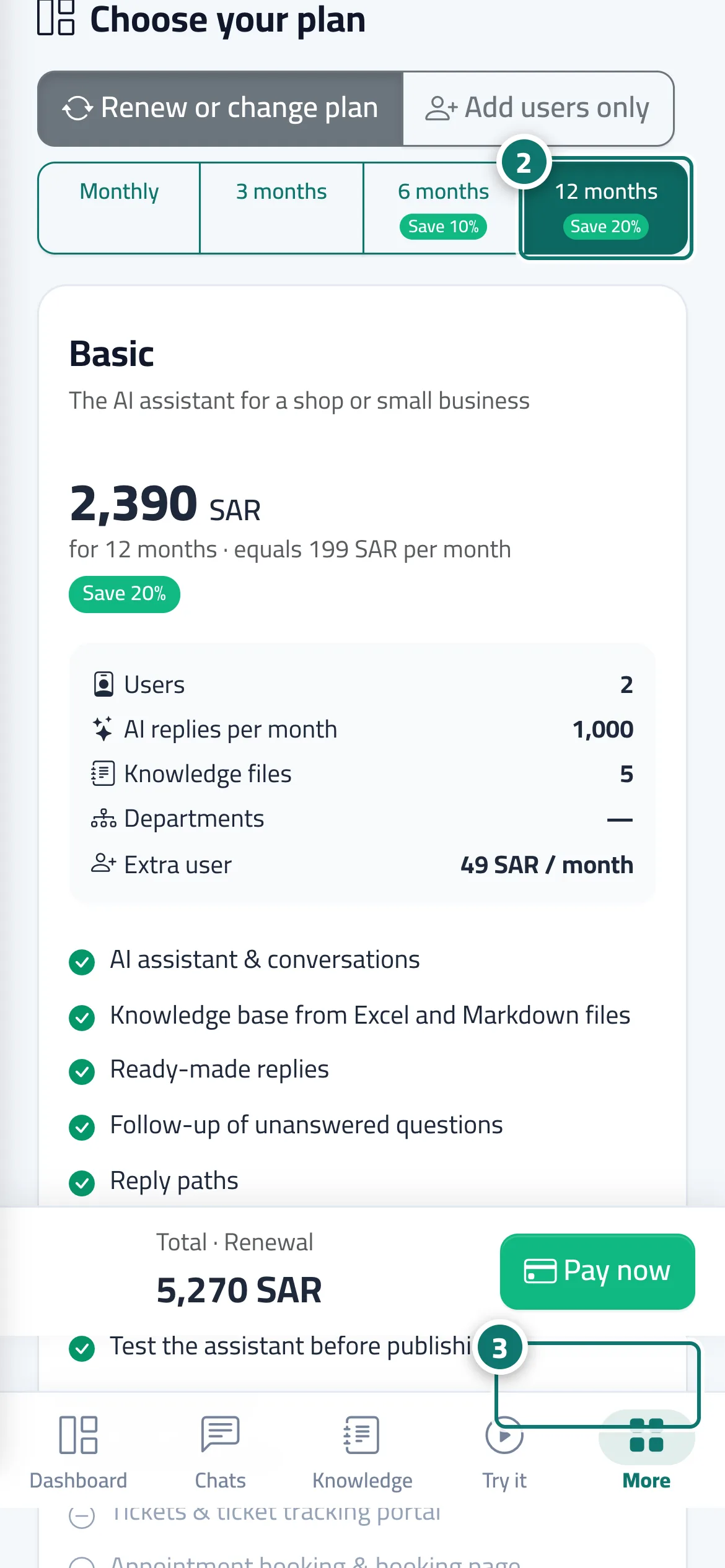
- Open the «Subscription» page from the «Subscription» tab in Settings, or from the «Renew subscription» button in the alert bar.
- Choose the duration (monthly, 3, 6 or 12 months), the plan and any extra users, and review the «Order summary». Numéro 2 sur l’image
- Press «Pay now» and complete the payment on the secure payment page. Numéro 3 sur l’image
- When you return you'll see the confirmation and the «Receipt» button. If you see "Confirming the payment with the gateway", wait a moment; the page updates automatically.
Étapes
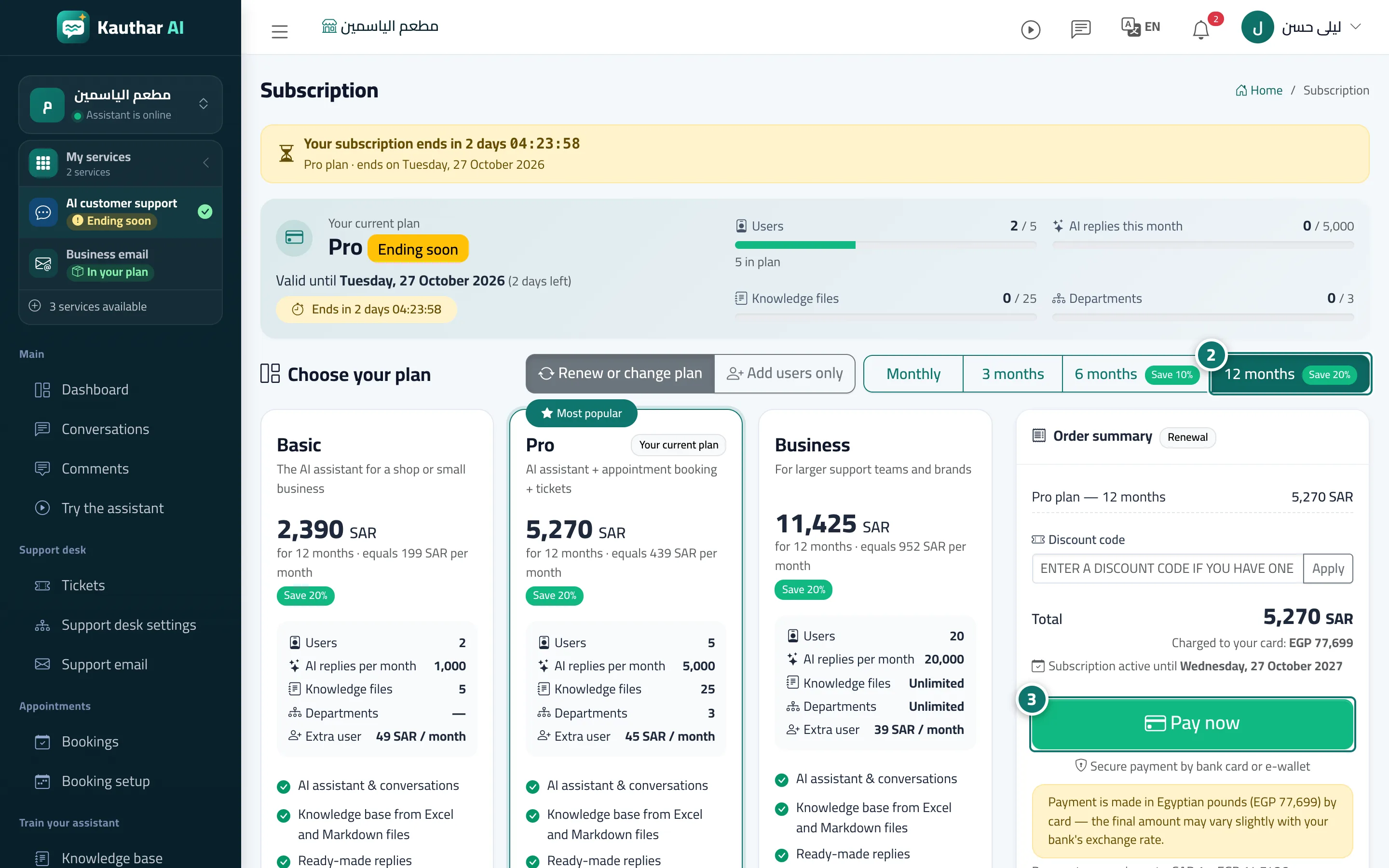
- Open the «Subscription» page from the «Subscription» tab in Settings, or from the «Renew subscription» button in the alert bar.
- Choose the duration (monthly, 3, 6 or 12 months), the plan and any extra users, and review the «Order summary». Numéro 2 sur l’image
- Press «Pay now» and complete the payment on the secure payment page. Numéro 3 sur l’image
- When you return you'll see the confirmation and the «Receipt» button. If you see "Confirming the payment with the gateway", wait a moment; the page updates automatically.