
Paying for your subscription online
Pay for or renew your subscription online by bank card or e-wallet; it activates as soon as the payment is confirmed, with a receipt.
Vue d’ensemble#
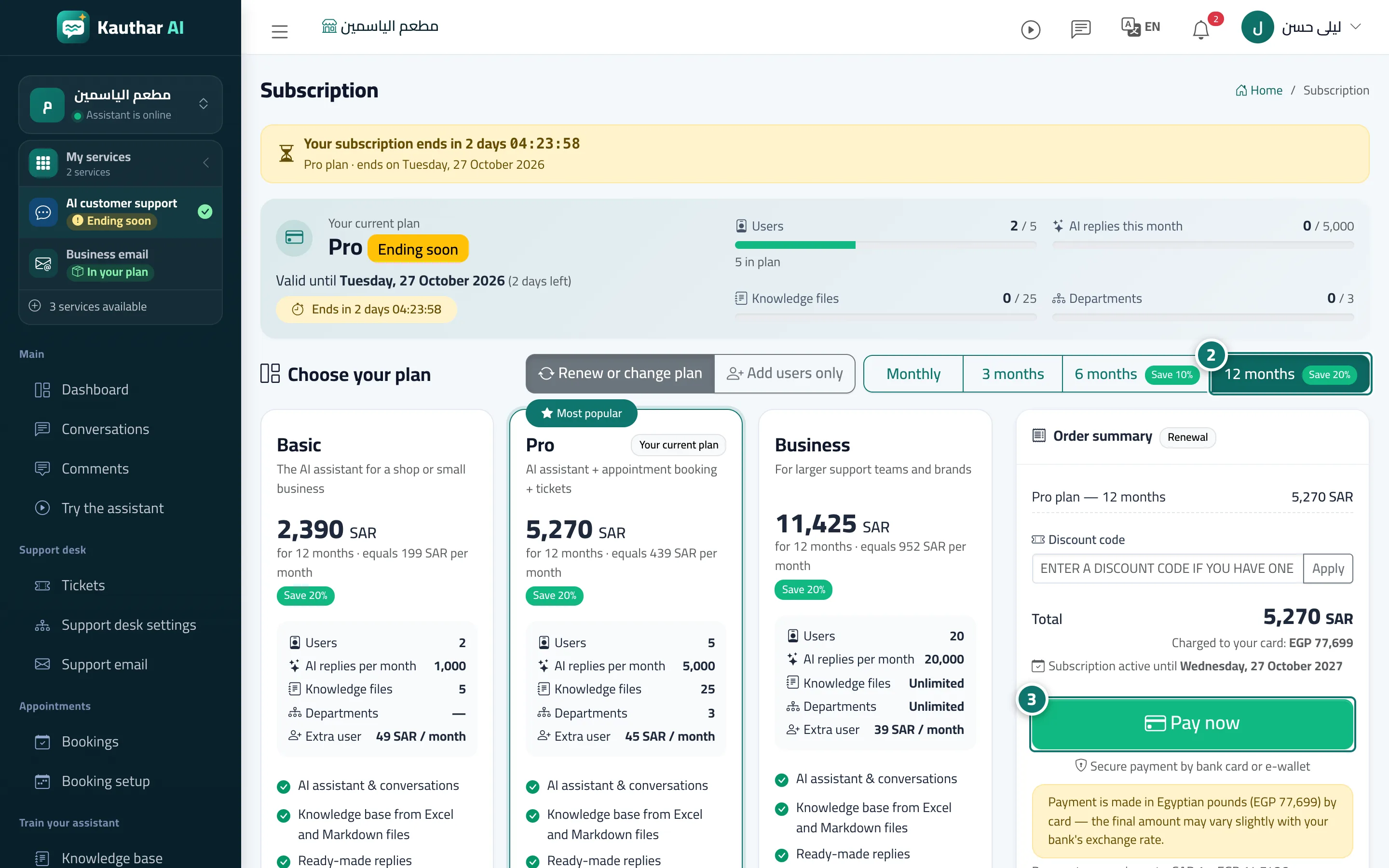
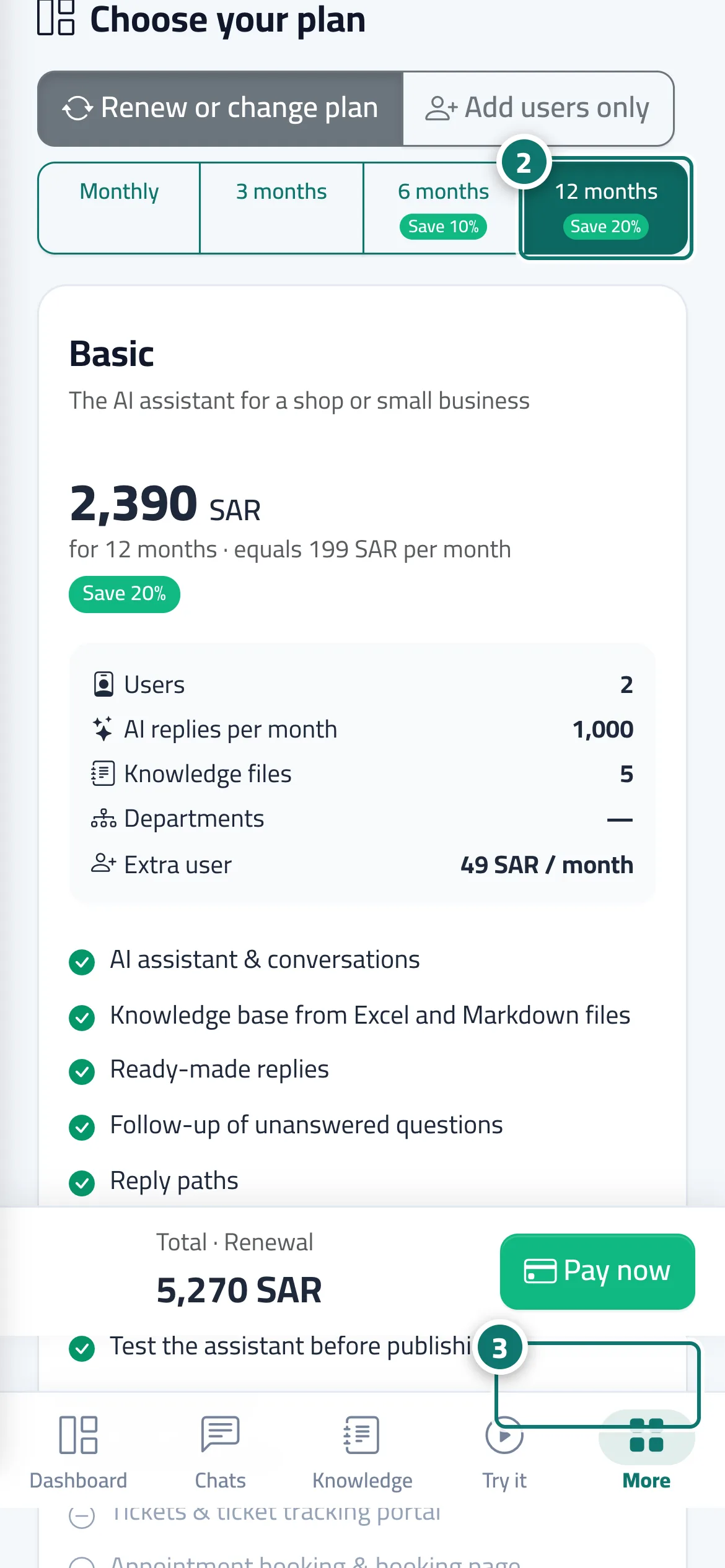
On the Subscription page you choose the plan, the duration and any extra users; the Order summary shows the items, the Total and the date the subscription runs from. You then press Pay now and go to a secure payment page that accepts bank cards and e-wallets. Prices are shown in your country's currency, and under the Total the Order summary states the amount that will actually be charged to your card and the exchange rate used. After a successful payment you return to the subscription page with Payment successful — thank you. and a Receipt button; the subscription updates automatically and you get a Subscription activated alert. You can also renew your current plan for 3 months without signing in, from the Kauthar subscription renewal page, using the registered phone number.
- Pour qui ?
- Business owner / admin
- Où le trouver ?
- Sidebar → Account → Settings & subscription → Subscription tab → Plans & subscription
Pas à pas#
- Open the Subscription page from the Subscription tab in Settings, or from the Renew subscription button in the alert bar.
- Choose the duration (monthly, 3, 6 or 12 months), the plan and any extra users, and review the Order summary.
- Press Pay now and complete the payment on the secure payment page.
- When you return you'll see the confirmation and the Receipt button. If you see Confirming the payment with the gateway, wait a moment; the page updates automatically.
Astuces#
Bon à savoir#
Questions fréquentes#
I paid but my subscription didn't update. What do I do?
Wait a moment: the Confirming your payment page updates automatically as soon as the payment is confirmed. Don't pay again. If the problem continues, contact us with the Order ID from the receipt or the payment history.
In which currency am I charged?
Before you pay, the Order summary shows the amount that will actually be charged to your card and the exchange rate from your currency. The final amount may differ slightly depending on your bank's exchange rate.
My subscription has ended and I can't open the screens. What do I do?
The business owner or an admin is taken straight to the Subscription page; pay there and the dashboard comes back at once. Your customer pages stay available for a short grace period.