
Campaign: one post per product in one go
Pick several products and set the type to “Campaign” — Kauthar writes a separate post for each product in the background, and you’ll find them as drafts in the calendar to approve.
Vue d’ensemble#
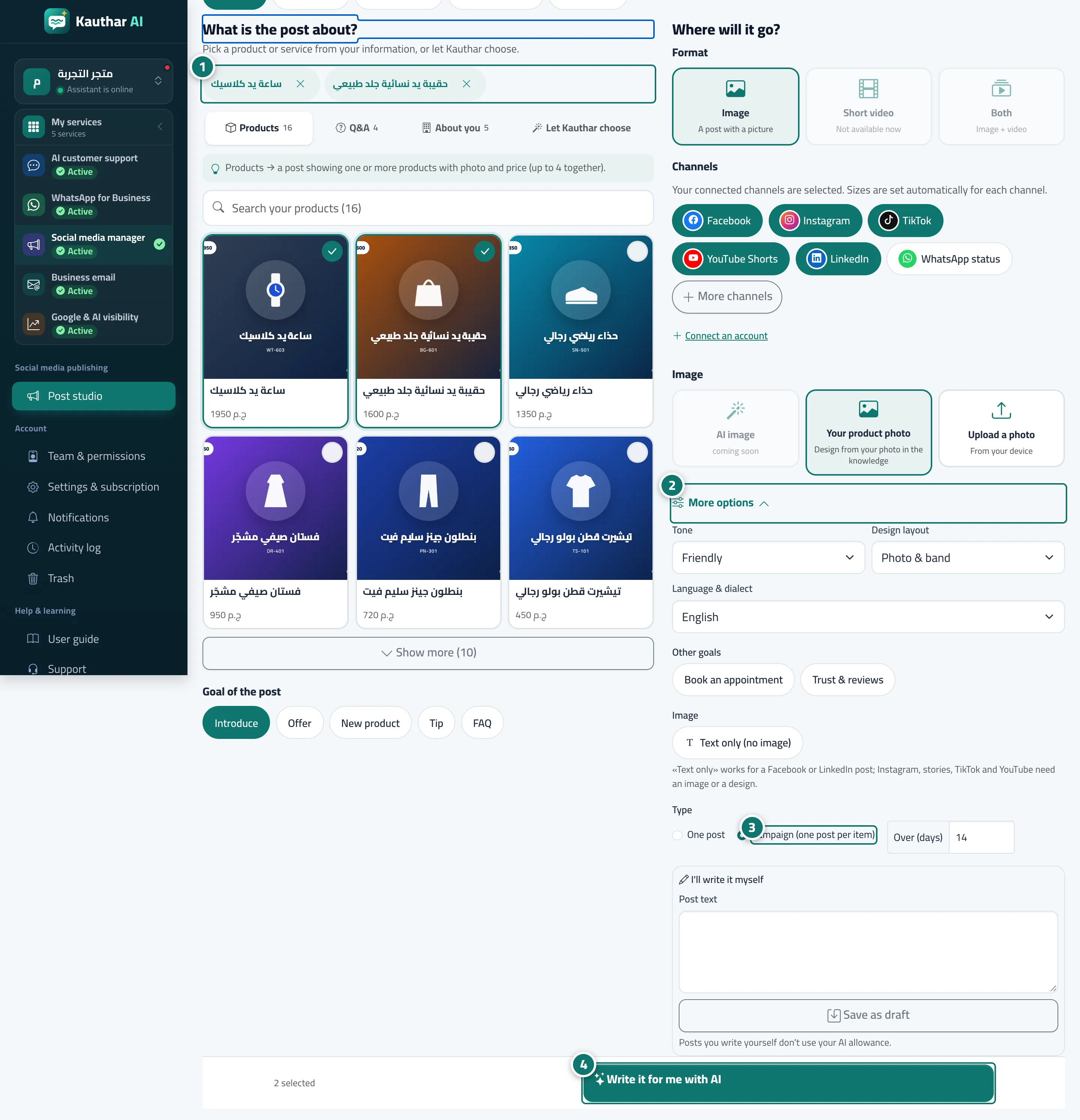
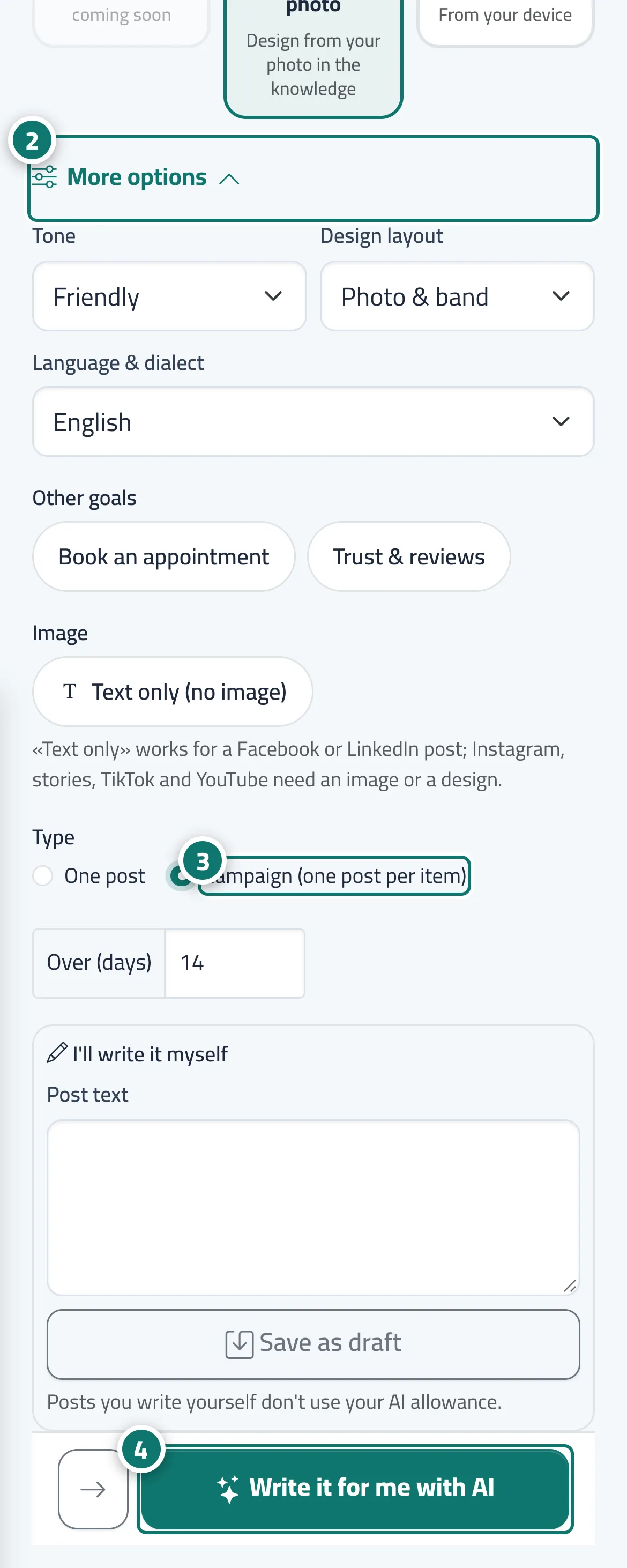
In the New post wizard, inside More options, the Type field offers One post (a single post showing the selected products) and Campaign (one post per item). In a campaign Kauthar writes a separate post for each product you picked, with the same goal, tone, language, channels and design layout, in the background one after the other, and takes you to the Calendar with a message that the campaign drafts are being prepared and will appear within minutes. You then review each post and approve it, or select several posts in the calendar and press Approve & schedule.
- Pour qui ?
- Business owner / manager / staff allowed into the post studio
- Où le trouver ?
- Sidebar → Social media publishing → Post studio → New post → More options → Type
Pas à pas#
- Under What is the post about?, tick the products you want in the campaign.
- Under Where will it go?, open More options.
- Choose Campaign (one post per item).
- Press Write it for me with AI, then review the drafts in the Calendar and approve them.
Astuces#
Bon à savoir#
Questions fréquentes#
Are the campaign posts published automatically?
No. They are saved as drafts, and none goes out until you approve or schedule it.