
My accounts: several businesses with one sign-in
If you work for more than one business on Kauthar (owner of a shop and admin at a restaurant, say), switch between them in one tap from «My accounts», without signing out.
Vue d’ensemble#
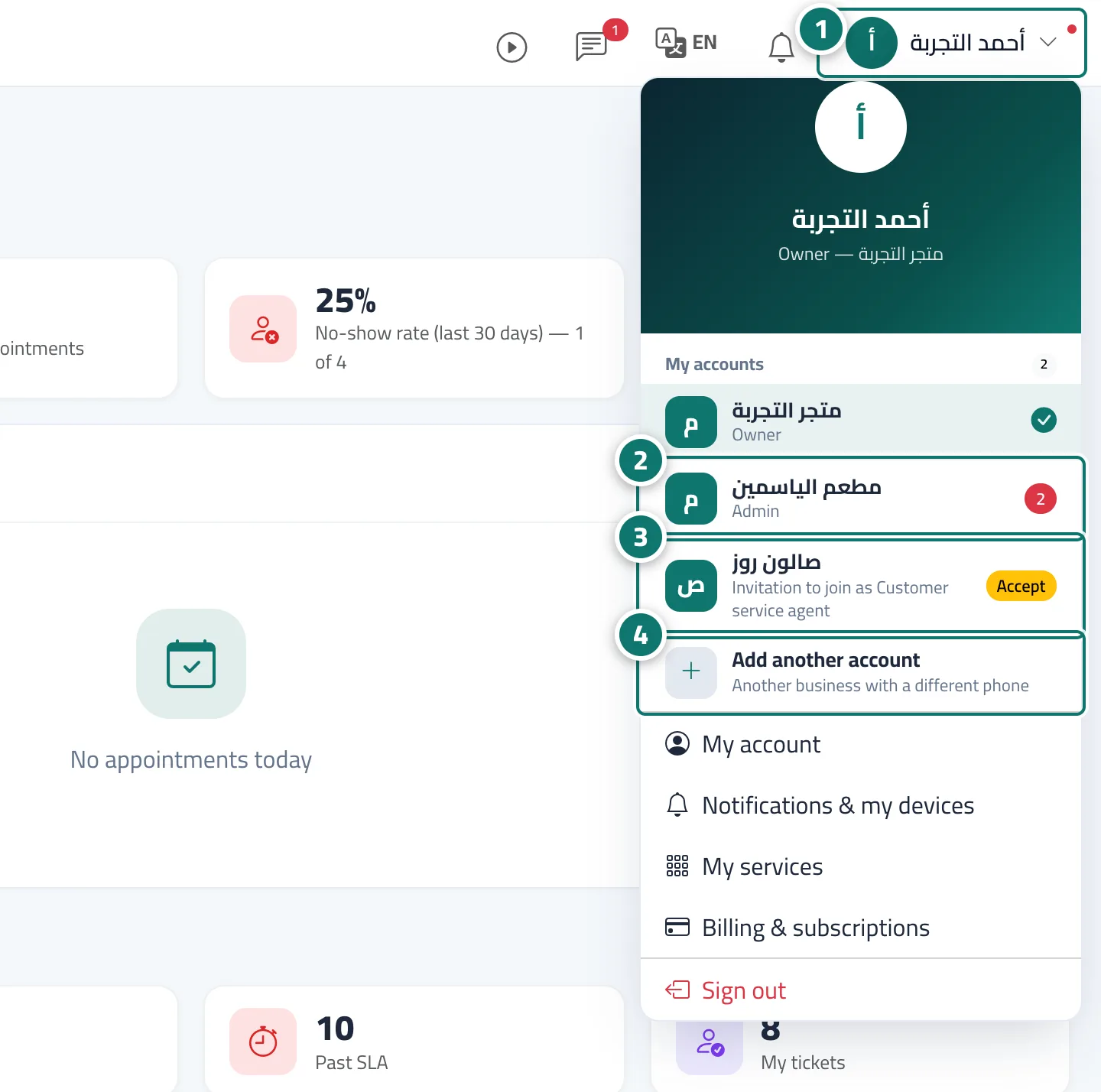
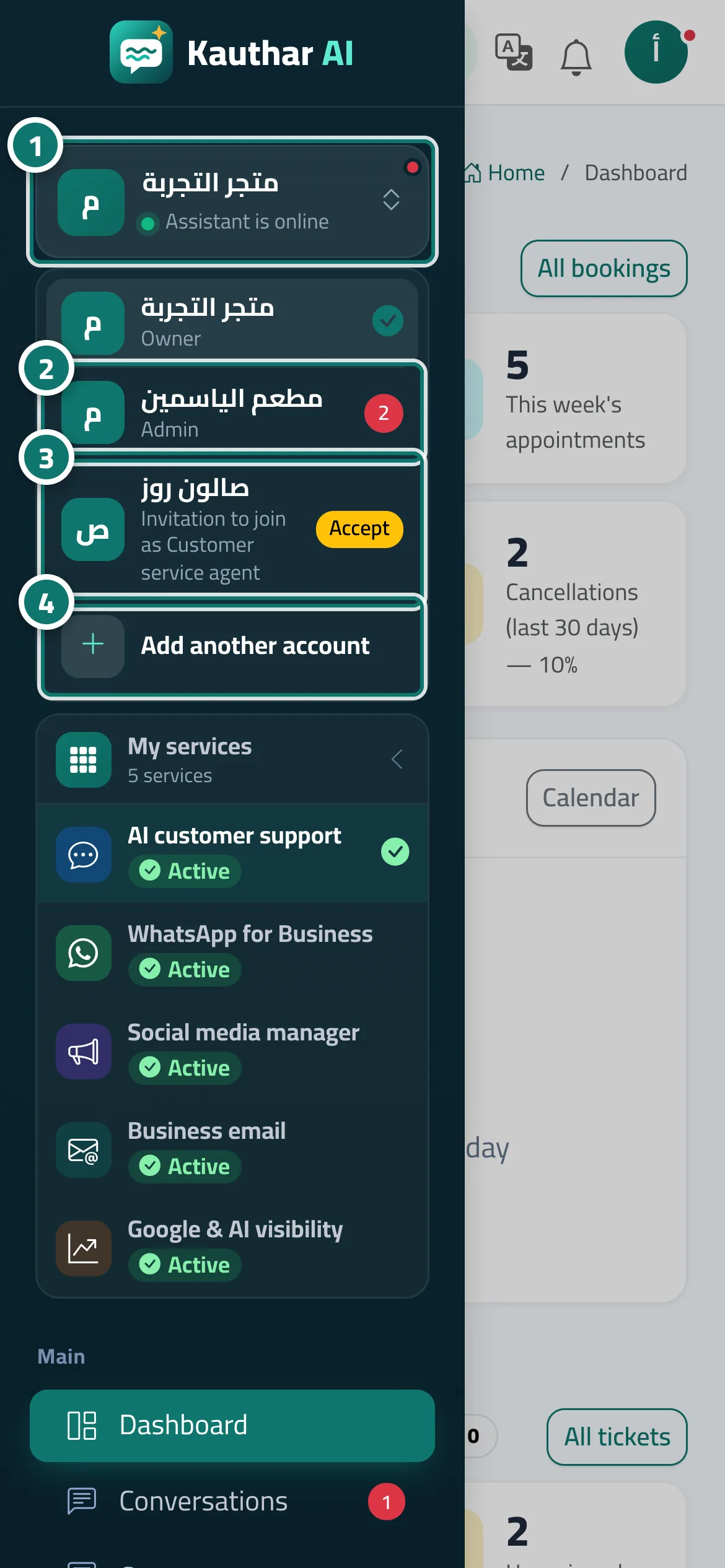
The My accounts menu gathers every business you work for on Kauthar. Any business that added you to its team with the same phone number appears there automatically after your first sign-in to it, with the business name, your role there (Owner, Admin, Customer service agent, Staff) and its number of new notifications. If a business has added you and you haven't signed in yet, you see Invitation to join as … with an Accept button. For a business registered with a different phone number, use Add another account: you sign in with that number and password, and it stays saved on this device next to your own account. Switching opens the other business on the same page when it is available to you there, with the message You are now in ….
- Pour qui ?
- Any member who works for more than one business (owner / admin / staff)
- Où le trouver ?
- Menu under your name in the top bar → My accounts · On a phone: More → tap the business name at the top of the menu
Pas à pas#
- Open My accounts: click your name in the top bar, or on a phone tap More and then the business name at the top of the menu.
- Tap the business you want to switch to; it opens at once with You are now in …. The red number next to it is its count of new notifications.
- If a business shows Invitation to join as …, tap Accept, then enter your name and password to activate your account there.
- For a business with another phone number, tap Add another account, then enter that account's number and its password.
Astuces#
Bon à savoir#
Questions fréquentes#
Can the other business see my business's data?
No. Each business is completely separate, with its own data, team and subscription; My accounts only saves you from signing in again.
Another business's owner added me but I don't see the invitation. Why?
Make sure they added you with the same number and the right country. If your number is different, use Add another account and sign in with that number.