Reply from your personal Telegram account (Telegram Business)
With Telegram Premium, link your business bot to your own account: Kauthar then answers the people who message you directly, in your name, and you can still reply yourself.
Sur cette page
Vue d’ensemble#
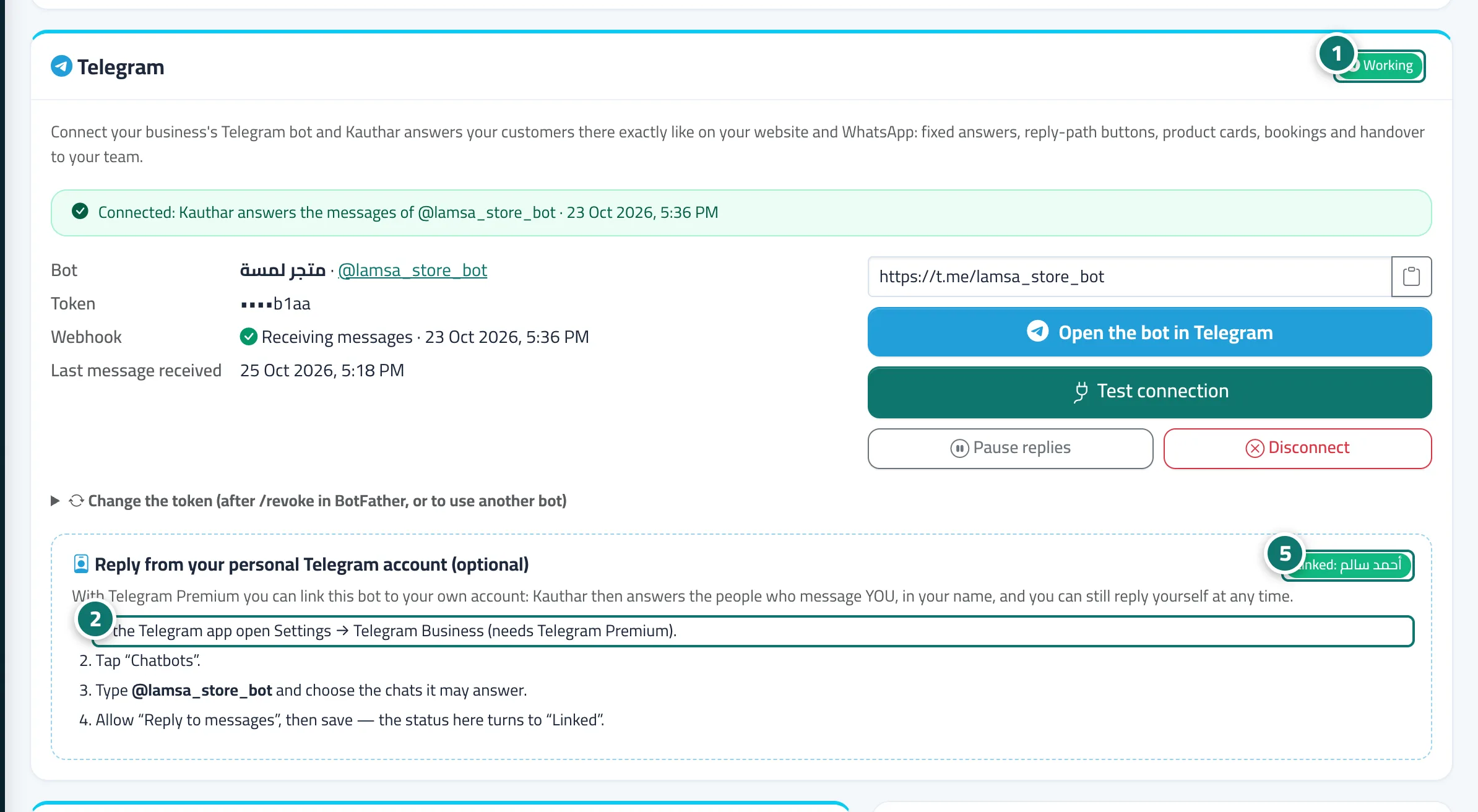
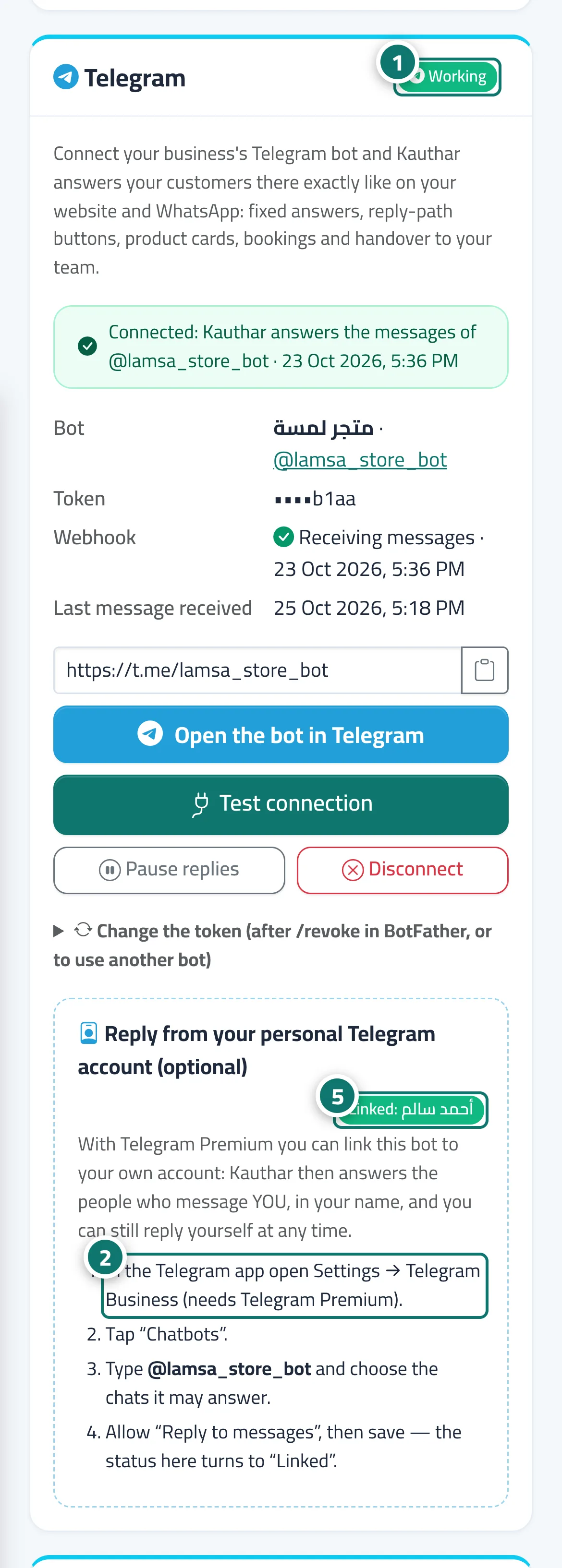
Once a Telegram bot is connected, the Telegram card shows an optional section, Reply from your personal Telegram account (optional). Telegram Business (it needs Telegram Premium) lets you link the bot to your personal account, so Kauthar answers the people who message YOU directly, in your name and from your account; those chats appear in Conversations just like the bot's. You set it up in the Telegram app itself, and the badge on the card changes from Not linked to Linked: <your name> as soon as Kauthar receives the link.
- Pour qui ?
- The owner of the personal Telegram account (usually the business owner)
- Où le trouver ?
- Sidebar → Channels & customers → Channels → Telegram → Reply from your personal Telegram account
Pas à pas#
- Connect your business bot first (see Connect a Telegram bot) and make sure its status is Working.
- In the Telegram app open Settings → Telegram Business (needs Telegram Premium).
- Tap Chatbots, type your bot's username and choose the chats it may answer.
- Allow Reply to messages, then save.
- Back in Kauthar, the badge in that section turns to Linked with your name.