
A specialised assistant for each button
The «Shipping» button answers only from your shipping file and the «Products» button from your price list, so answers are more accurate and faster.
Vue d’ensemble#
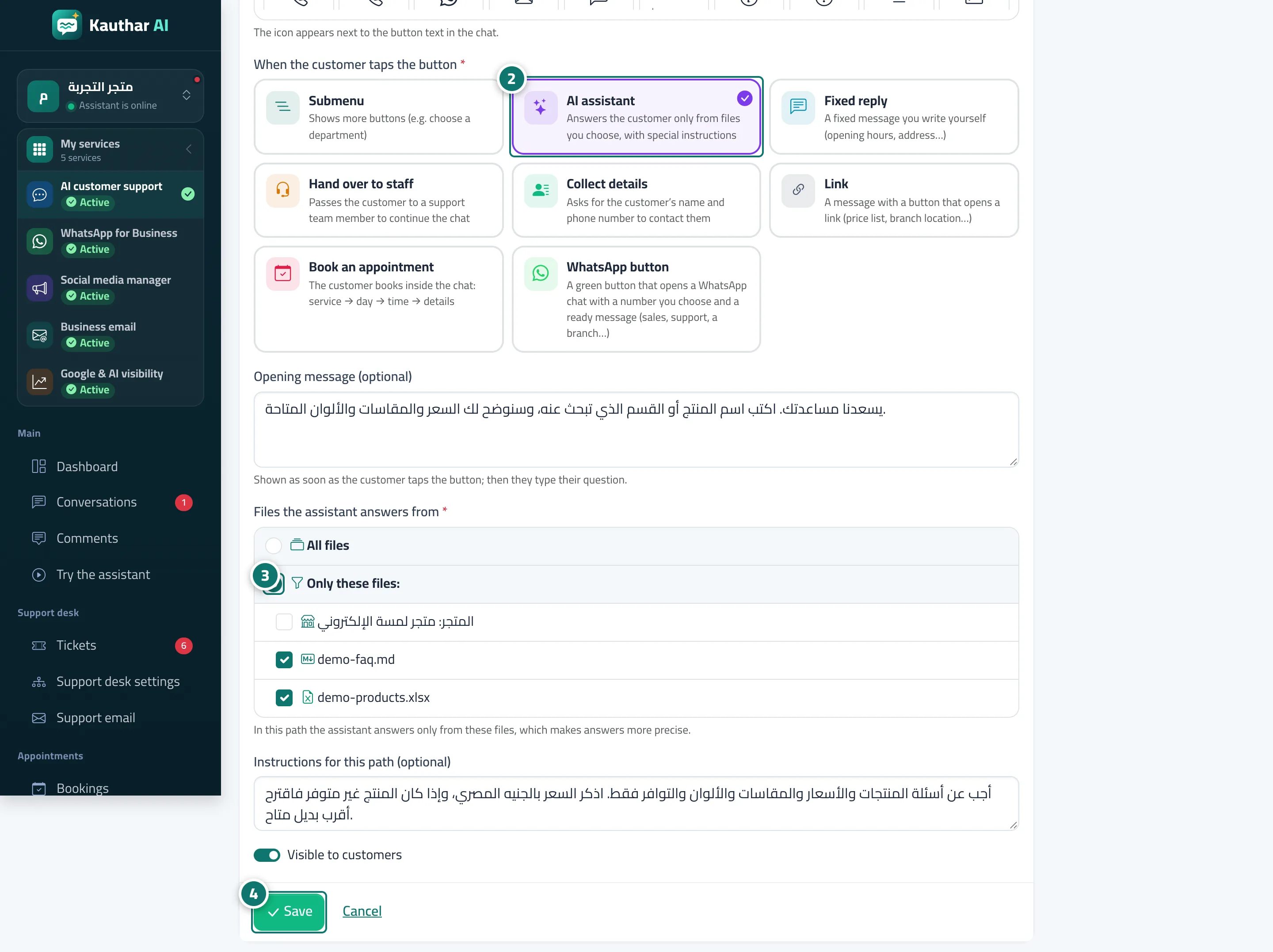
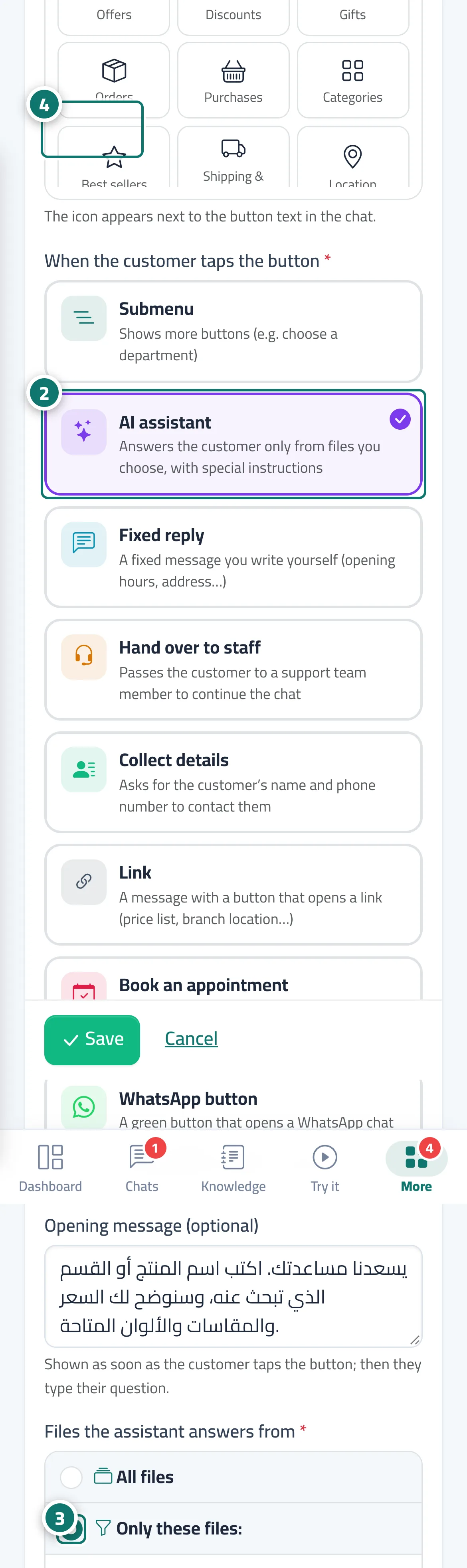
When a button's type is AI assistant, you set the Files the assistant answers from (All files or Only these files:), Instructions for this path (optional) that shape how it answers, and an Opening message (optional) shown to the customer as soon as the button is tapped (for example: Ask us anything about shipping.). From then on, every question the customer types inside this path is answered from the selected files only, taking the button's name into account when searching, and the customer sees You're asking about: … with the button's name.
- Pour qui ?
- Business owner / manager
- Où le trouver ?
- Sidebar → Train your assistant → Reply paths → Edit on a button of type AI assistant
Pas à pas#
- Open Reply paths and click Edit on the button (or add a new one).
- Under When the customer taps the button, choose AI assistant.
- Under Files the assistant answers from, choose Only these files: and tick the right files, then write the Instructions for this path (optional).
- Click Save, then try the button from Preview chat.
Astuces#
Bon à savoir#
Questions fréquentes#
What if the customer asks about something outside the button's topic?
They can go back to the Main menu or choose another button. Inside this path the assistant answers from the selected files only; if it can't find the information it apologises and offers to take the customer's details.
Do this button's replies count against the monthly AI reply allowance?
Yes — replies written by the AI assistant count against your plan's allowance, while fixed replies, links and submenus don't.