
Kauthar support inside the dashboard
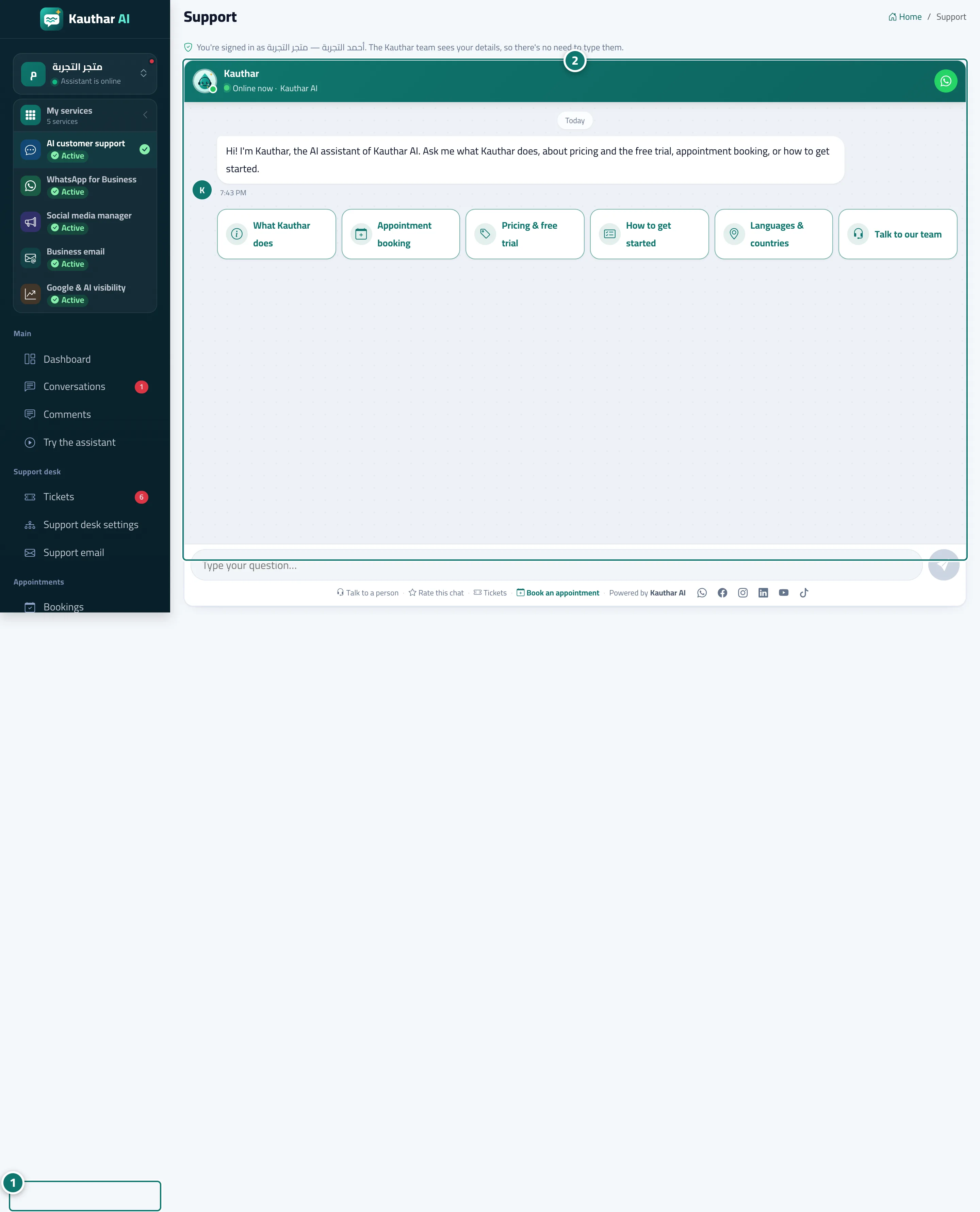
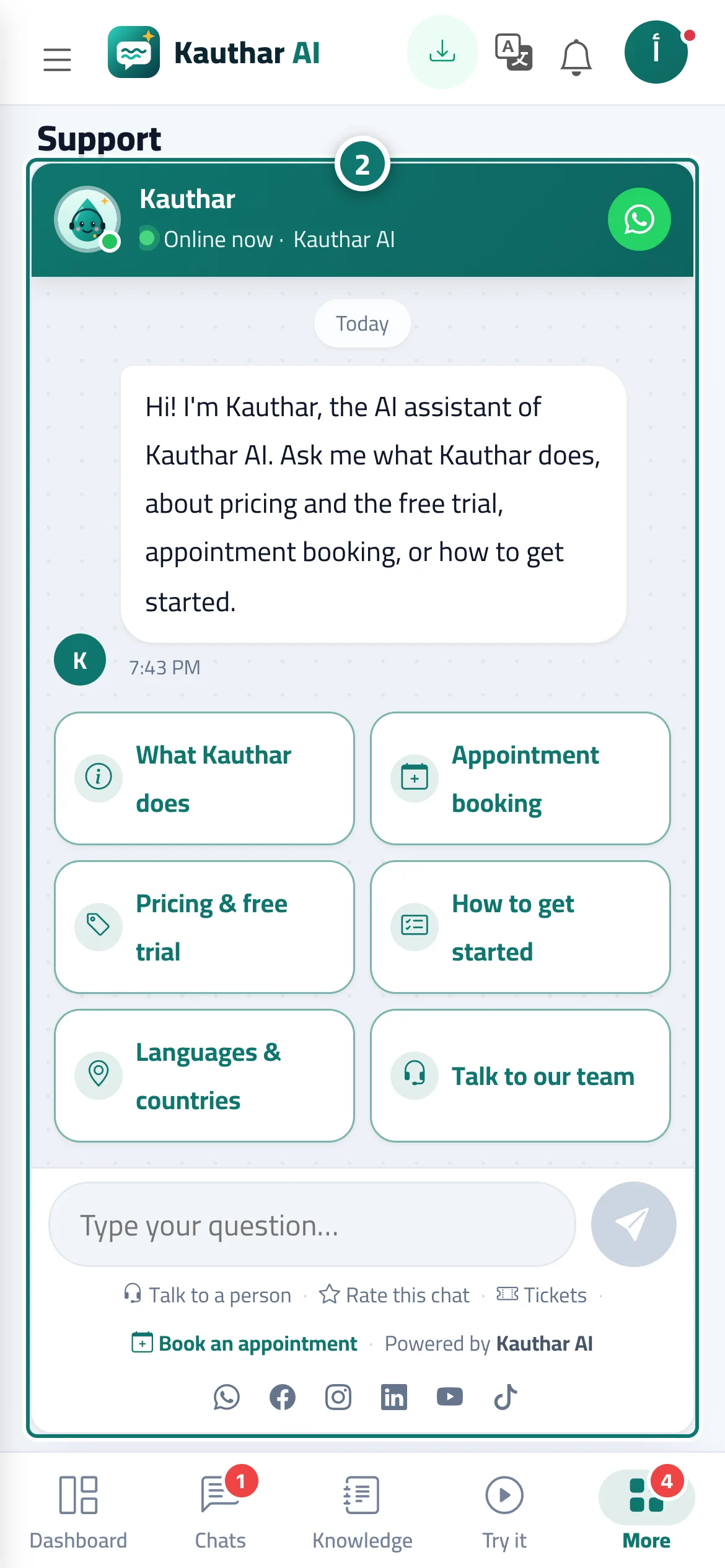
The “Support” page in the sidebar opens a chat with Kauthar herself, who answers any question about the platform instantly and hands you over to our team when needed — without you typing your details.
Vue d’ensemble#
In the sidebar, under Help & learning, is the Support page. It opens a chat with Kauthar — the platform's own AI assistant, trained on this user guide and on the website pages. Kauthar knows you're signed in with your name and your business name (shown at the top of the chat), so you don't need to type your details. Start with one of the ready buttons (What Kauthar does, Appointment booking, Pricing & free trial, How to get started, Languages & countries, Talk to our team) or type your question, and she answers with the steps and the button names. If you need a person from the Kauthar team, choose Talk to our team or the WhatsApp button at the top of the chat.
- Pour qui ?
- Business owner / manager / staff member
- Où le trouver ?
- Sidebar → Help & learning → Support
Pas à pas#
- Open Support from the sidebar (on a phone: More, then Support).
- Choose one of the ready buttons or type your question in the Type your question… box, for example How do I connect the support mailbox?.
- To reach a person from the Kauthar team, tap Talk to our team or the WhatsApp button at the top of the chat.
Astuces#
Bon à savoir#
Questions fréquentes#
Can anyone see my support conversation?
The Kauthar team sees the conversation, your name and your business name in order to follow up with you, and we don't sell it. To write the replies, your messages are sent to the Kauthar cloud engine (Google Gemini), which writes the reply on our behalf.
Where did the floating Help button go?
It was replaced by the Support page in the sidebar, so the button no longer covers parts of the screen.