
OTP apps: create an app and choose the sending number
Each app, website or store that sends verification codes gets its own app in Kauthar with its default language, sender mode, and live and sandbox keys.
Vue d’ensemble#
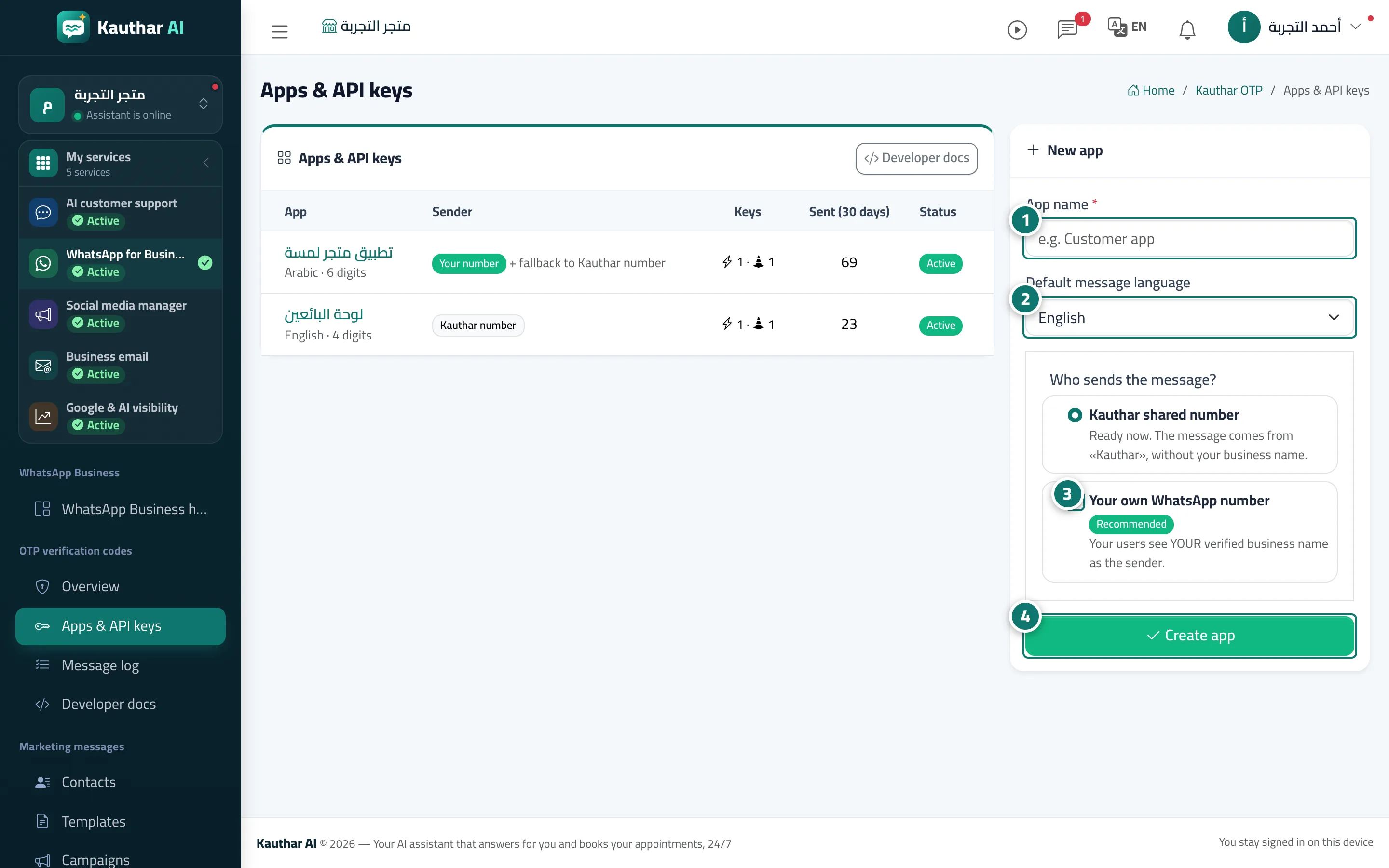
The "Apps & API keys" screen has a table of your apps (name, language and code length, sender, number of live and sandbox keys, messages sent in 30 days, status) and a New app card: app name, default message language (Arabic, English or French), and the sender: Your own WhatsApp number (users see your verified business name, Meta bills your account directly and Kauthar charges a platform fee per message; Kauthar never sends to your customers from its own numbers).
- Pour qui ?
- Business owner / manager / developer with add permission for OTP
- Où le trouver ?
- Sidebar → WhatsApp Business → OTP verification codes → Apps & API keys
Pas à pas#
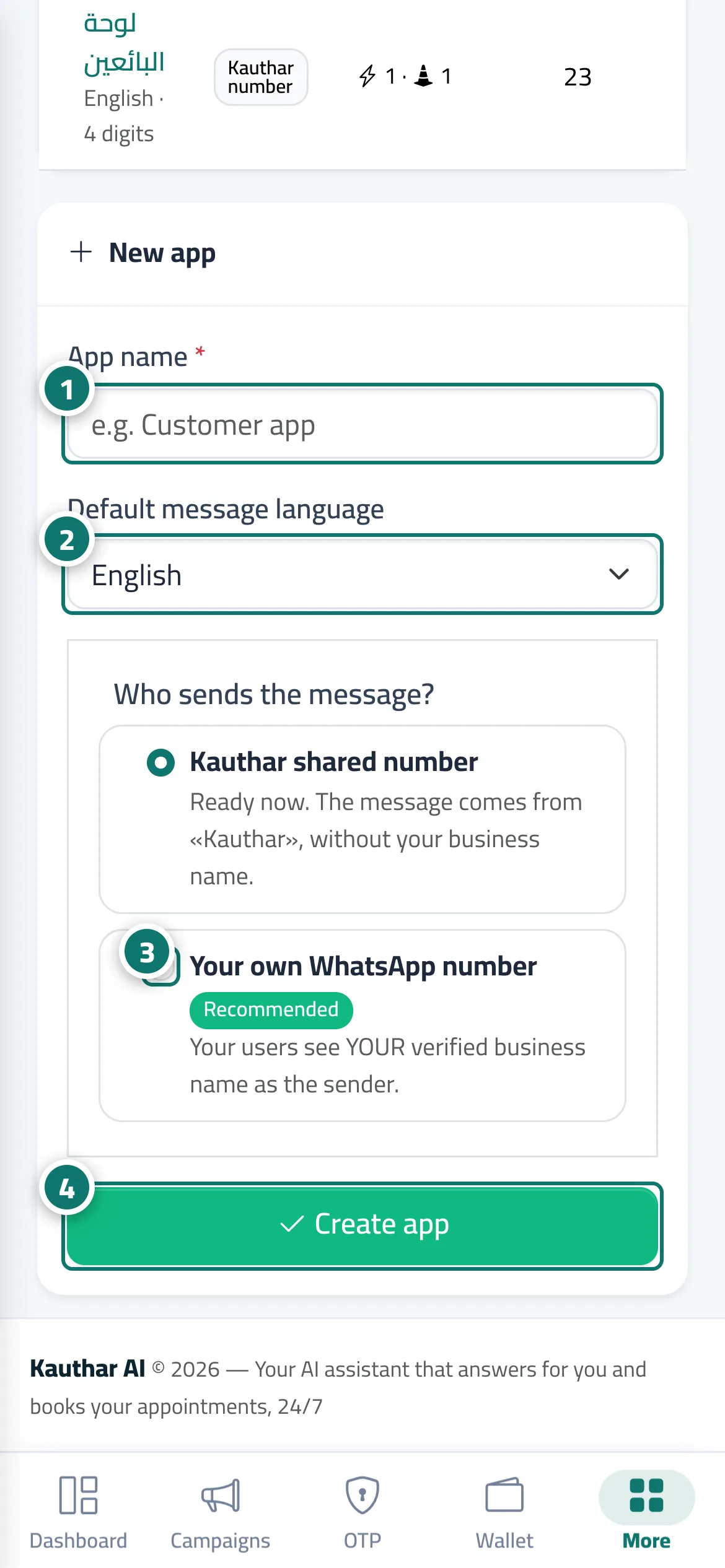
- Enter the App name (for example Customer app).
- Choose the Default message language.
- The message is sent from Your own WhatsApp number — connect it from Channels if it is not connected yet.
- Click Create app, then open it from the table to create its keys.
Astuces#
Bon à savoir#
Questions fréquentes#
Do I need my own WhatsApp number to send codes?
For live codes, yes: codes are sent from your business number only. You can create the app and test it in sandbox before connecting.