
The Kauthar website
Kauthar's website in three languages: the five services, solutions for each sector, integrations, a pricing page in the visitor's currency, FAQ and ways to try it.
Vue d’ensemble#
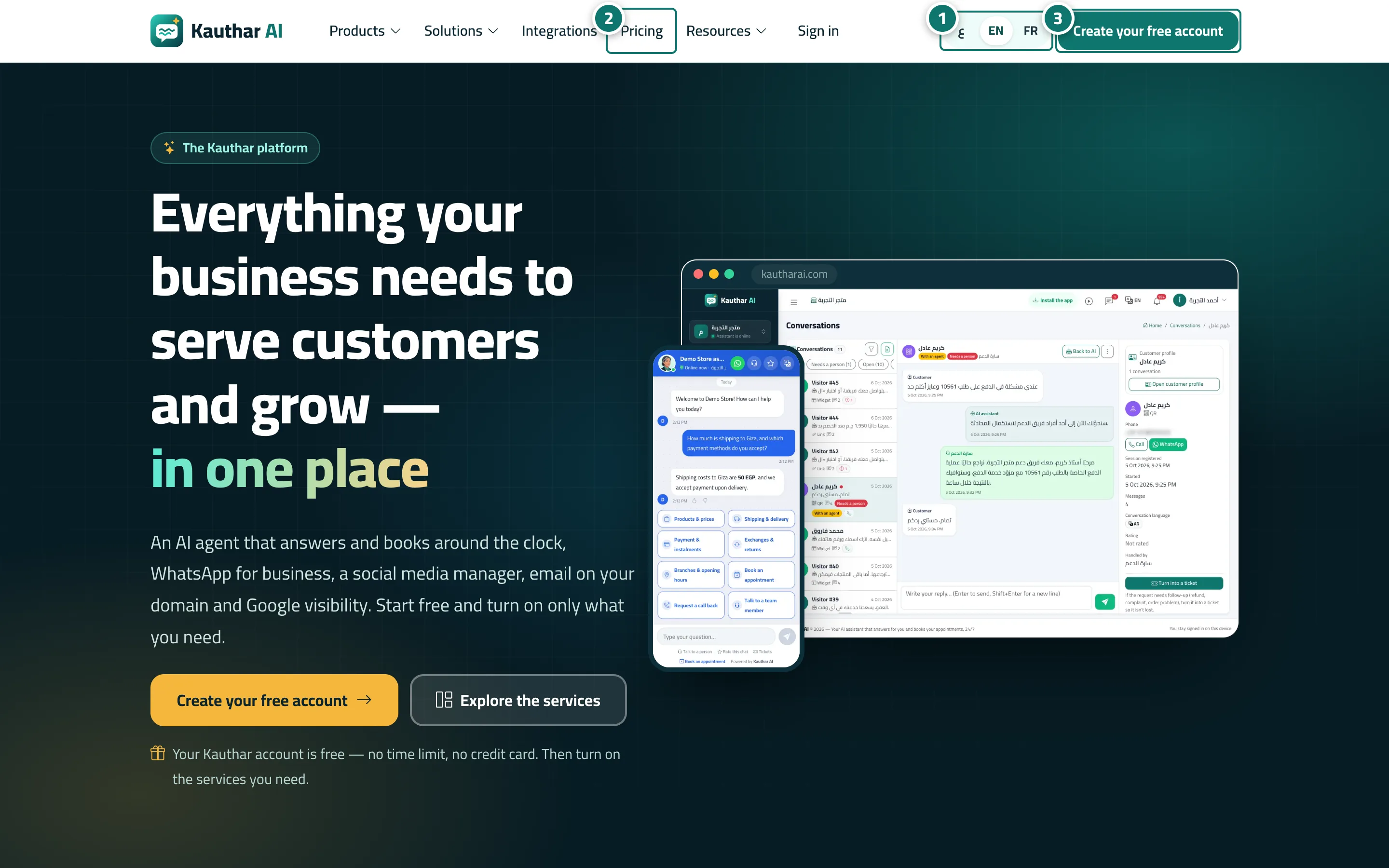
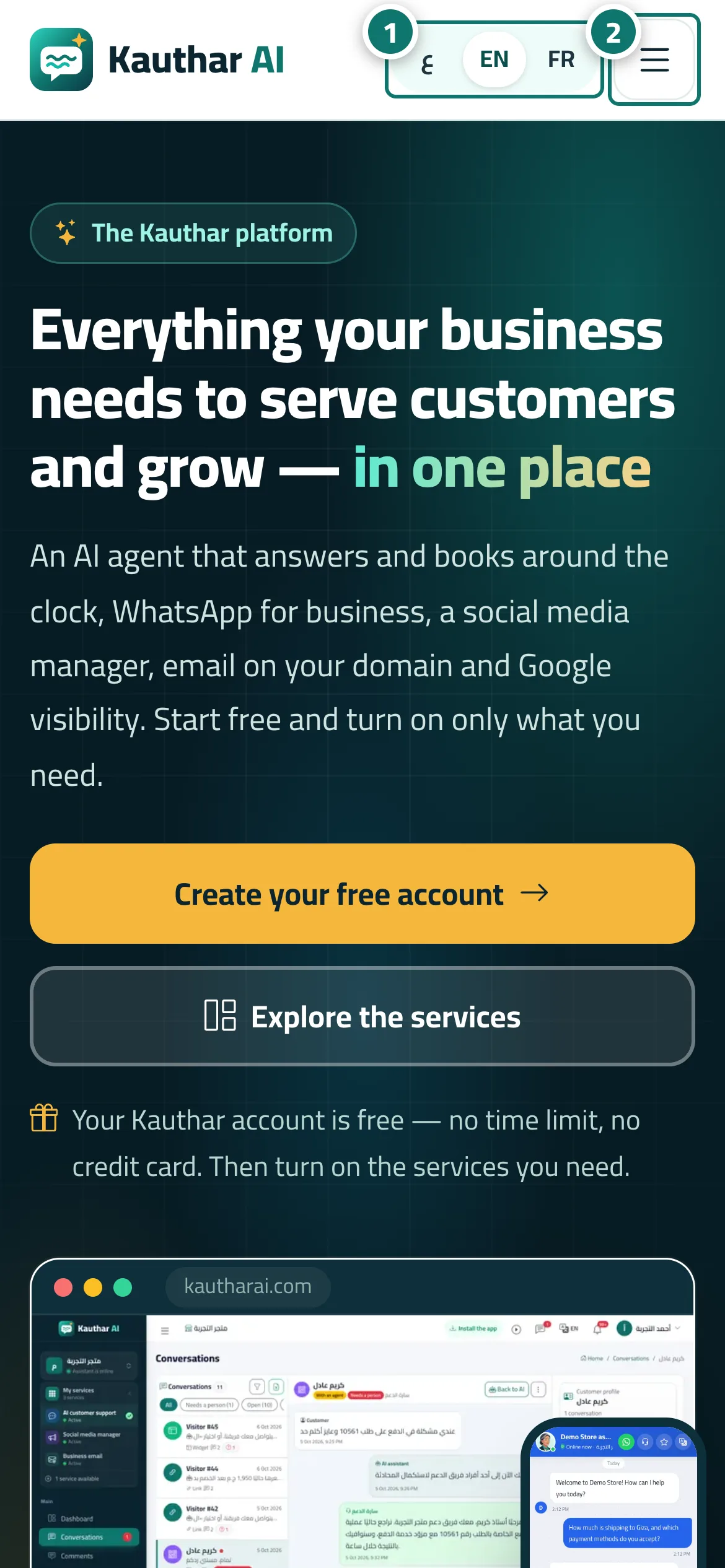
The Kauthar website is available in Arabic, English and French. It opens in the visitor's device language, with a language switcher at the top and bottom of the page. The top bar has Products (the five services — AI customer support, WhatsApp Business, social media manager, business email, and visibility on Google & AI — plus All features), Solutions (a page per sector such as clinics, salons, restaurants and shops), Integrations, Pricing, Resources (About, Security & trust, Contact us, Partners, KautharBot), Sign in and a Create your free account button. The home page presents the services, Up and running in three steps, real screenshots of the dashboard, the channels (WhatsApp, Messenger, Instagram, Telegram, website chat, link, QR code and email), the sectors, a Simple pricing per service summary (the free account, then each service with its free trial and starting monthly price in the visitor's currency), a trust section, the FAQ, and at the end Try Kauthar now and Explore the dashboard with a ready demo account. The separate Pricing page details every service's plans. The footer links to the products, solutions, integrations, the WhatsApp OTP API, the demo account, the Google Play app, the privacy policy, the terms of use and account deletion.
- Pour qui ?
- Business owner (visitor before signing up)
- Où le trouver ?
- The Kauthar website home page
Pas à pas#
- Open the Kauthar website. It opens in your device language — change it from the language switcher at the top.
- Press Pricing in the top bar (on a phone, from the menu button) to see each service's plans in your country's currency.
- Press Create your free account to sign up, then turn on the service you need.
Astuces#
Bon à savoir#
Questions fréquentes#
Do I need a credit card to sign up?
No. The account is free and every service's free trial needs no card. When you subscribe you pay by card or e-wallet.
Why are prices shown in my currency?
Kauthar detects your country and shows prices in its currency; you can change the country from the list at the top of the Pricing page.