
Several WhatsApp numbers for one business
Connect more than one WhatsApp number (for sales, support and each branch), name each number and choose the primary one; Kauthar always replies from the same number the customer wrote to.
Vue d’ensemble#
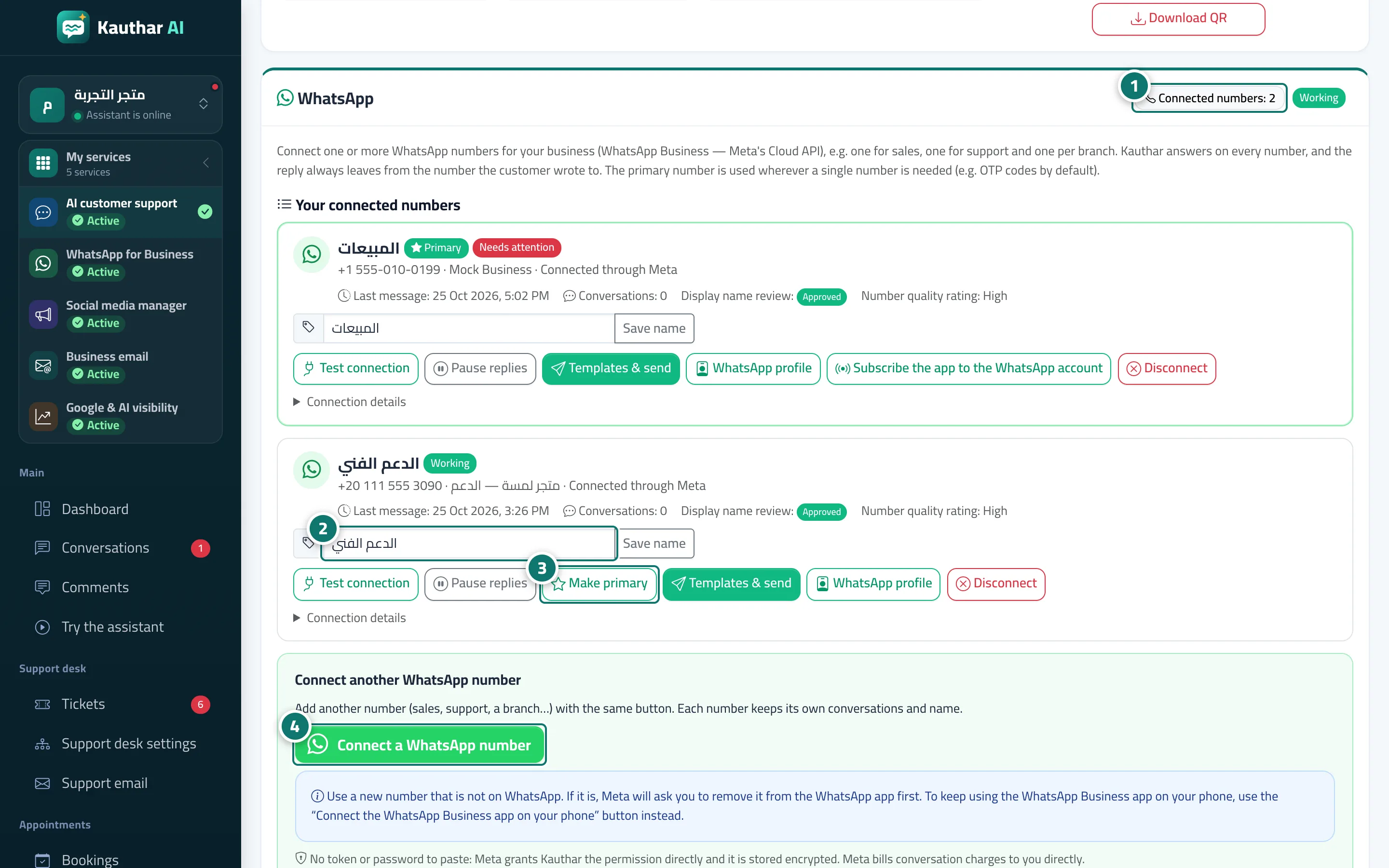
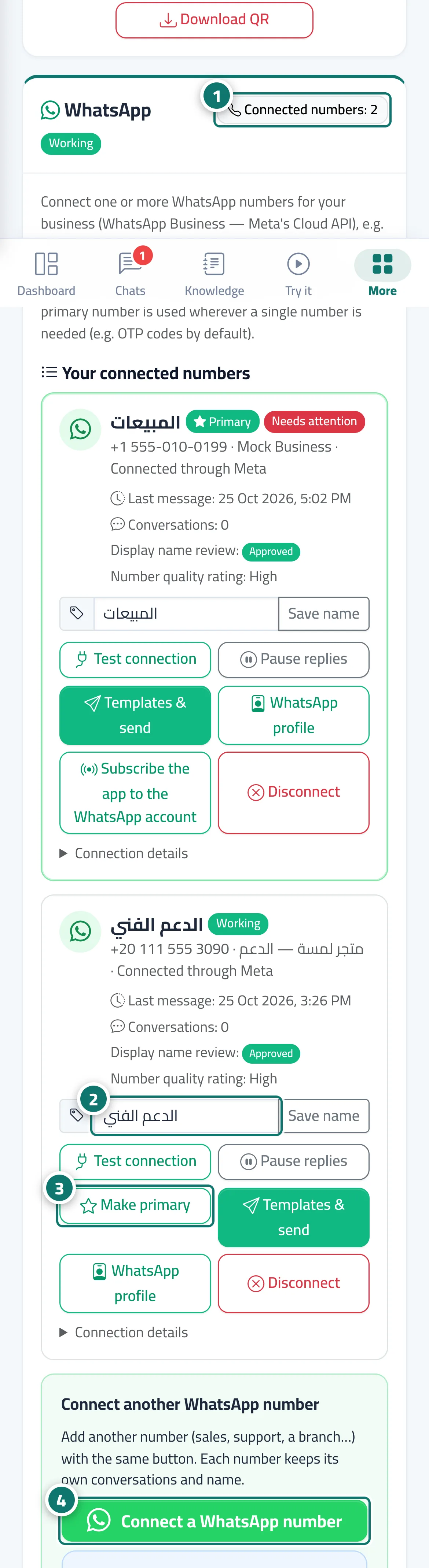
The WhatsApp card lists Your connected numbers: each number has a card with its name (such as Sales, Support or Jeddah branch), its status (Working, Paused, Needs attention…), the number and its verified name, the last message, the number of conversations, the display name review and the number's quality rating. Next to the card title a X of Y numbers counter shows your plan's limit. Kauthar answers on every number, and the reply always goes out from the same number the customer wrote to — team replies too. The Primary number is the one used wherever a single number is needed (such as OTP messages by default).
- Pour qui ?
- Business owner / manager (or a team member allowed to edit Channels)
- Où le trouver ?
- Sidebar → Channels & customers → Channels → WhatsApp card → Your connected numbers
Pas à pas#
- Check the counter next to the WhatsApp title to see how many numbers are connected and how many your plan allows.
- Type a name for the number in Number name (such as Support), then click Save name.
- Click Make primary on the number you want as your primary number.
- To add another number, click Connect a WhatsApp number in the Connect another WhatsApp number section.
Astuces#
Bon à savoir#
Questions fréquentes#
Does each number have its own separate conversations?
Yes. Each number keeps its name and its conversations, and the reply goes out from the number the customer wrote to.