Campaign report
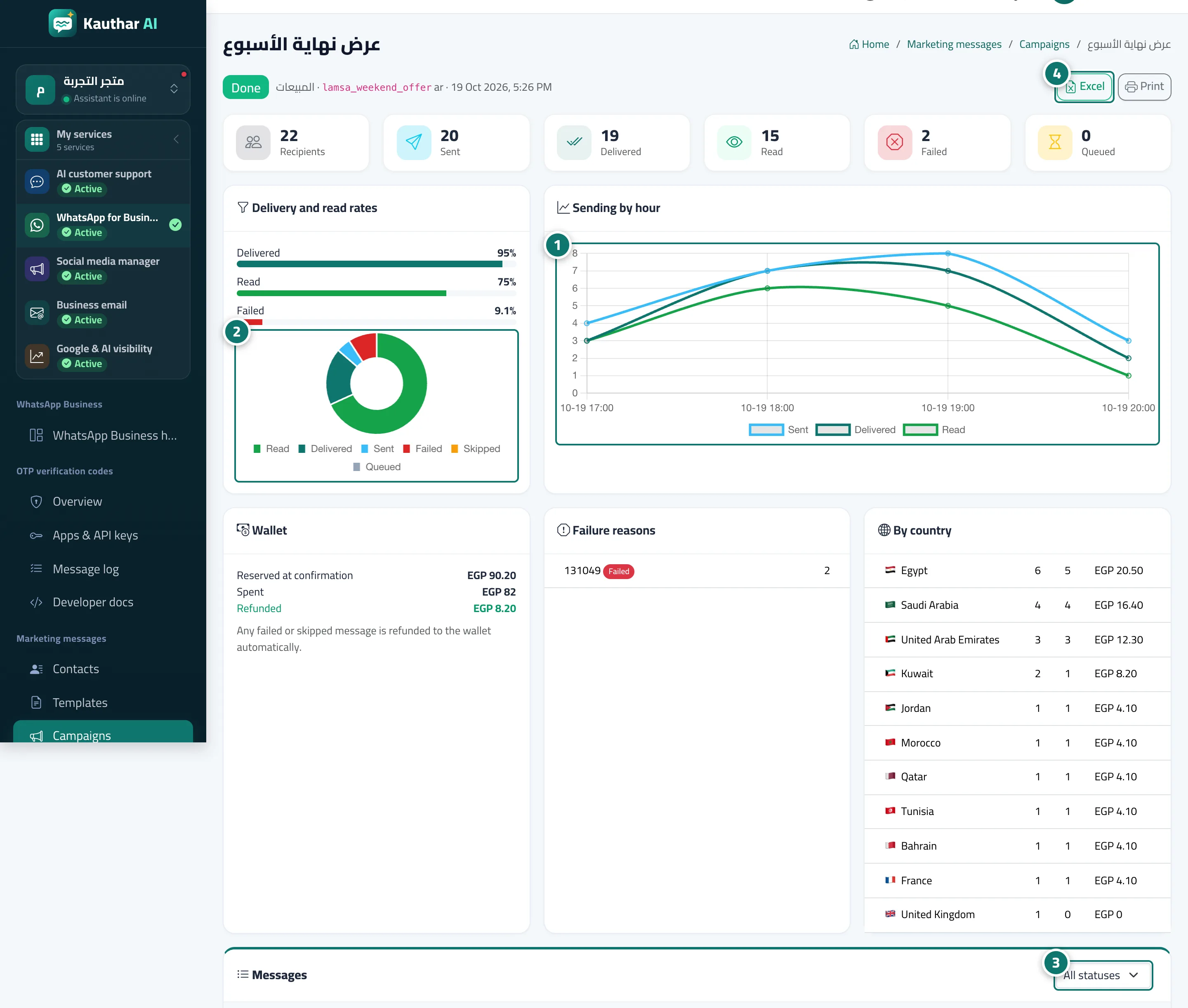
Each campaign's results in detail: recipients, sent, delivered, read and failed, sending by hour, wallet, failure reasons, breakdown by country and the message table.
Sur cette page
Vue d’ensemble#
The Campaign report page: recipients, waiting, sent, delivered, read, failed and skipped; the Sending by hour chart; the Delivery and read rates chart; the Wallet card (reserved on confirmation, spent, refunded); Failure reasons; By country; and the Messages table with each recipient's status, filters by status, Excel and Print.
- Pour qui ?
- Business owner / manager / staff member with marketing permission
- Où le trouver ?
- Sidebar → WhatsApp Business → Marketing messages → Campaigns → campaign name
Pas à pas#
- Review the Sending by hour chart.
- Review Delivery and read rates.
- Review Wallet, Failure reasons and By country.
- Filter the Messages table by status, or export it to Excel.