
Deleting the business account or your personal account
The owner deletes the business with all its data, with 14 days to change their mind; a team member deletes only their own account; and anyone who can't sign in has a public deletion request page.
Vue d’ensemble#
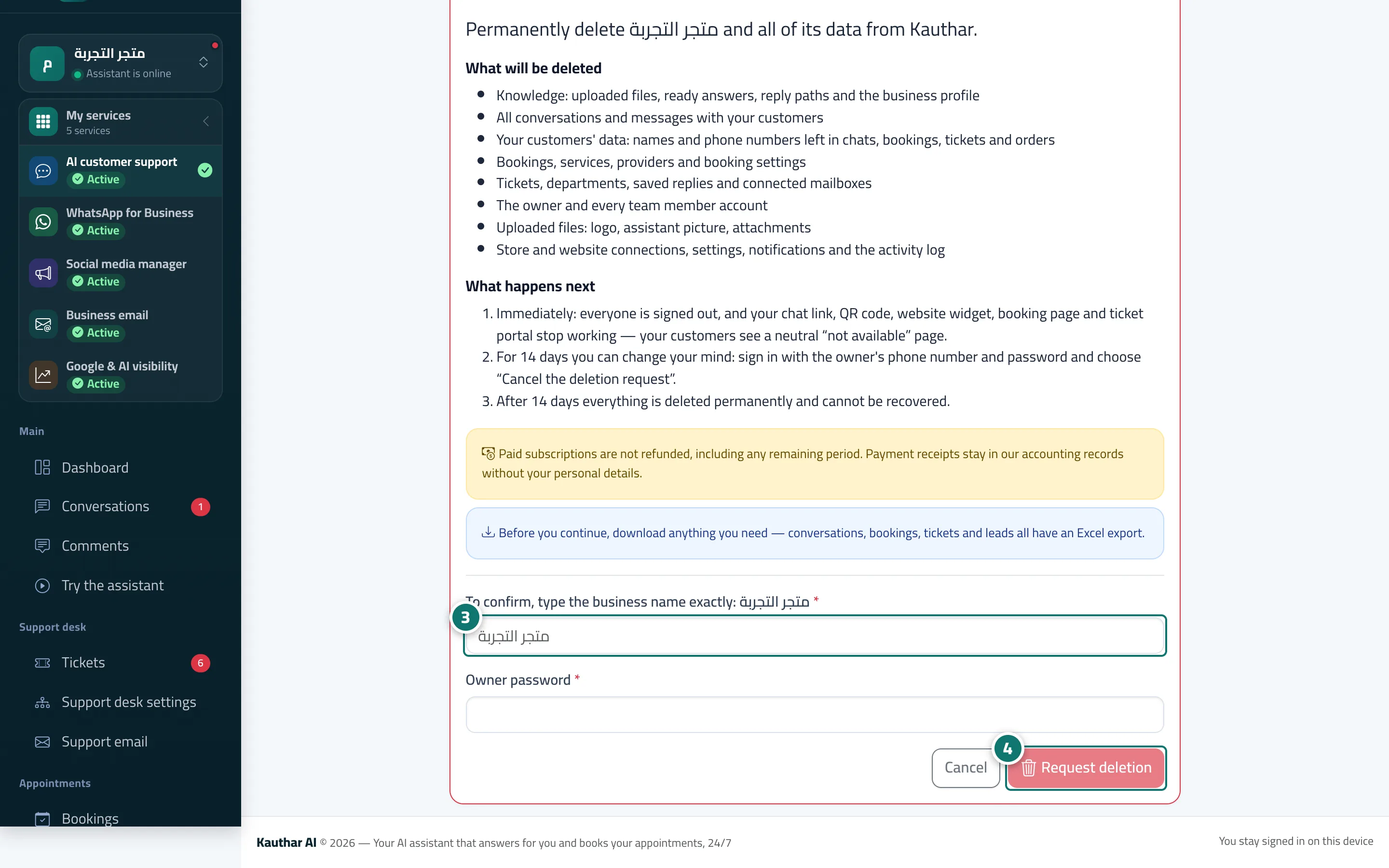
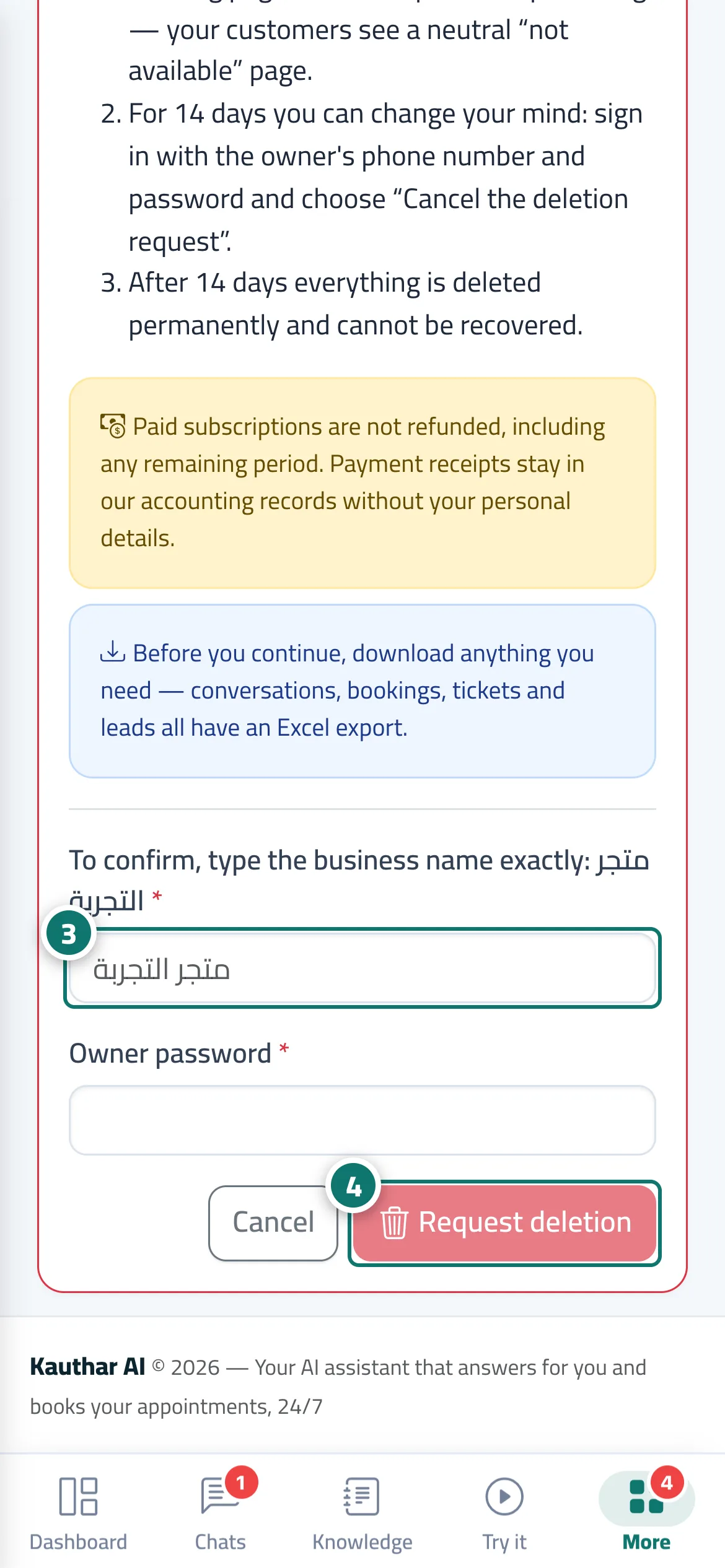
The Delete the business account page (owner only) states clearly What will be deleted: knowledge, conversations, customer details, bookings, tickets, team accounts, uploaded files, the store connection and settings; and What happens next: everyone is signed out immediately and every customer page stops (chat link, QR code, website widget, booking page and ticket portal), so your customers see an unavailable page. Within 14 days you can undo it by signing in with the owner's number and choosing Cancel the deletion request; after that everything is deleted permanently. To confirm, you type the business name exactly and the owner's password. A team member deletes only their own account from My account → Delete my account. On the Kauthar website, the Delete account page explains both ways and lets anyone who cannot sign in send a deletion request.
- Pour qui ?
- Business owner (deleting the business) / every member (deleting their personal account)
- Où le trouver ?
- Sidebar → Account → Settings & subscription → Business details tab → Danger zone → Delete the business account… · Menu under your name → My account → Delete my account
Pas à pas#
- Open Settings & subscription, scroll down the Business details tab to the Danger zone, then press Delete the business account….
- Read What will be deleted and What happens next, and download what you need first (conversations, bookings, tickets and customer details each have an Excel export).
- Type the business name exactly as it is, then the owner's password.
- Press Request deletion and confirm. To undo within 14 days, sign in with the owner's number and press Cancel the deletion request.
Astuces#
Bon à savoir#
Questions fréquentes#
I can't sign in. How do I delete my account?
Open the Delete account page from the bottom of the Kauthar website, enter the account's phone number and the business name, and send the request. The Kauthar team checks that the request comes from the owner, then deletes the account.
Can I delete my account from the mobile app?
Yes. The same steps are available in the Kauthar app and on the website.