
Booking schedule: day, week and list
Today's appointments for every provider in an hourly grid, a weekly view and a filterable list — all on one screen.
Vue d’ensemble#
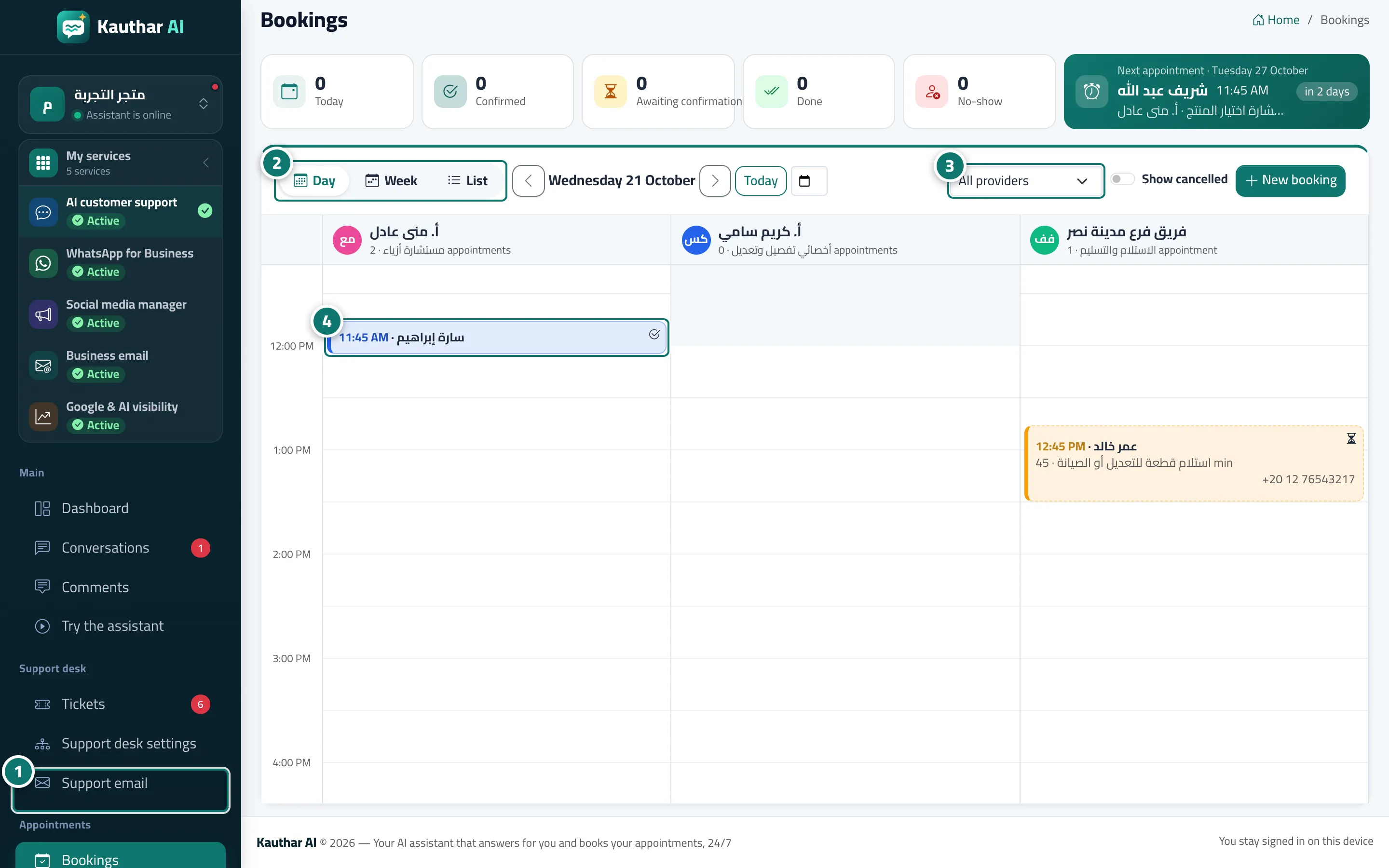
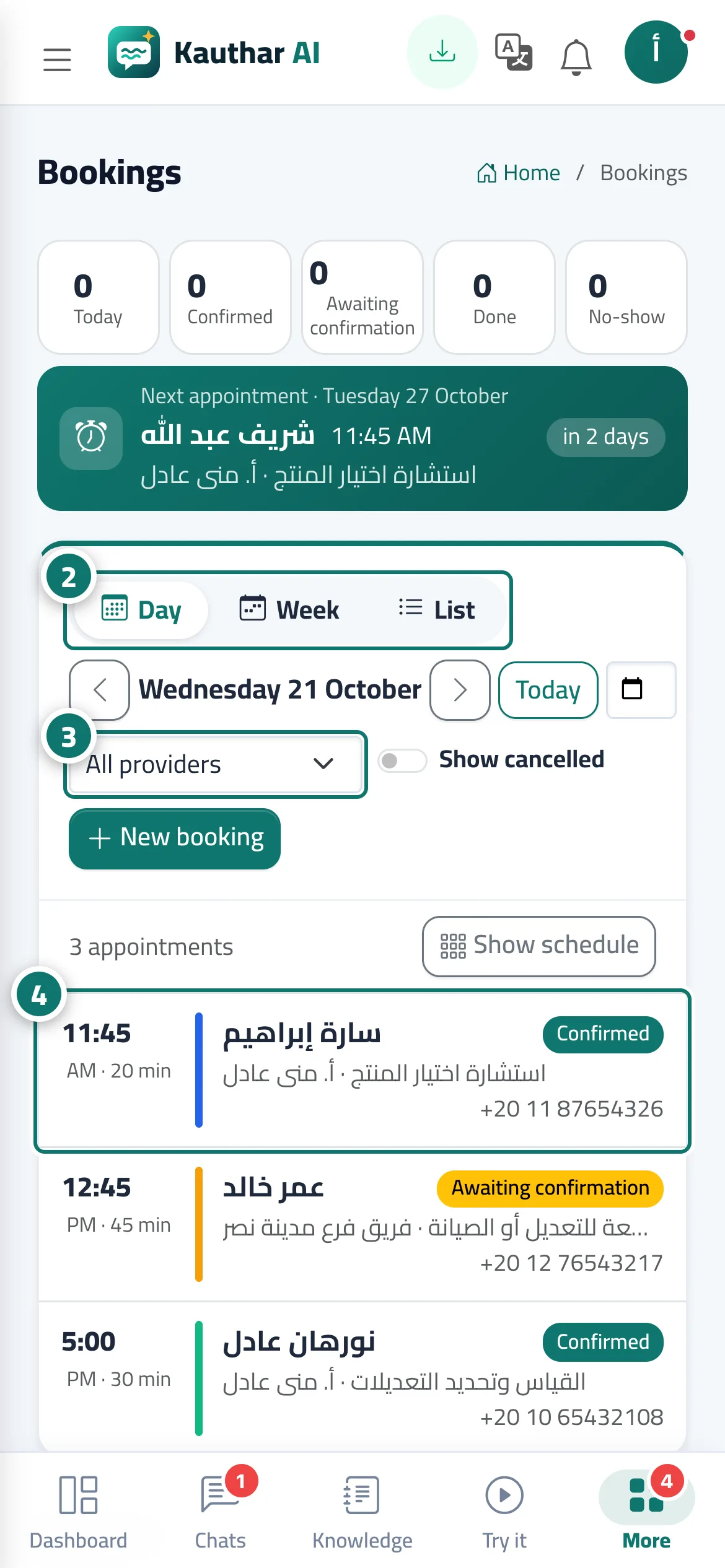
The top of the Bookings screen shows Today, Confirmed, Awaiting confirmation, Done, No-show and the Next appointment with a countdown. It offers three views: Day (an hourly grid with a coloured column per provider and a Now line) · Week (each day with its appointments) · List (search by customer name, phone or booking number; filter by period from/to, provider, service, status and channel; with Excel and Print). Move between days with Previous and Next, jump back to Today, pick a date, filter by provider, and show cancelled appointments with Show cancelled. All times are in the time zone set in your business settings.
- Pour qui ?
- Business owner / manager / agent (depending on permissions)
- Où le trouver ?
- Sidebar → Appointments → Bookings
Pas à pas#
- Open Bookings; the page opens on today's schedule.
- Switch between Day, Week and List.
- Pick a provider from All providers to see only their schedule.
- Click any appointment to see its details in the side panel.
Astuces#
Bon à savoir#
Questions fréquentes#
Can the same provider be booked twice at the same time?
No. Kauthar prevents overlaps for the same provider even if two customers try to book at the very same moment; the second one sees This time was just booked. Please choose another one.
Where do I find cancelled appointments?
Turn on Show cancelled in the day or week view, or choose the status Cancelled in the list view.
Which time zone are appointments shown in?
Your business's time zone, set in Settings & subscription, whatever your device's time zone.