
Talk to a person
Customers can ask for someone from your team at any moment and are handed over to you in the same chat, or through your business WhatsApp.
Vue d’ensemble#
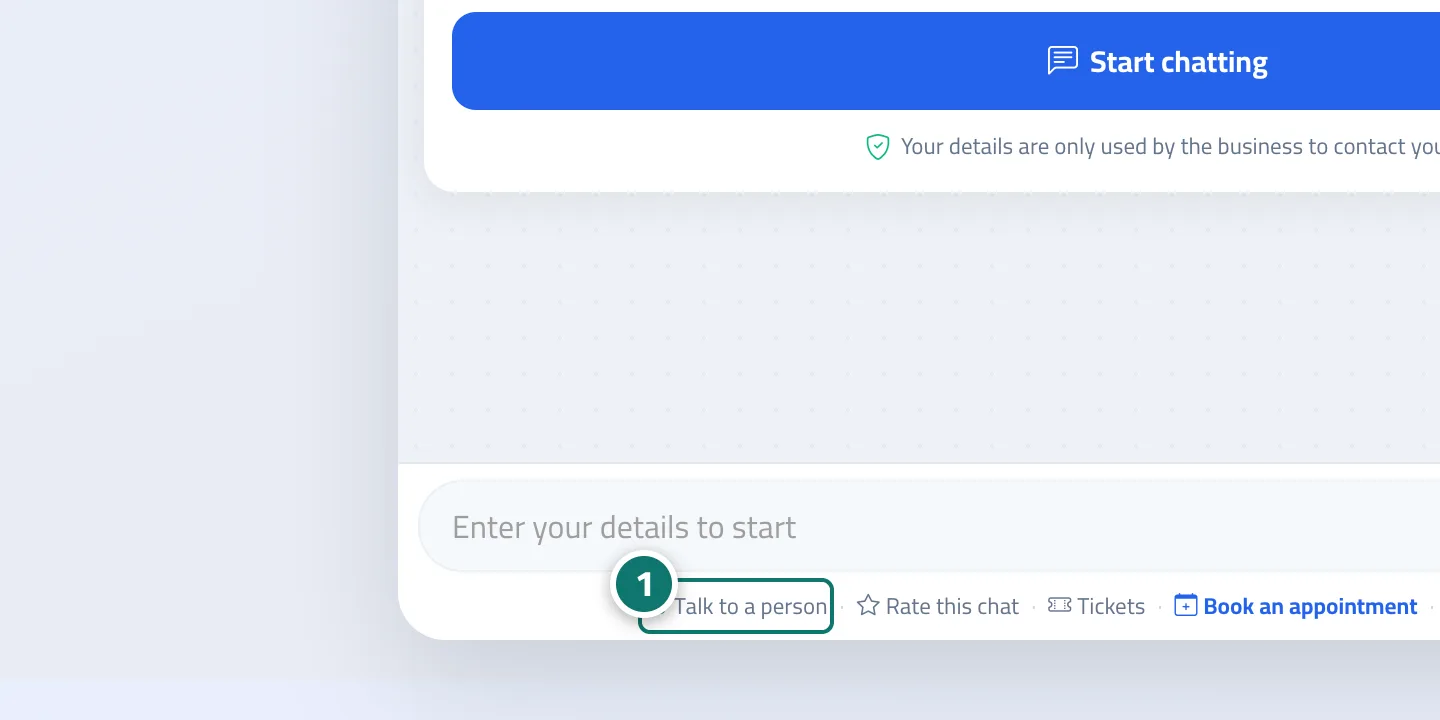
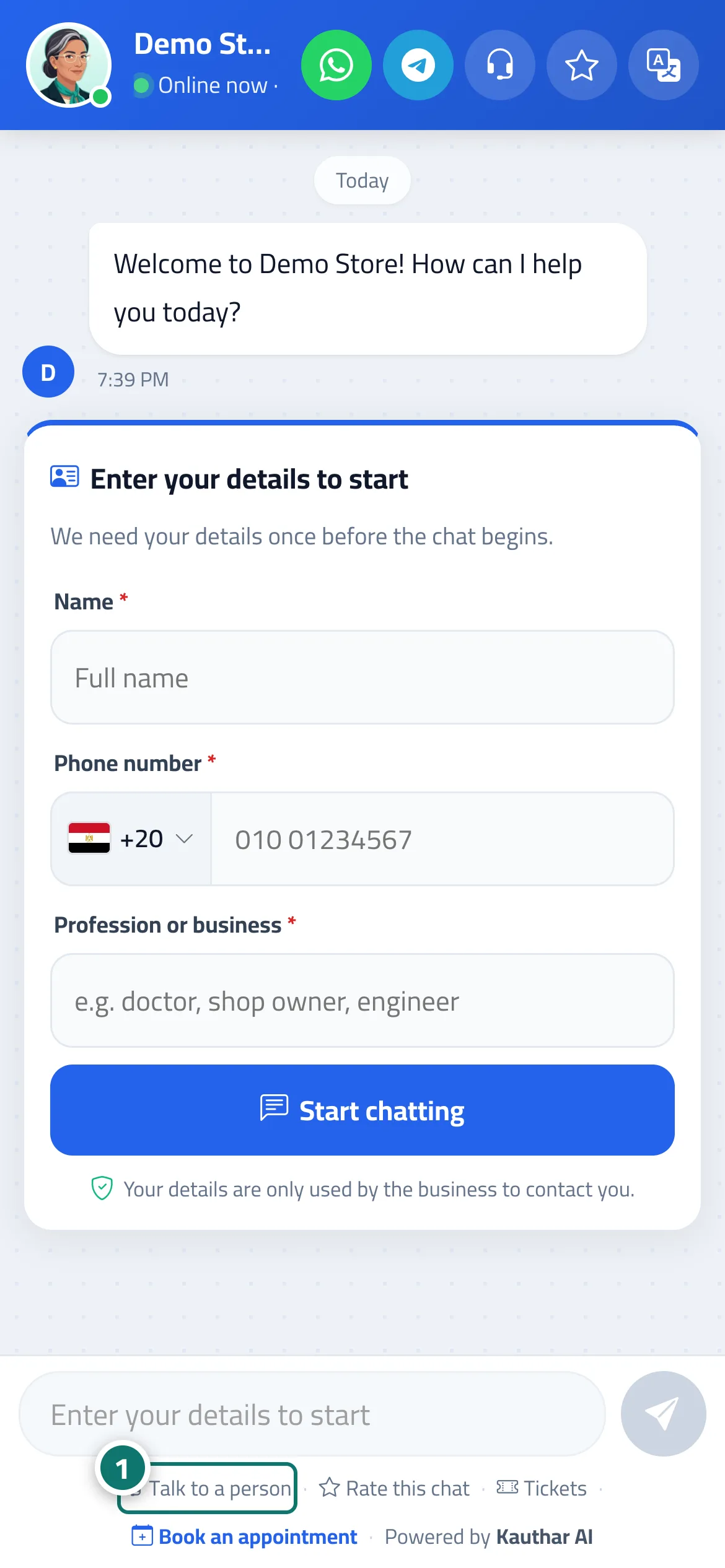
The Talk to a person button (the headset icon at the top of the chat, and the link below it). When tapped, the conversation is flagged as needing a person, the customer sees You've been transferred to our customer service team — someone will reply shortly., and your team receives the alert A customer asked to talk to a person. If the customer's number isn't on file, they see the card Leave your details and one of our team will get back to you. If you added a WhatsApp number for handoff to staff in the assistant settings, a Chat on WhatsApp button also appears at the top of the chat. If the customer asks for a person outside working hours, they see We received your message outside working hours. We'll reply from … with the next opening time.
- Pour qui ?
- Your business's customers
- Où le trouver ?
- Chat page → Talk to a person
Pas à pas#
- The customer taps Talk to a person.
- They enter their name and phone number if asked.
- When a staff member takes over the conversation from Conversations, the customer sees Support agent (name) joined the conversation and continues with them on the same page.
Astuces#
Bon à savoir#
Questions fréquentes#
When does a staff member reply to the customer?
During working hours, depending on your team's availability. Outside working hours the chat tells the customer when to expect a reply (for example Saturday at 9:00 AM). The page stays open and the staff member's reply appears in it automatically.
How do I know a customer has asked for a person?
You receive the alert A customer asked to talk to a person, and the conversation appears under the Needs a person filter in Conversations.