
Booking rules
Auto-confirm, minimum notice, how far ahead customers can book, the interval between times, the cancellation window and reminders.
Vue d’ensemble#
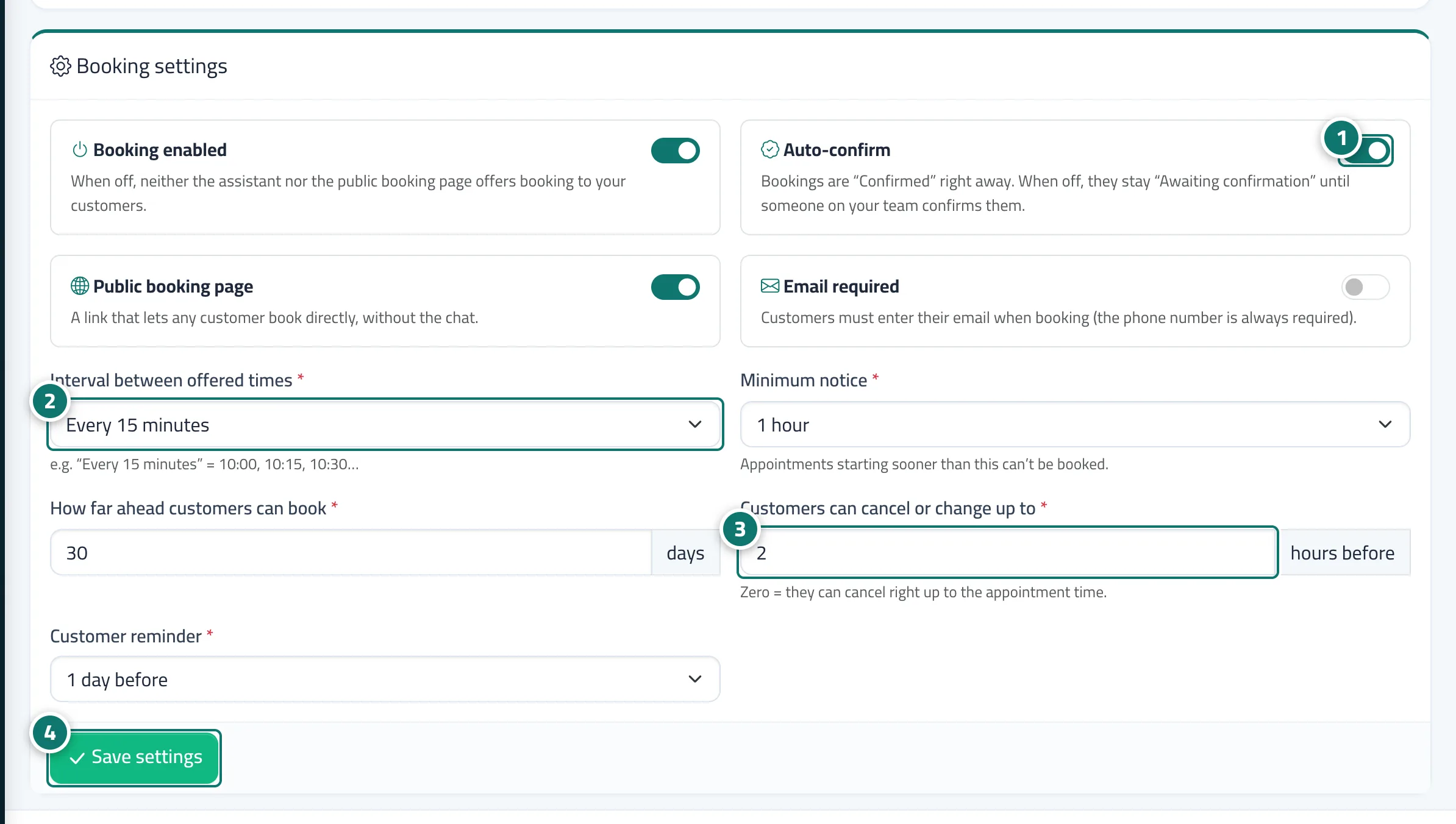
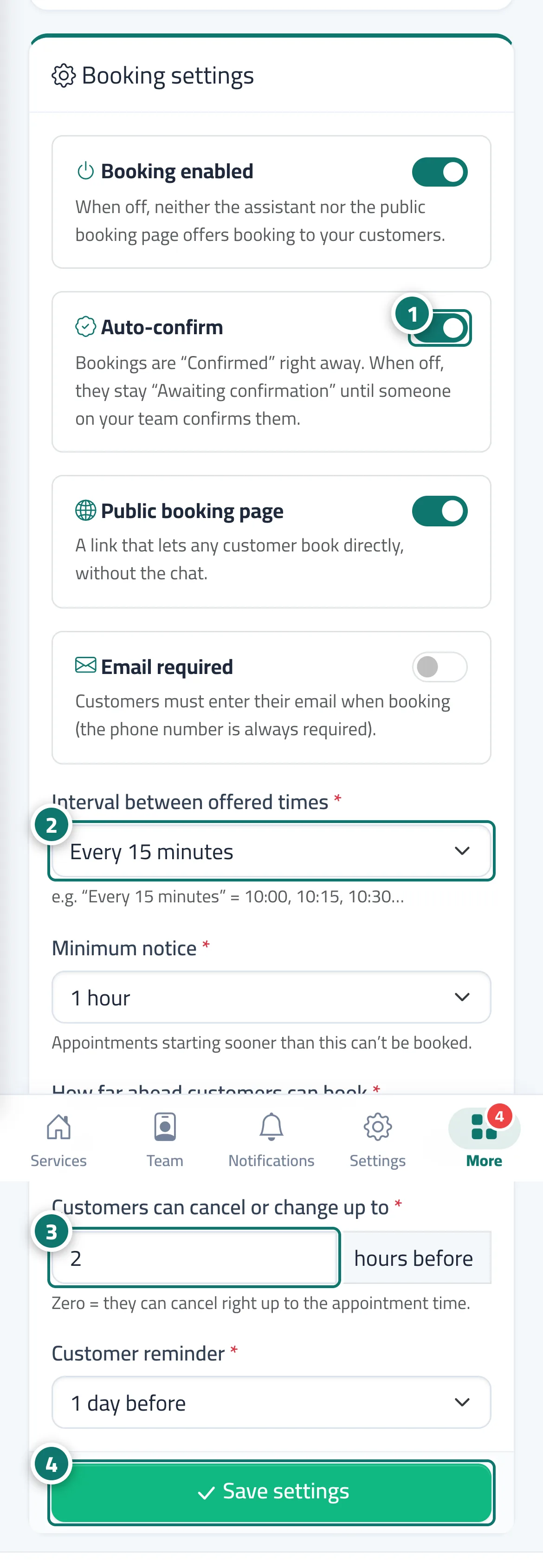
The Booking settings tab: Booking enabled (when off, neither the AI assistant nor the public booking page offers booking) · Auto-confirm (otherwise a booking stays Awaiting confirmation until your team confirms it) · Public booking page · Email required (the phone number is always required) · Interval between offered times (every 5, 10, 15 or 30 minutes) · Minimum notice (from None — any free time up to two days) · How far ahead customers can book (1 to 365 days) · Customers can cancel or change up to a set time before the appointment (0 to 168 hours; zero = up to the appointment time) · Customer reminder (No reminder, or from one hour to two days before). Defaults: every 15 minutes, one hour's notice, 30 days ahead, auto-confirm, cancellation up to two hours before, reminder one day before.
- Pour qui ?
- Business owner / manager
- Où le trouver ?
- Sidebar → Appointments → Booking setup → Booking settings tab
Pas à pas#
- Turn the four switches on or off: Booking enabled, Auto-confirm, Public booking page, Email required.
- Choose the Interval between offered times, Minimum notice and How far ahead customers can book.
- Set, in hours, how long before the appointment Customers can cancel or change up to, and the Customer reminder.
- Press Save settings.
Astuces#
Bon à savoir#
Questions fréquentes#
A customer says they can't cancel — why?
Most likely the allowed cancellation window has passed (for example, less than two hours before the appointment), so they see a message asking them to contact you directly. Your team can cancel the booking from Bookings.
How do I show available times every half hour?
In Interval between offered times, choose every 30 minutes, then press Save settings.