
Smart ticket list
Every customer request and complaint in one place, sorted into ready-made views: My tickets, Unassigned, Overdue and Solved.
Vue d’ensemble#
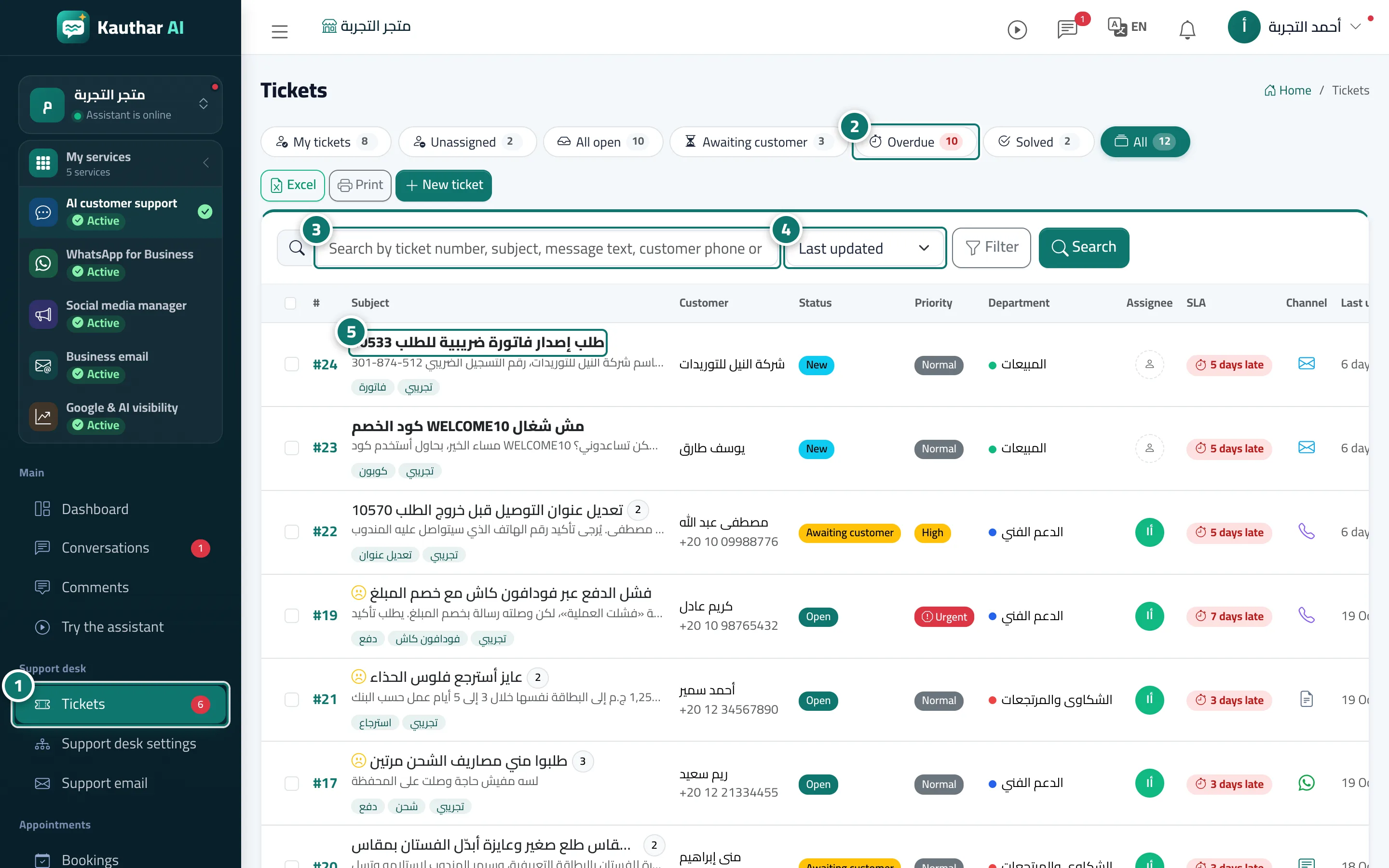
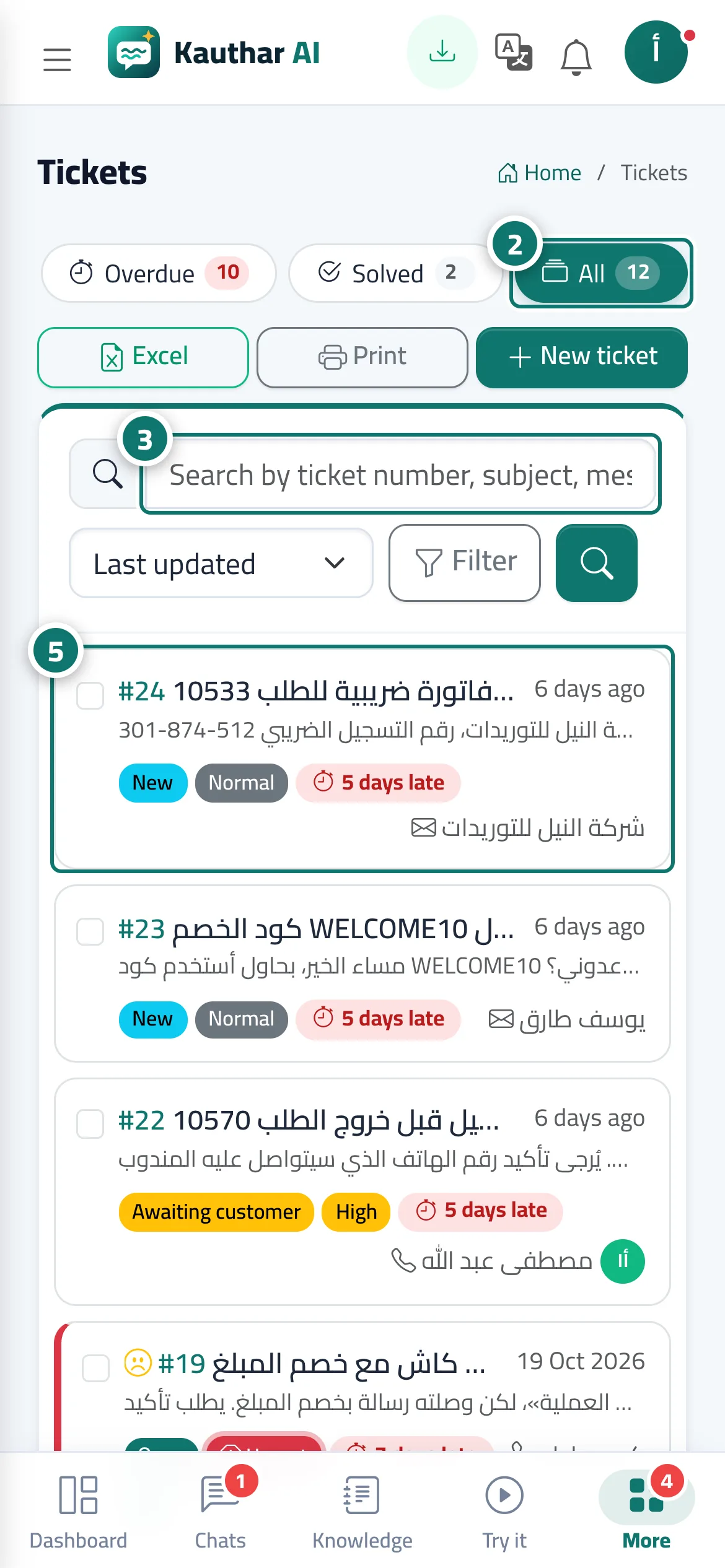
The Tickets screen is your support desk. Every request or complaint that arrives from the chat, the website form or email, or that an agent records manually, becomes a ticket with a running number of its own for your business (#1, #2…). For each ticket the list shows the subject, customer, status, priority, department, assignee, a colour-coded response-time countdown, the channel and the last update. It refreshes automatically every 20 seconds without reloading the page.
- Pour qui ?
- Business owner / manager / agent
- Où le trouver ?
- Sidebar → Support desk → Tickets
Pas à pas#
- Open Tickets from the sidebar.
- Pick a view: My tickets · Unassigned · All open · Awaiting customer · Overdue · Solved · All. Each view shows how many tickets it holds.
- Type a ticket number, a word from the subject or messages, or the customer's phone or email into the search box, then press Search.
- Change the sort order from the drop-down: Last update · Newest · Priority · Nearest deadline · Ticket number.
- Click any ticket to open it.
Astuces#
Bon à savoir#
Questions fréquentes#
What is the difference between All open and All?
All open shows tickets still being worked on (new, open, awaiting customer, on hold). All shows every ticket, including solved and closed ones.
Can I search for a ticket by the customer's phone number?
Yes. Type the number in the search box — the search covers the ticket number, subject, message text, and the customer's phone and email.
Can an agent see colleagues' tickets?
An agent with permission to view tickets sees all of them; the My tickets view shows only those assigned to them. Permissions are set in Team & permissions.