
A post you write yourself
Write the post text yourself under “More options” in the wizard — Kauthar designs the image and prepares it for each platform, and it does not use your AI posts.
Vue d’ensemble#
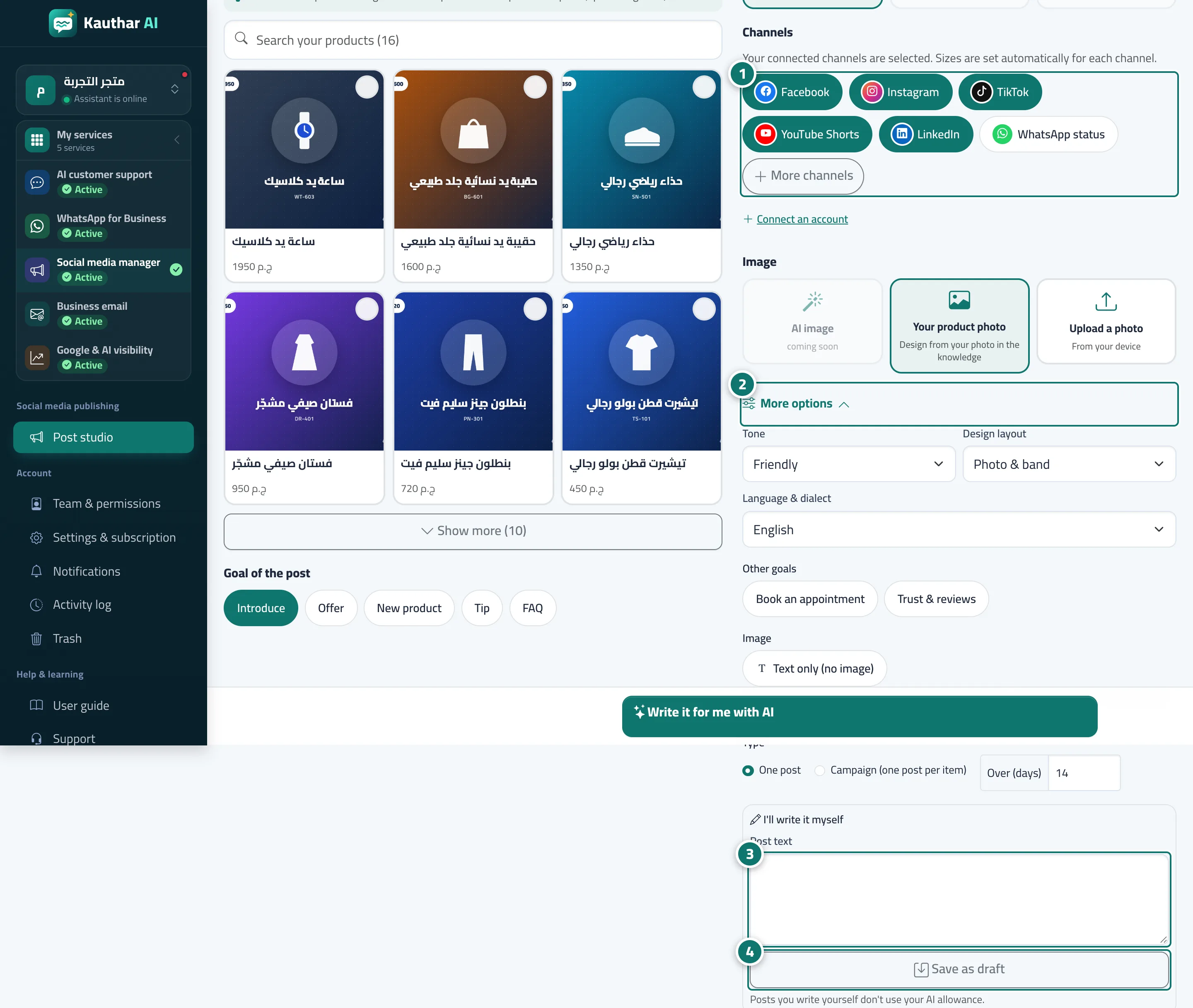
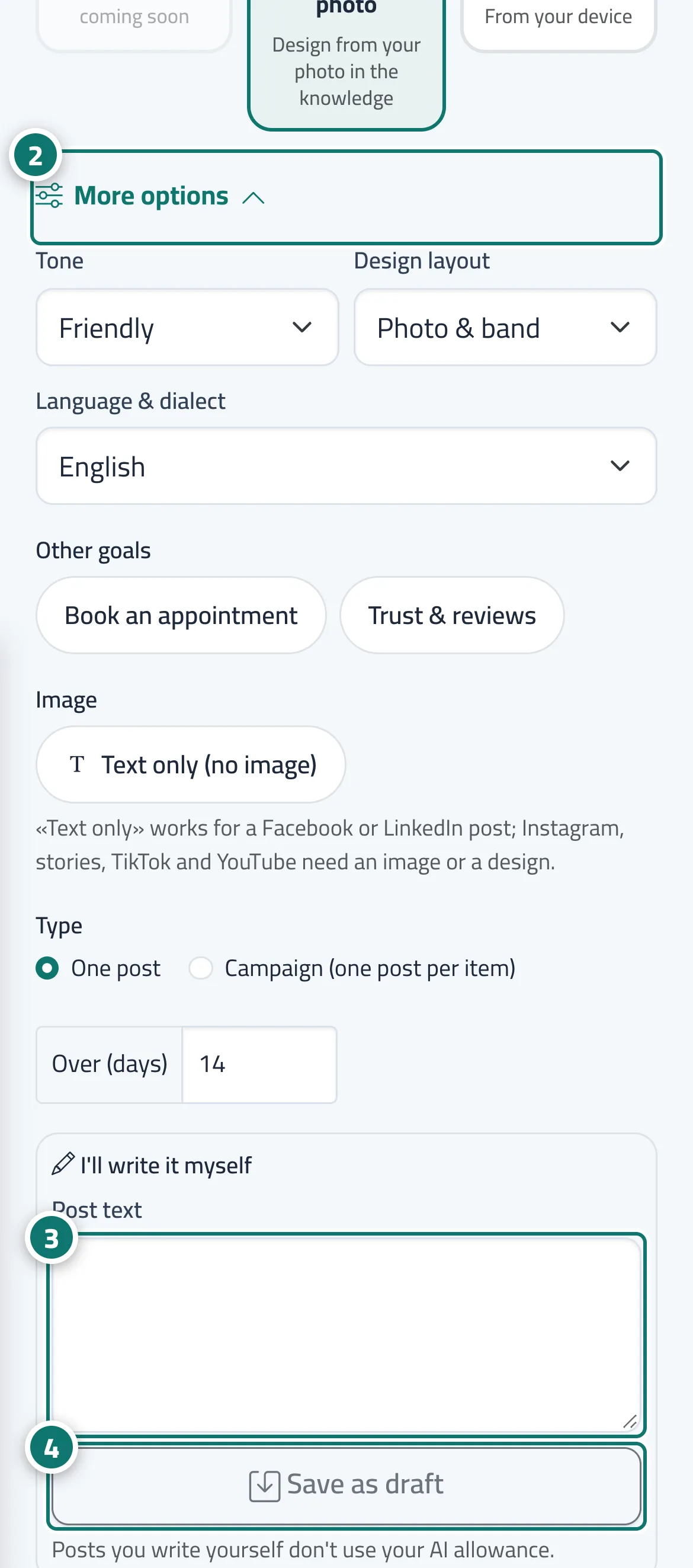
In the New post wizard, inside More options in the Where will it go? step, the I’ll write it myself card has a Post text box (up to 2,200 characters) and a Save as draft button. Pick the channels and the image as for any post, then save: your text is used for every platform, its first line becomes the headline printed on the design and in stories, and the post page opens so you can edit and approve it.
- Pour qui ?
- Business owner / manager / staff allowed into the post studio
- Où le trouver ?
- Sidebar → Social media publishing → Post studio → New post → More options → I’ll write it myself
Pas à pas#
- Under Where will it go?, choose the channels and the image.
- Open More options.
- Type your text in the Post text box.
- Press Save as draft. The post page opens for you to review and approve it.
Astuces#
Bon à savoir#
Questions fréquentes#
Can I publish a post without an image?
Yes, for Facebook and LinkedIn only: choose Text only (no image) under More options. Instagram, stories, TikTok and YouTube need an image or a design.