
Extra users (seats)
Add team members beyond your plan's users at any time, and pay only until your current subscription ends.
Vue d’ensemble#
Each plan includes a number of users (Basic 2, Pro 5, Business 20), and the business owner counts as one of them. When you need more members you add Extra users at a monthly price per user that depends on the plan. You can add them with a renewal or plan change for the whole period, or on their own during an active paid subscription, until it ends, with Add users only. If the number of seats drops, no member is deleted: the newest accounts are paused and come back automatically when seats are available.
- Pour qui ?
- Business owner / admin
- Où le trouver ?
- Sidebar → Account → Settings & subscription → Subscription tab → Plans & subscription → Extra users card
Pas à pas#
- Open the Subscription page.
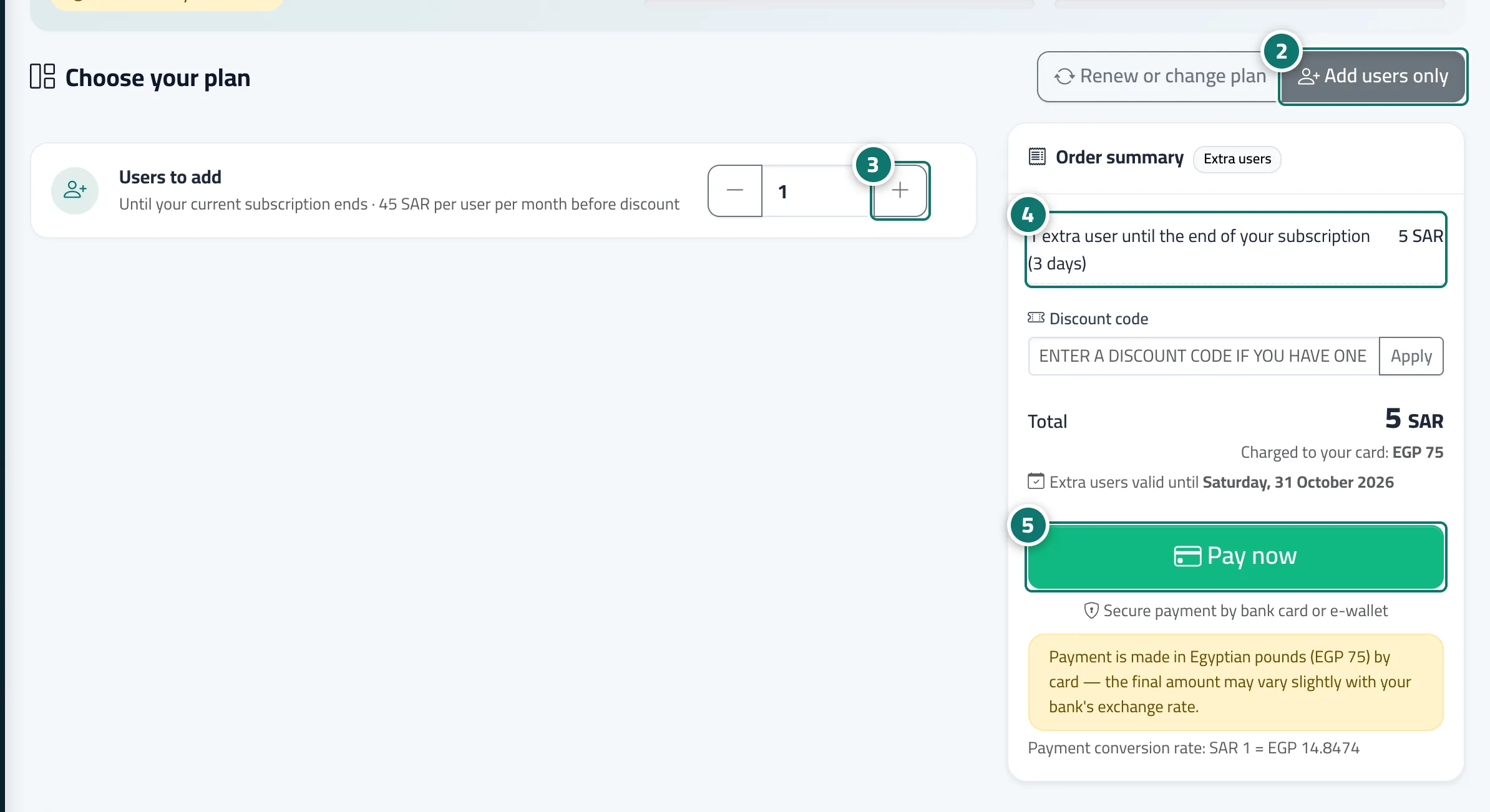
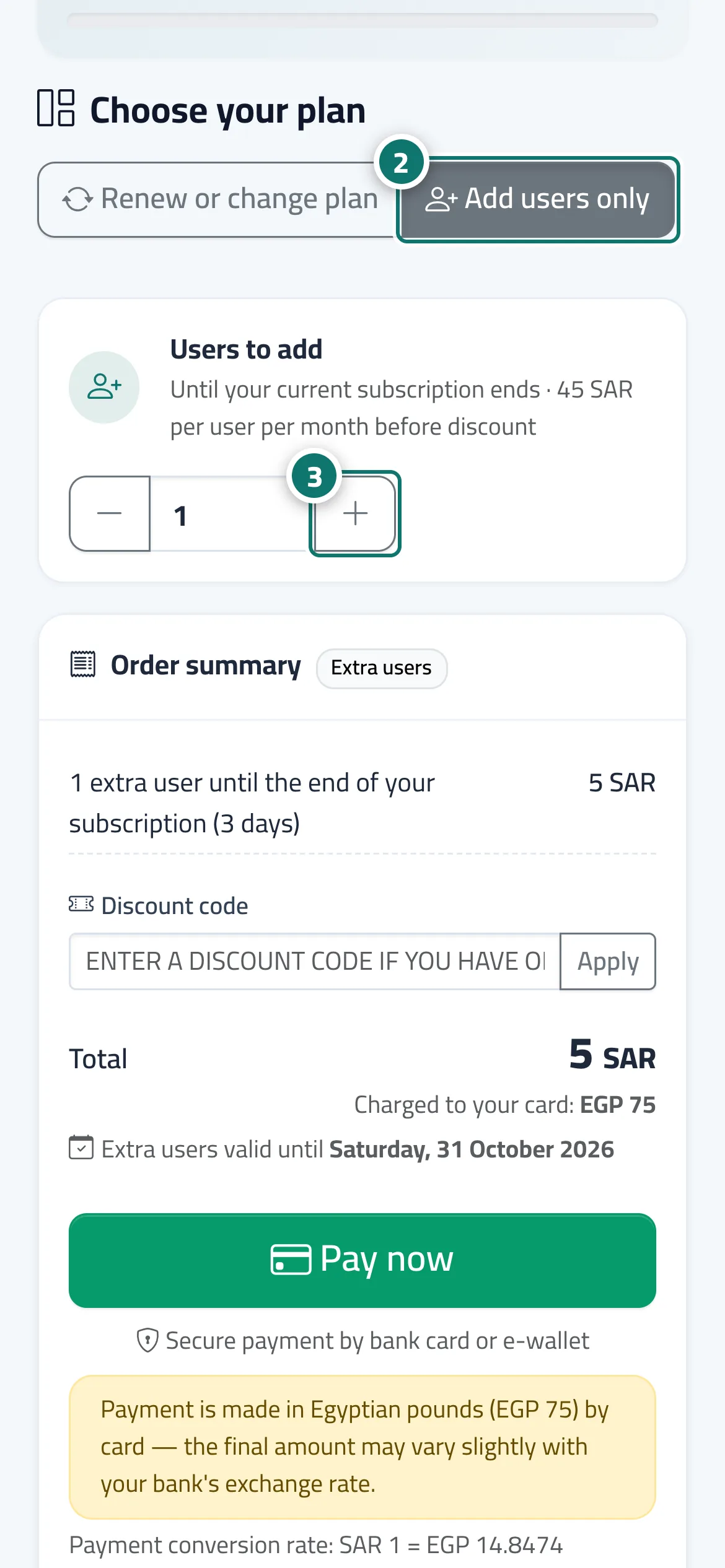
- To add users only, during an active paid subscription, choose Add users only next to Renew or change plan.
- Use the + and − buttons on the Users to add card (or Extra users when renewing), or type the number directly.
- Review the Order summary: the line shows the number of users, the period and the discount, and the Extra users valid until date appears.
- Press Pay now. After paying you get a Users added alert, and you can add the members from Team & permissions.
Astuces#
Bon à savoir#
Questions fréquentes#
Do I, the business owner, count as one of the users?
Yes. Every active account on the team counts, including the owner's.
I added a user mid-period. Do I pay for the whole period?
No. You pay only for the days left until your current subscription ends, with your subscription period's discount.