
When a service subscription ends: only its pages stop
When a service's subscription or trial ends, only that service's pages stop; the account, your other services, your team and your settings keep working, and your data is kept until you renew.
Vue d’ensemble#
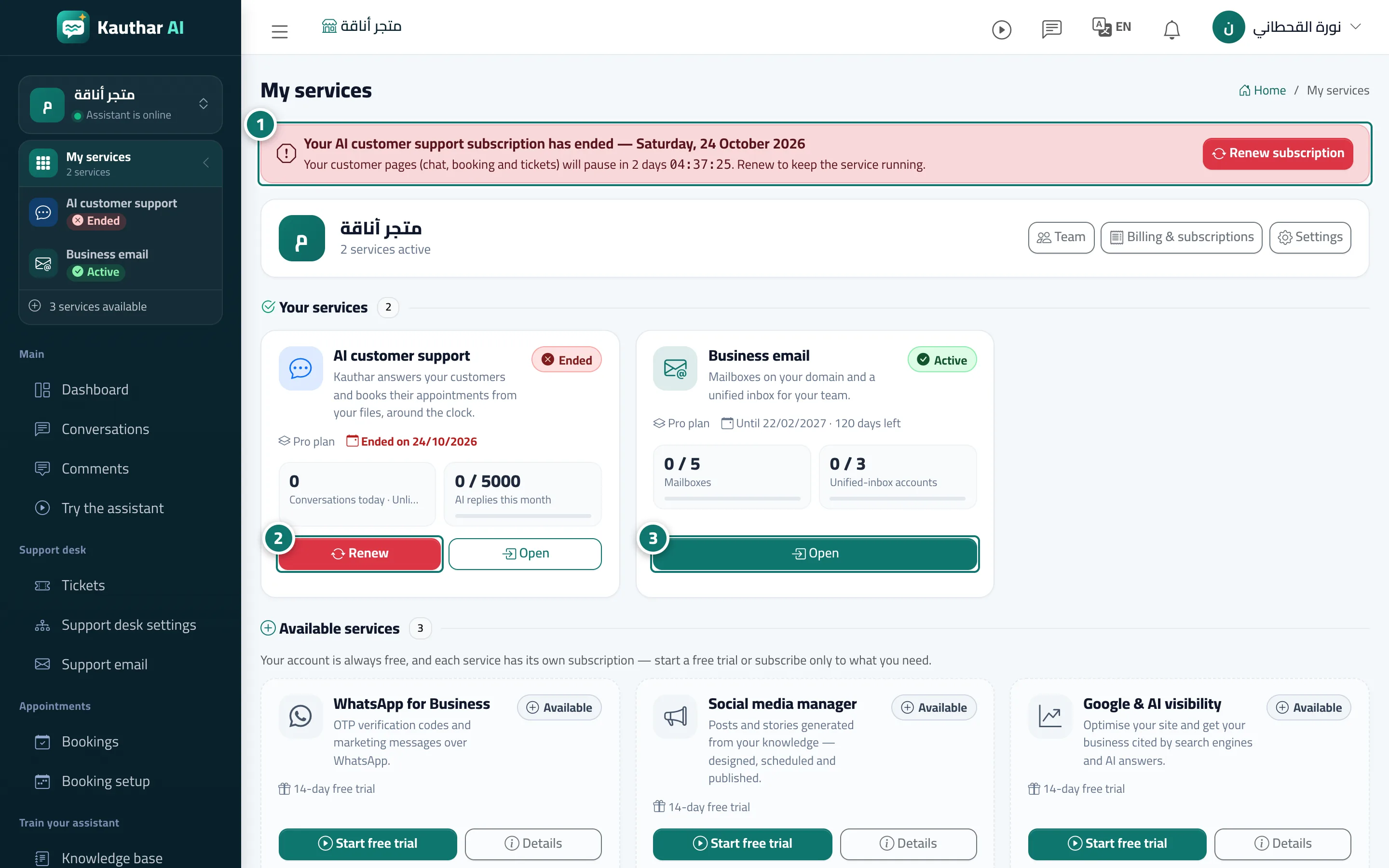
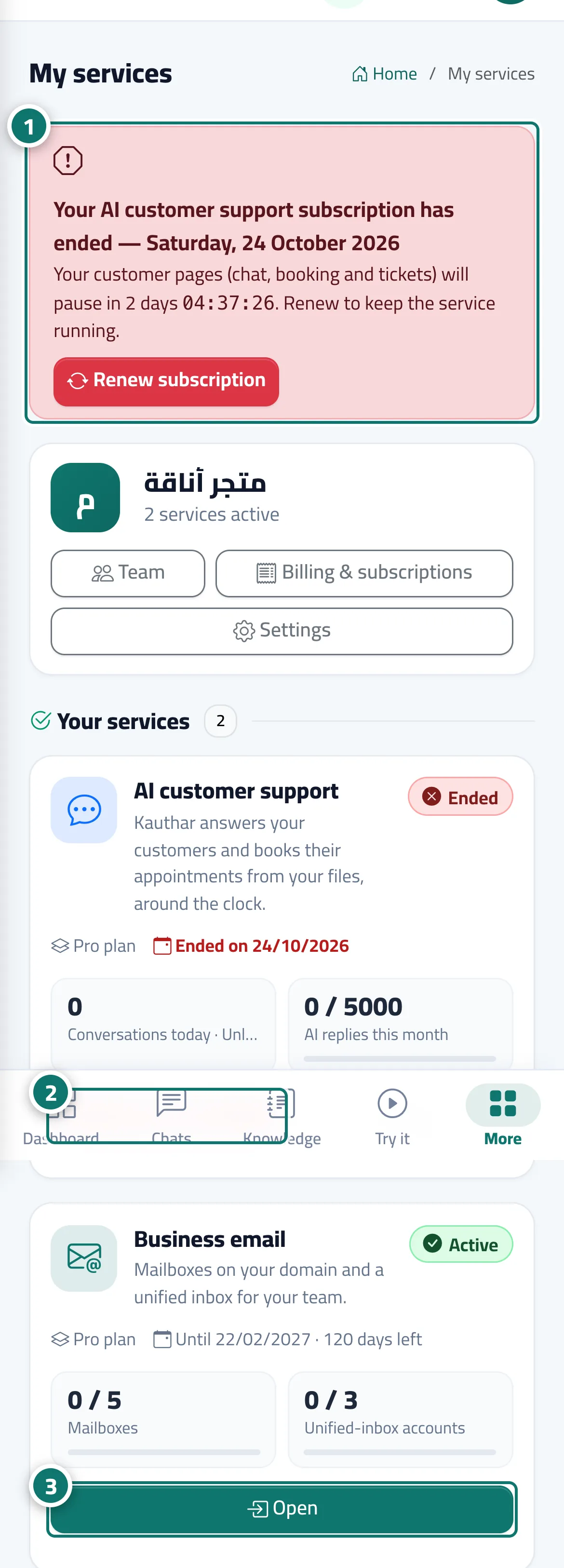
Each service has its own term. When a service's subscription or free trial ends, its card in My services turns to Ended with a Renew button, and the owner and managers see a red strip naming the service (for example, that the AI customer support subscription has ended) with a Renew subscription button. Opening one of that service's pages sends the owner and managers to its subscription page to renew, while agents see a page saying the subscription has ended and asking them to contact the account manager to renew. The account itself (My services, team, settings, notifications, billing) and every other service that is still running work as usual. For AI customer support, your customer-facing pages (chat, booking and tickets) stay available for a short grace period after the end, shown with a countdown in the strip; after that customers see Service temporarily unavailable until you renew.
- Pour qui ?
- Business owner / manager / agent
- Où le trouver ?
- My services → the ended service's card
Pas à pas#
- Notice the red strip at the top of the page and the Ended badge on the service card in My services.
- Click Renew on the card (or Renew subscription in the strip) to go to the service's subscription page.
- Choose the plan and duration and pay; the service's pages come back as soon as the payment is confirmed. Your other services need no action.
Astuces#
Bon à savoir#
Questions fréquentes#
Does the account itself expire?
No. The account is free and never expires; only the service subscription ends.