
Unified customer profile
One page per customer: their details, tags and your notes, their channels, and all their conversations, bookings, tickets and orders — with merging of duplicate profiles and channel confirmation.
Vue d’ensemble#
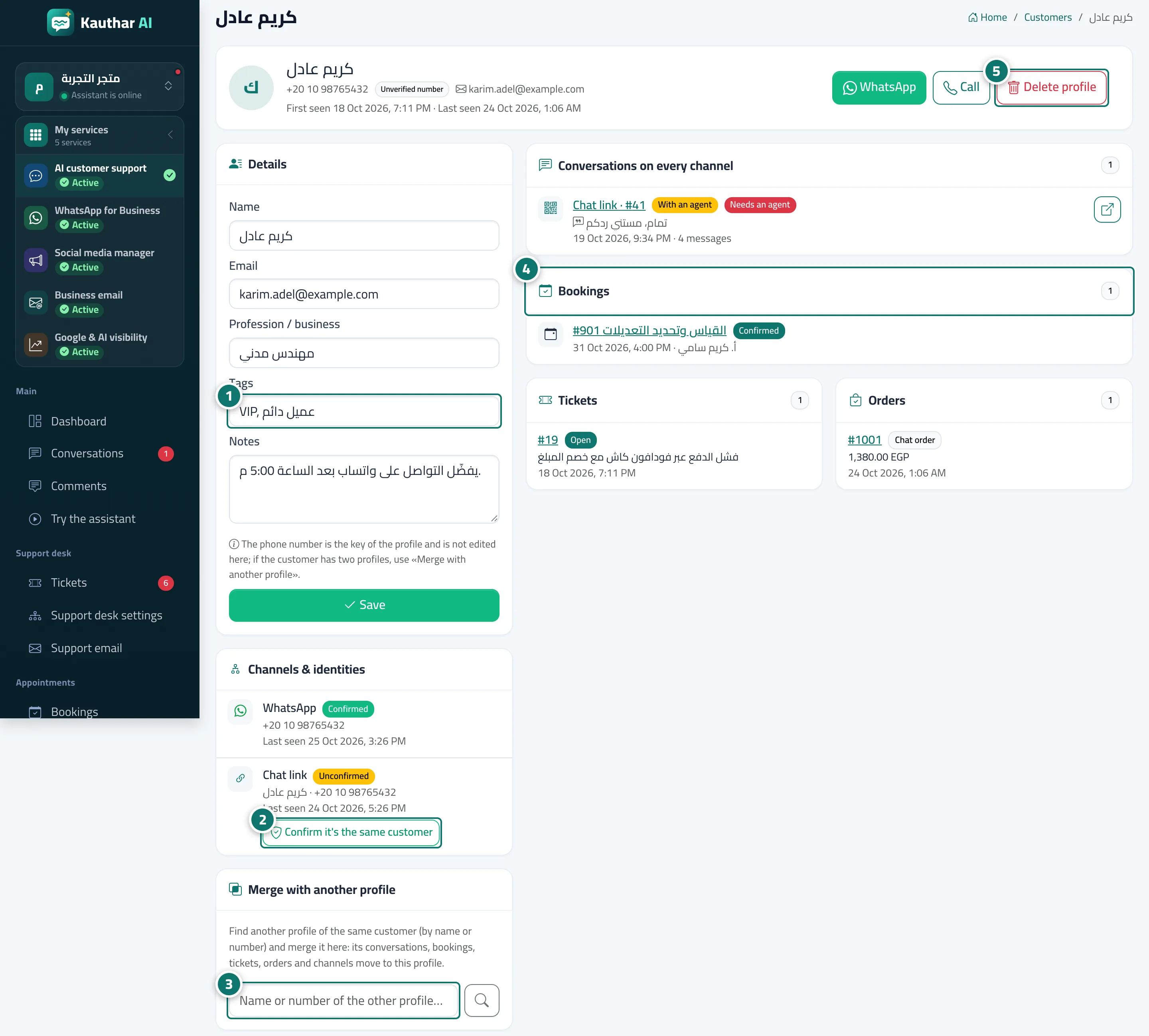
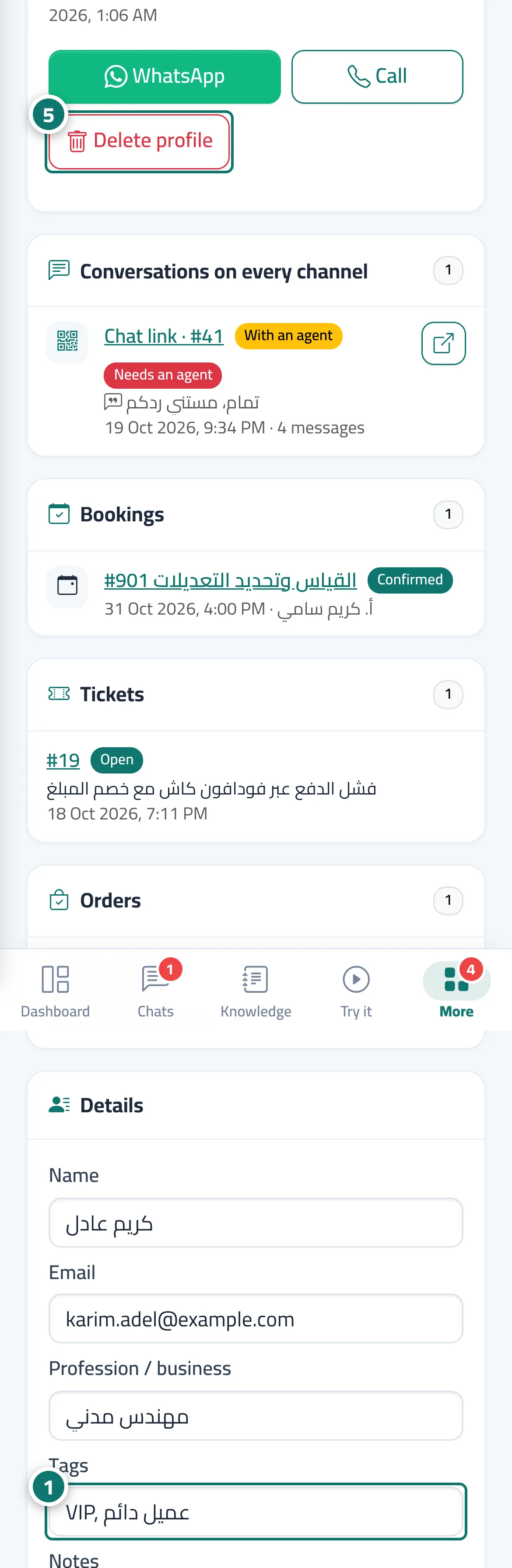
The customer profile opens from the Profile button in Customers, or from Open customer profile in the Customer profile card inside a conversation. At the top are the customer's name and number (with Verified number or Unverified number), first and last seen, and the WhatsApp, Call and Delete profile buttons. Below are cards: Details (name, email, profession / business, tags such as VIP, notes), Channels & identities (every channel the customer has used: WhatsApp, Messenger, Instagram, website widget, chat link, email), Merge with another profile, then Conversations on every channel, Bookings, Tickets and Orders, with links that open each item.
- Pour qui ?
- Business owner / manager / team member (editing and merging for those allowed to edit customers, deleting for those allowed to delete)
- Où le trouver ?
- Sidebar → Channels & customers → Customers → Profile
Pas à pas#
- In the Details card, edit the name, email or profession, add tags (such as VIP, wholesale customer) and notes for your team, then click Save.
- In Channels & identities, review the channels; an Unconfirmed channel was linked because the customer typed a number you already have — once you're sure, click Confirm it's the same customer.
- If the customer has another profile, find it in Merge with another profile by name or number and click Merge here.
- Review Conversations on every channel, Bookings, Tickets and Orders, and click any item to open it.
- If the customer asks for their data to be deleted, click Delete profile.
Astuces#
Bon à savoir#
Questions fréquentes#
Why does a customer have an Unconfirmed channel?
Because they typed a phone number in the chat that already belongs to one of your profiles, so Kauthar linked it to that profile. Check the conversation, and if it really is the same customer, click Confirm it's the same customer.
Can I edit a customer's phone number?
No — the number is the profile's key. If the customer contacts you from another number, a new profile is created, and you can merge it into the original from Merge with another profile.