What Kauthar can change on your site: approvals and the capability table
Each site's page has a clear table of what Kauthar can change on your platform; on WordPress nothing changes until you approve each category inside the Kauthar plugin (version 1.1).
Sur cette page
Vue d’ensemble#
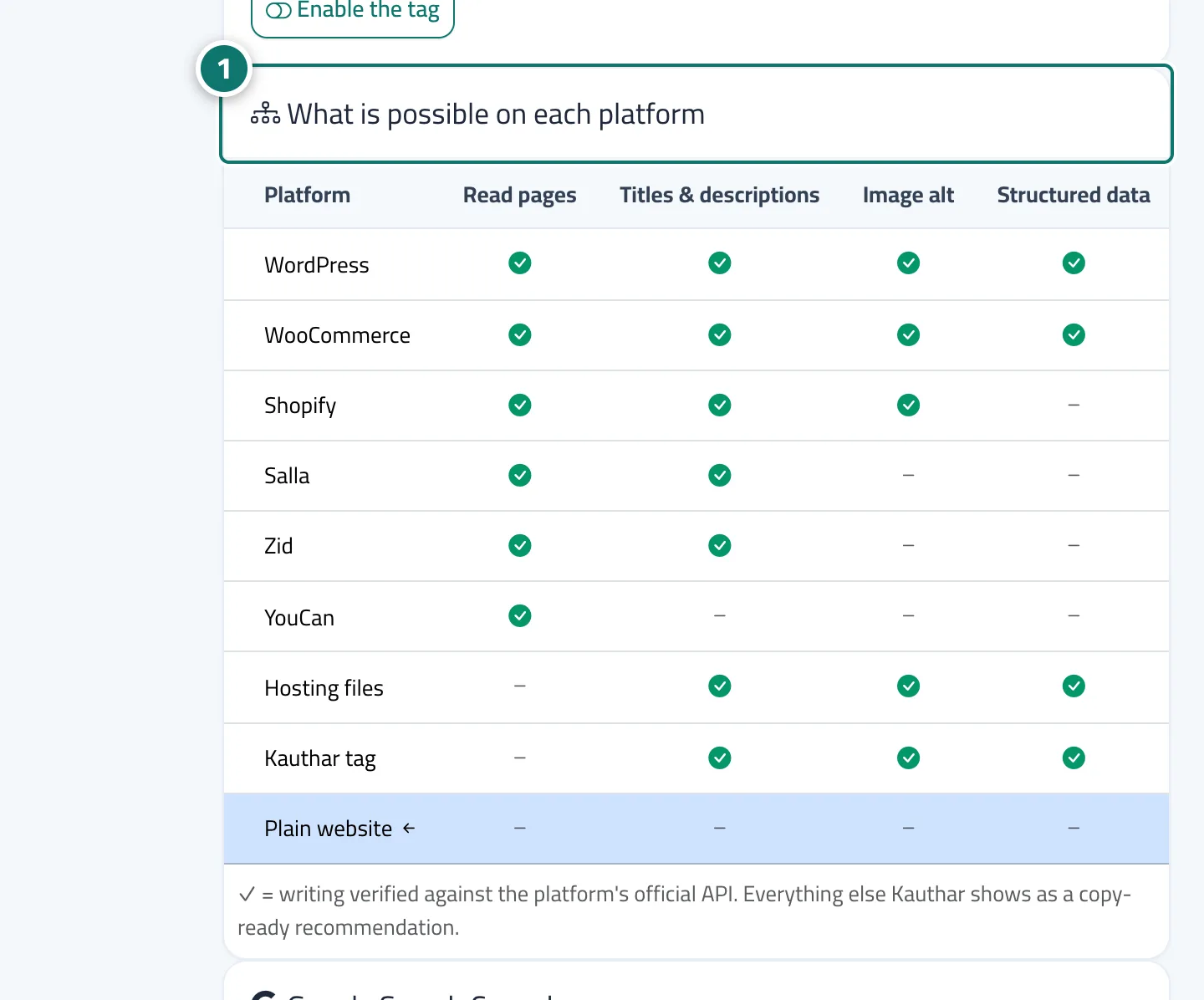
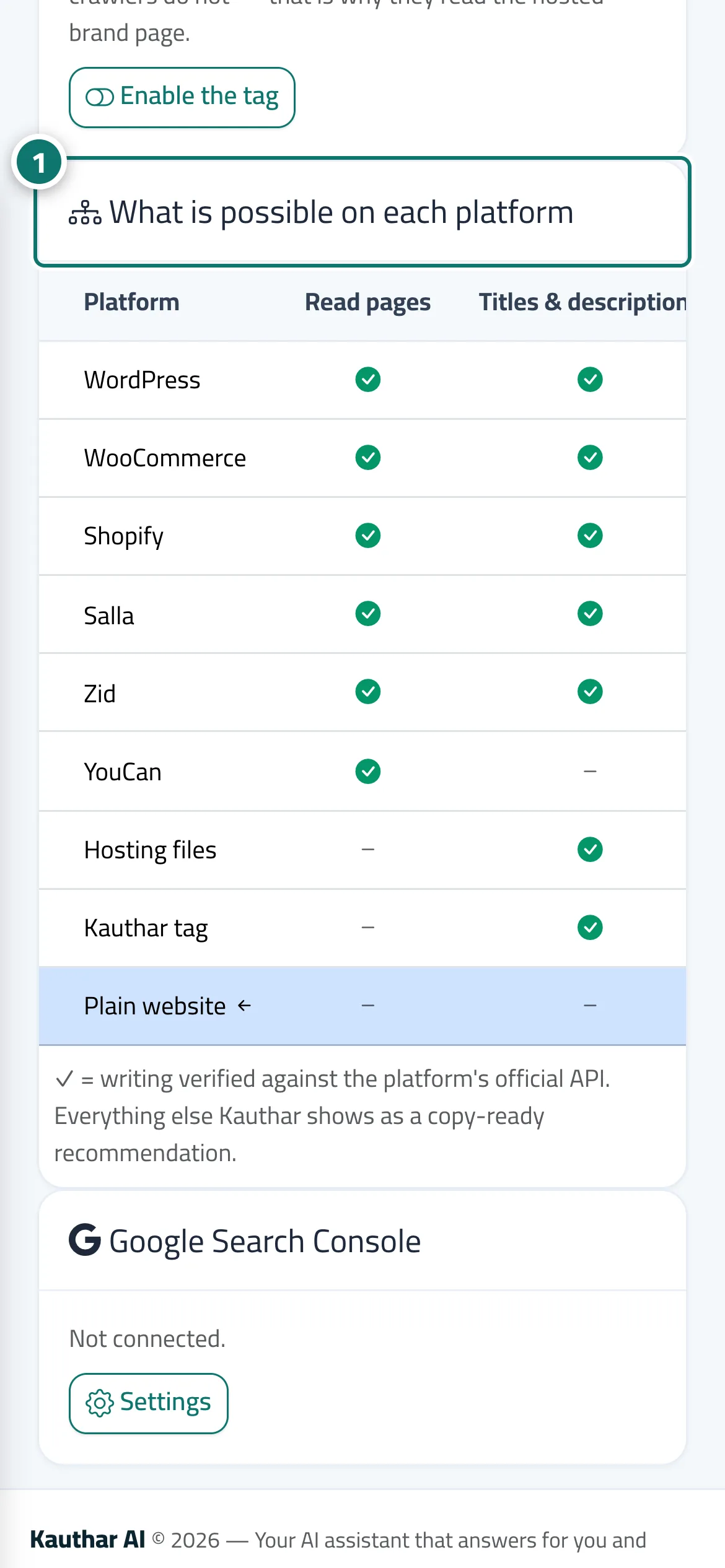
The site page in Google & AI visibility shows What is possible on each platform: reading pages, titles and descriptions, image descriptions, structured data, publishing content, redirects, llms.txt, IndexNow, the sitemap, products and product descriptions — a ✓ means writing has been verified against the platform's official interface; anything else Kauthar provides as a ready-to-copy recommendation. WordPress through the plugin = full execution; stores = the fields their interfaces allow; any other site = the Kauthar tag and the profile page. On WordPress, in the plugin → Kauthar SEO, you choose the allowed categories (titles and descriptions, structured data, image alt text, redirects for broken links, creating and publishing posts and pages, the llms.txt file and the IndexNow key) — all off by default — and the user (editor or administrator) Kauthar works as, so changes appear under that name in the revision history. Every request from Kauthar is signed, and the button to stop all Kauthar changes on the site stops writing immediately while reading continues. If an SEO plugin (such as Yoast) is installed, Kauthar writes into its fields.
- Pour qui ?
- Business owner / manager
- Où le trouver ?
- Google & AI visibility → Sites → gear button next to the site
Pas à pas#
- Open the site from Sites and review the What is possible on each platform table.
- On WordPress, open the plugin → Kauthar SEO, turn on the allowed categories, choose the user, then save the Kauthar SEO settings.
- On the Autopilot card of the site page, turn change types on or off; types not available on your platform appear locked.