
Rendez-vous · Providers and their working hours
How do I add a provider and set their working hours?
A doctor, a technician — or even a room or a branch: each provider has their own services and weekly working hours.
Pour qui : Propriétaire et responsable
Où : Sidebar → Appointments → Booking setup → «Providers» tab → «Working hours»
Étapes
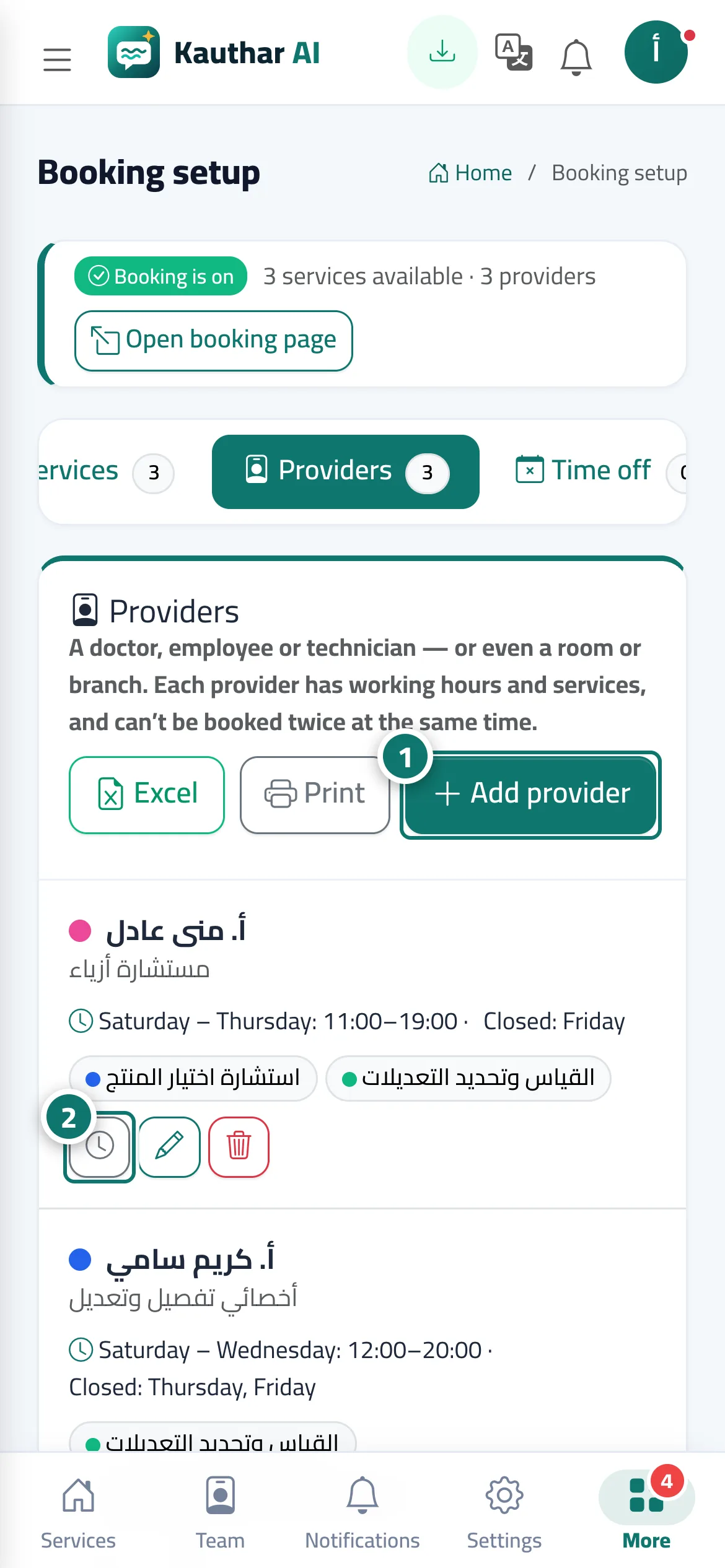
- Press «Add provider», enter the name and speciality, choose their services, then press «Save». Numéro 1 sur l’image
- Press «Working hours» on the provider's card. Numéro 2 sur l’image
- Set each day («Working day» / «Day off» and the periods), then press «Save hours».
Étapes
- Press «Add provider», enter the name and speciality, choose their services, then press «Save».
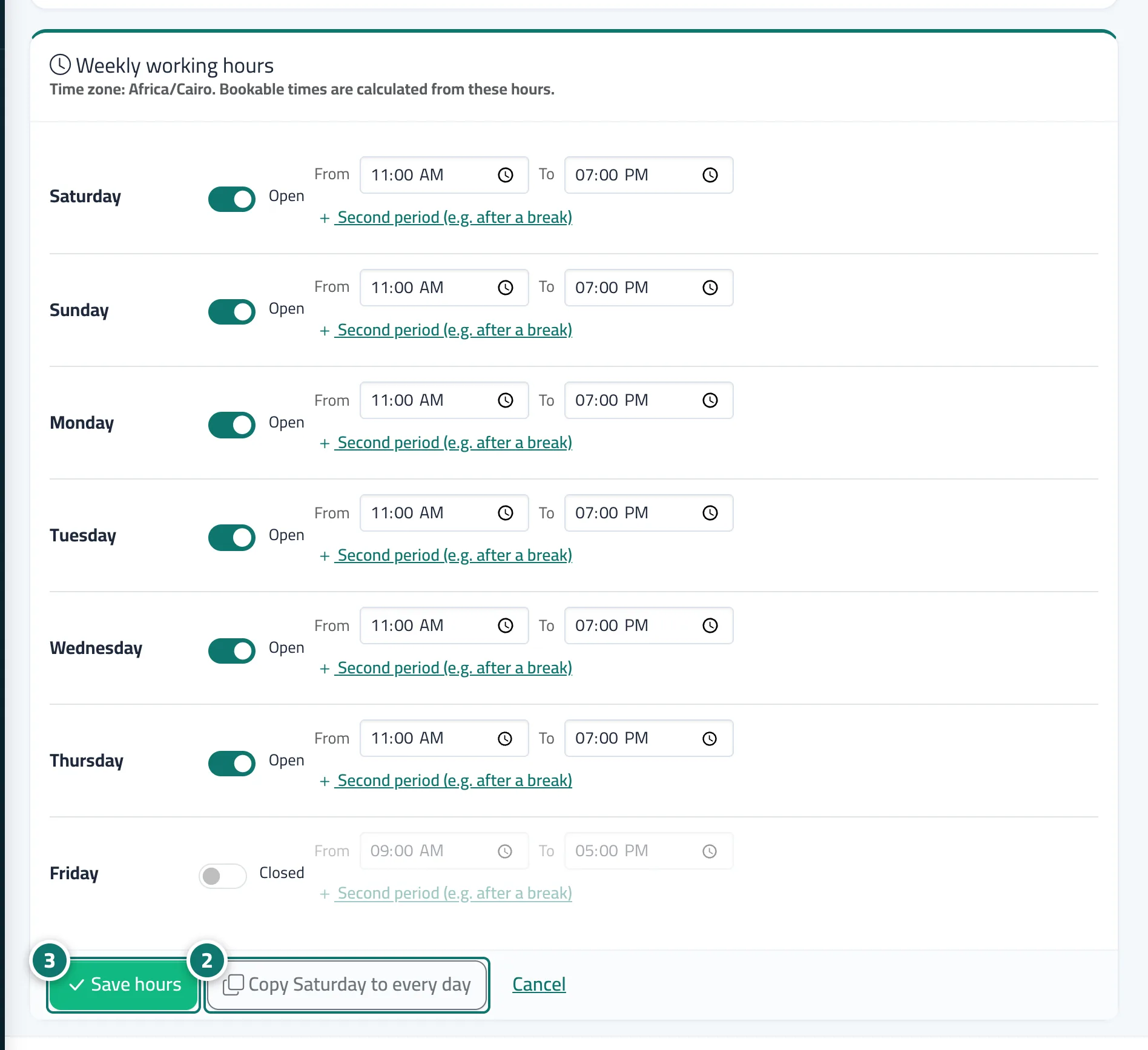
- Press «Working hours» on the provider's card. Numéro 2 sur l’image
- Set each day («Working day» / «Day off» and the periods), then press «Save hours». Numéro 3 sur l’image