
Conversations et support · Conversation reports
How do I see how well the assistant is doing with my customers?
Your most frequent questions, answer rate, peak times and most-used files, for any period you choose.
Pour qui : Propriétaire et responsable
Où : Sidebar → Channels & customers → Reports → «Conversation reports» tab
Étapes
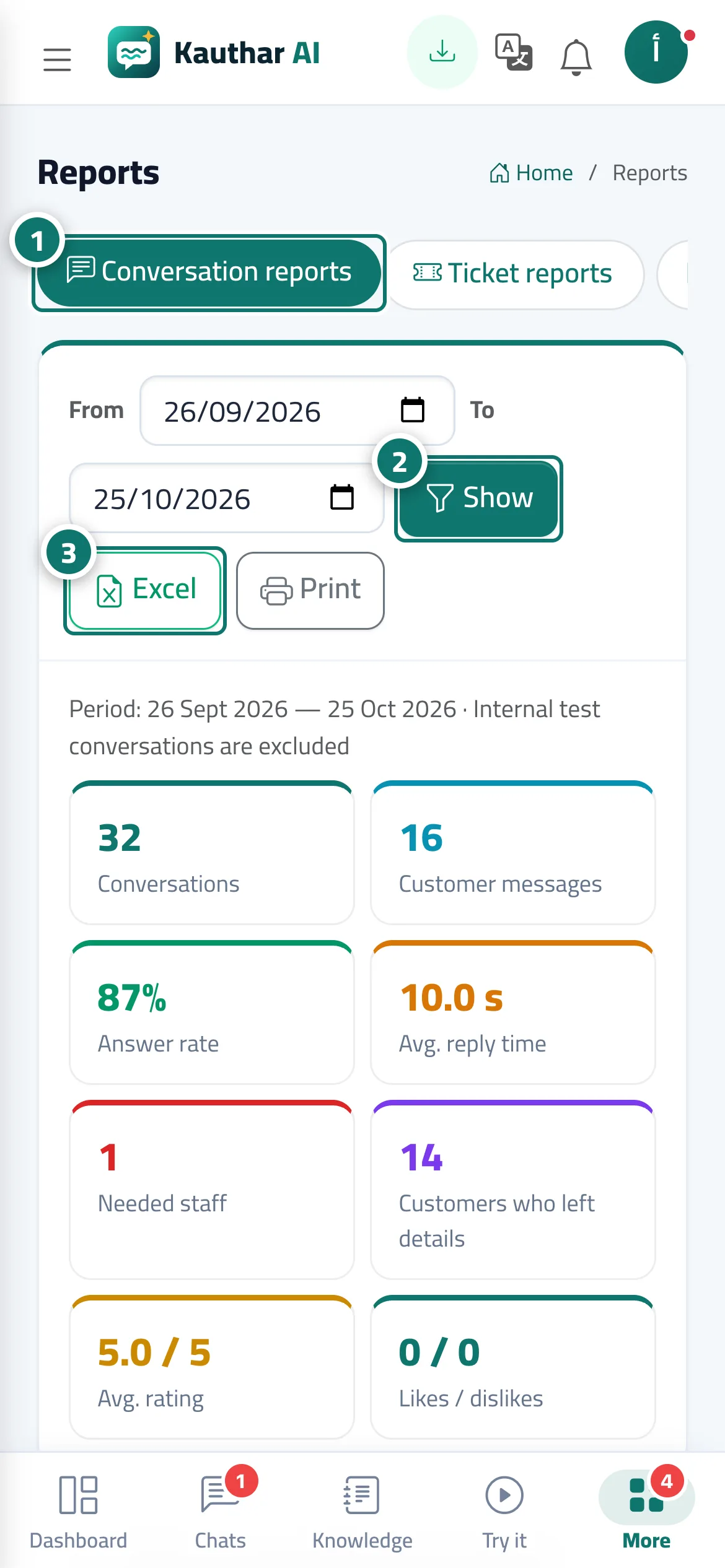
- Open «Reports»; the «Conversation reports» tab appears first. Numéro 1 sur l’image
- Choose «From» and «To» and click «View». Numéro 2 sur l’image
- Export the report with «Excel» or «Print» (A4 paper). Numéro 3 sur l’image
Étapes
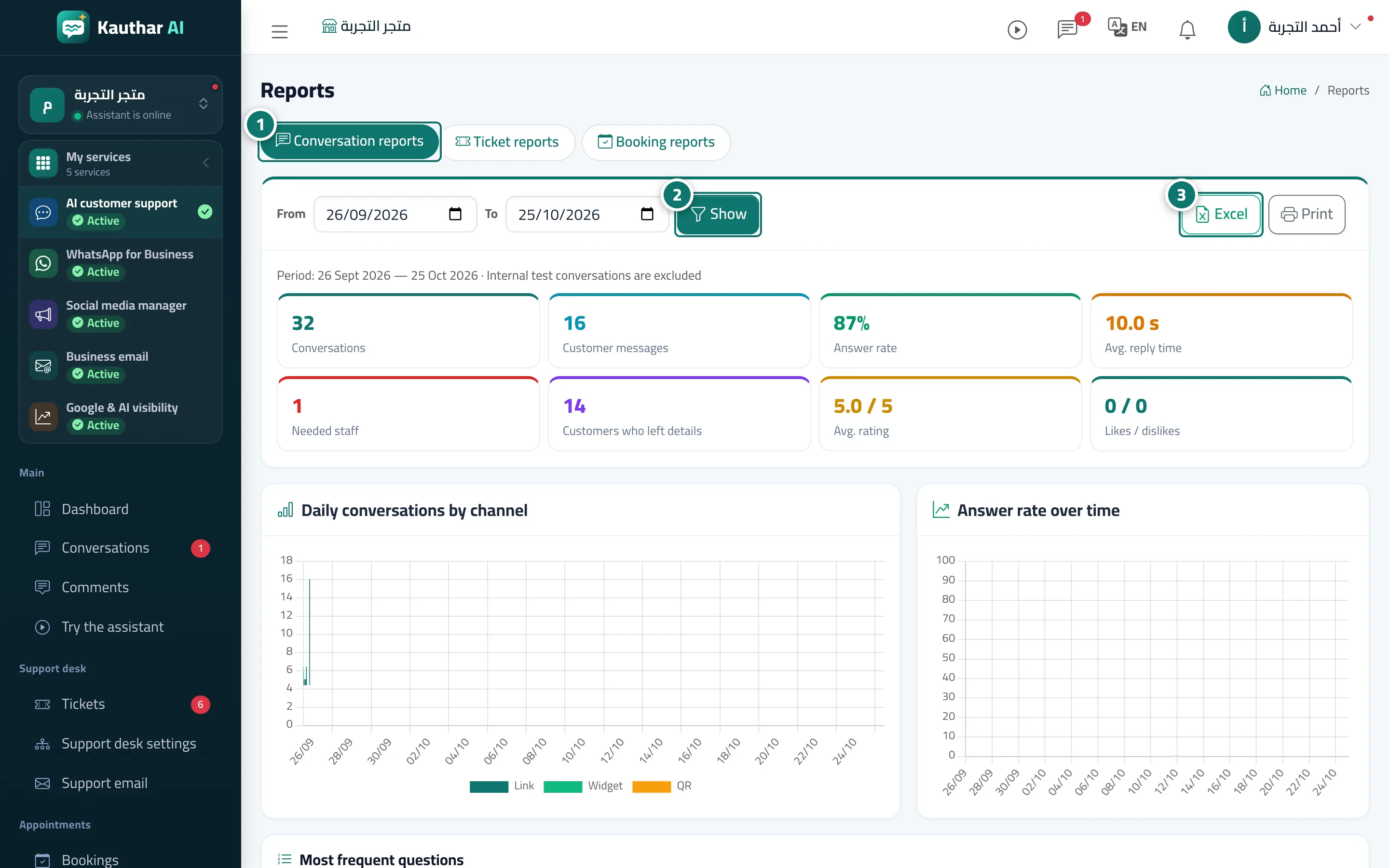
- Open «Reports»; the «Conversation reports» tab appears first. Numéro 1 sur l’image
- Choose «From» and «To» and click «View». Numéro 2 sur l’image
- Export the report with «Excel» or «Print» (A4 paper). Numéro 3 sur l’image