Conversations et support · Ticket reports and team performance
How do I measure my support team's performance and SLA compliance?
SLA compliance, average first response, resolution time, customer satisfaction and each team member's performance — in figures.
Pour qui : Propriétaire et responsable
Où : Sidebar → Channels & customers → Reports → «Ticket reports» tab
Étapes
- 1
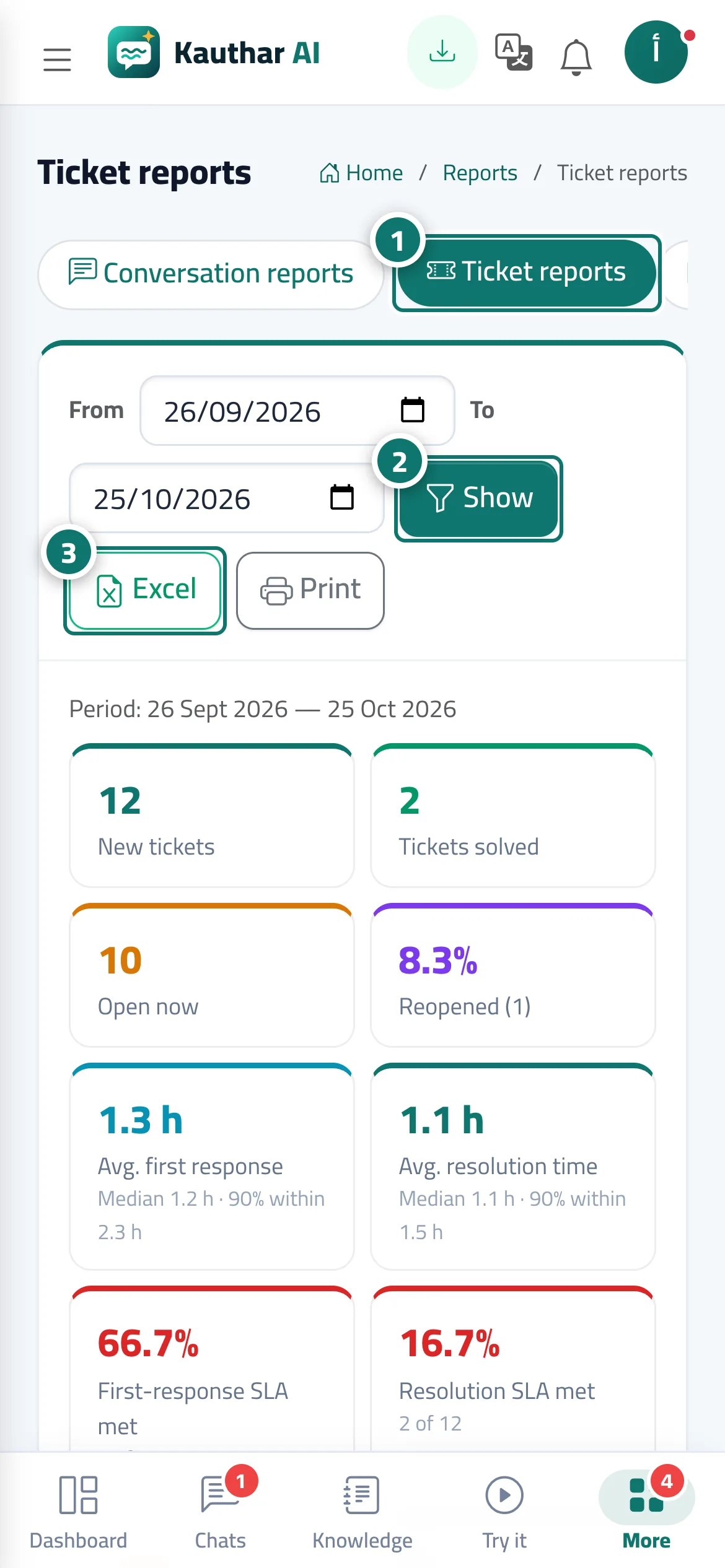
Open «Reports», then the «Ticket reports» tab. Numéro 1 sur l’image
- 2
Choose «From» and «To» and click «View». Numéro 2 sur l’image
- 3
Export the report with «Excel» or «Print». Numéro 3 sur l’image
Étapes
- 1
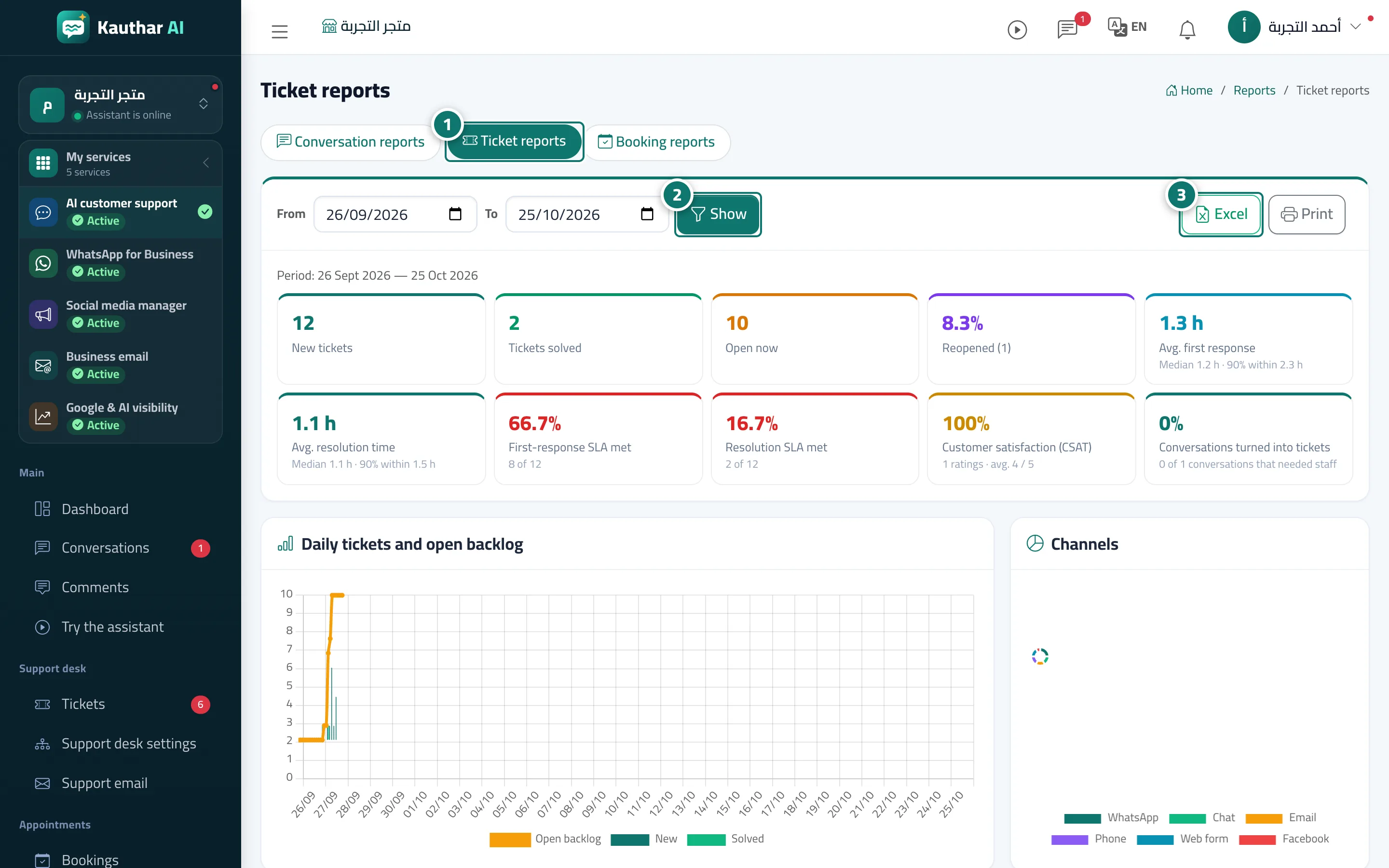
Open «Reports», then the «Ticket reports» tab. Numéro 1 sur l’image
- 2
Choose «From» and «To» and click «View». Numéro 2 sur l’image
- 3
Export the report with «Excel» or «Print». Numéro 3 sur l’image
Explication complète dans la documentation
