
SEO et visibilité IA · Fully automatic mode and undoing any change
What does Kauthar change on my site automatically?
As soon as you prove you own the site and your business information is in, Kauthar works by herself around the clock: she fixes technical issues, writes content and publishes it directly where your site allows — with a log and an undo button for every change, and «Stop automatic mode» whenever you want.
Pour qui : Propriétaire et responsable
Où : Google & AI visibility → Sites → the site · «Log»
Étapes
- Open the site from «Sites»; the «Kauthar is running automatically» strip shows what was done today.
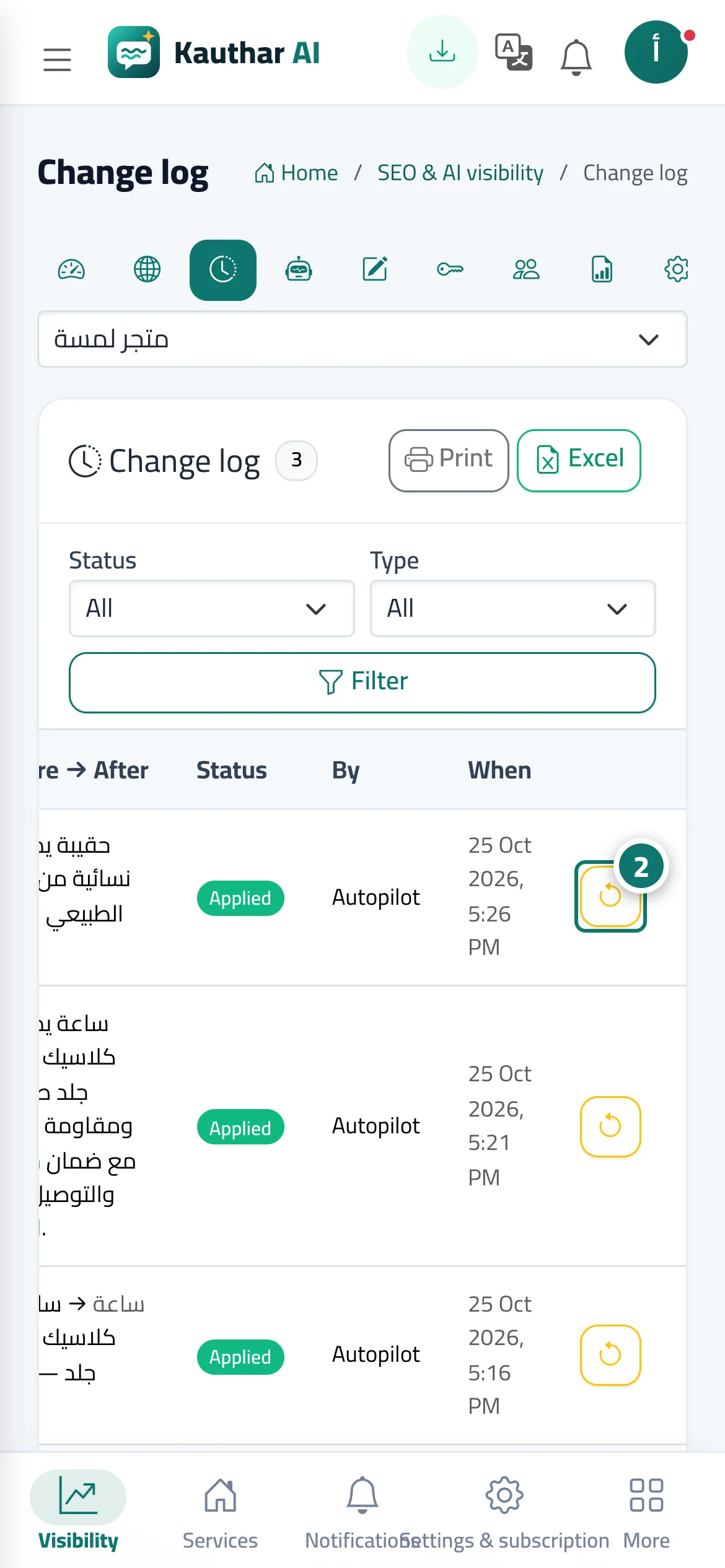
- Click «What was done» to see every change with its before and after, and click the undo button (the circular arrow) on a row to cancel that change. Numéro 2 sur l’image
- To stop every automatic change and publication on the site, click «Stop automatic mode» and confirm; to restart it, click «Turn automatic mode on».
- To review articles before they go live, open «Advanced settings (optional)», pick «Approve before publishing» and save.
Étapes
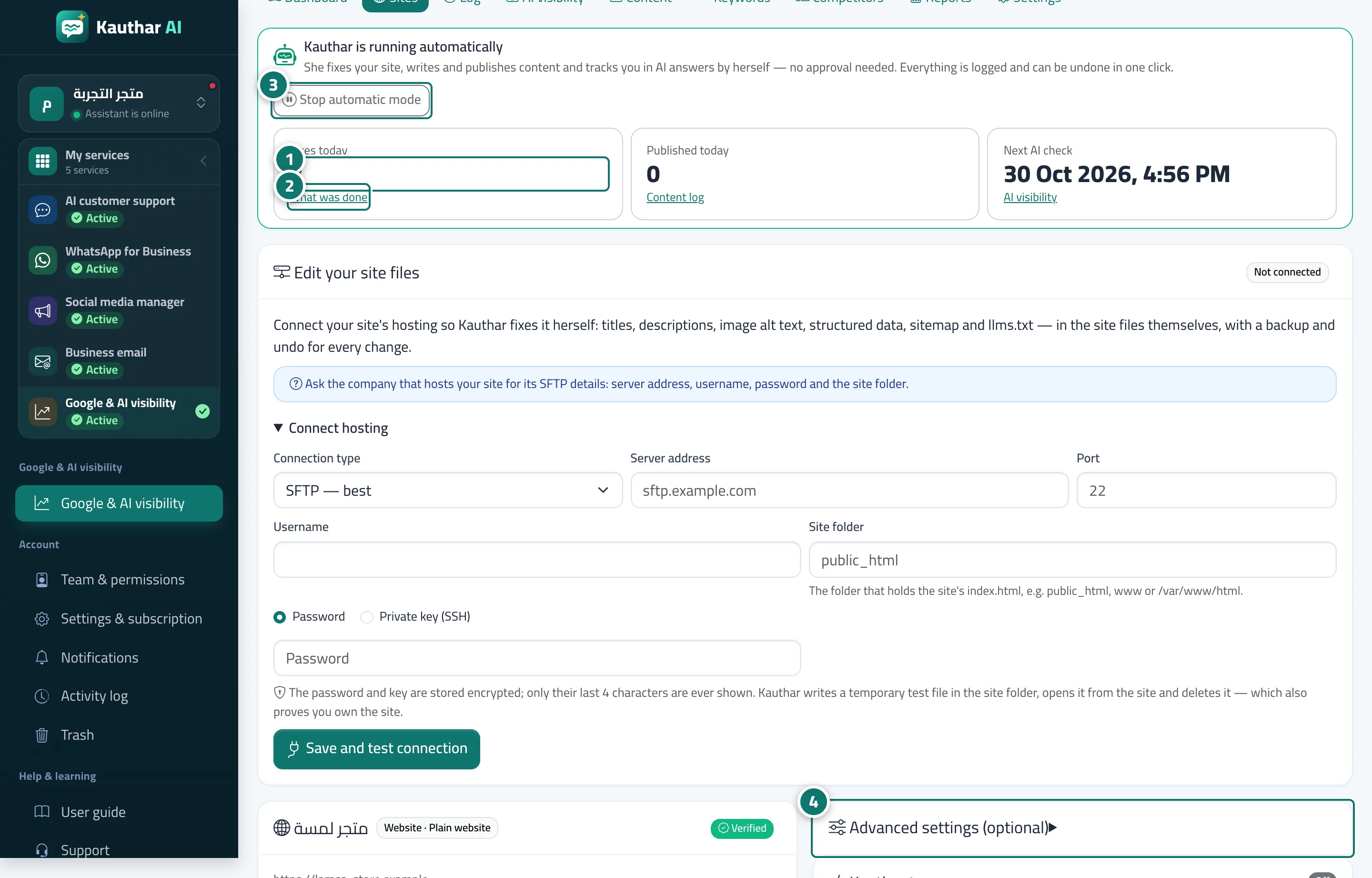
- Open the site from «Sites»; the «Kauthar is running automatically» strip shows what was done today. Numéro 1 sur l’image
- Click «What was done» to see every change with its before and after, and click the undo button (the circular arrow) on a row to cancel that change. Numéro 2 sur l’image
- To stop every automatic change and publication on the site, click «Stop automatic mode» and confirm; to restart it, click «Turn automatic mode on». Numéro 3 sur l’image
- To review articles before they go live, open «Advanced settings (optional)», pick «Approve before publishing» and save. Numéro 4 sur l’image