
SEO et visibilité IA · Subscribing to Google & AI visibility
How do I subscribe to the Google & AI visibility service?
The service is now open to every customer: start its free trial or subscribe from its page in «My services», then connect your site — Kauthar fixes, writes, publishes and measures how you appear on Google and in AI answers.
Pour qui : Propriétaire et responsable
Où : My services → «Visibility on Google and AI answers» (or Sidebar → Google & AI visibility)
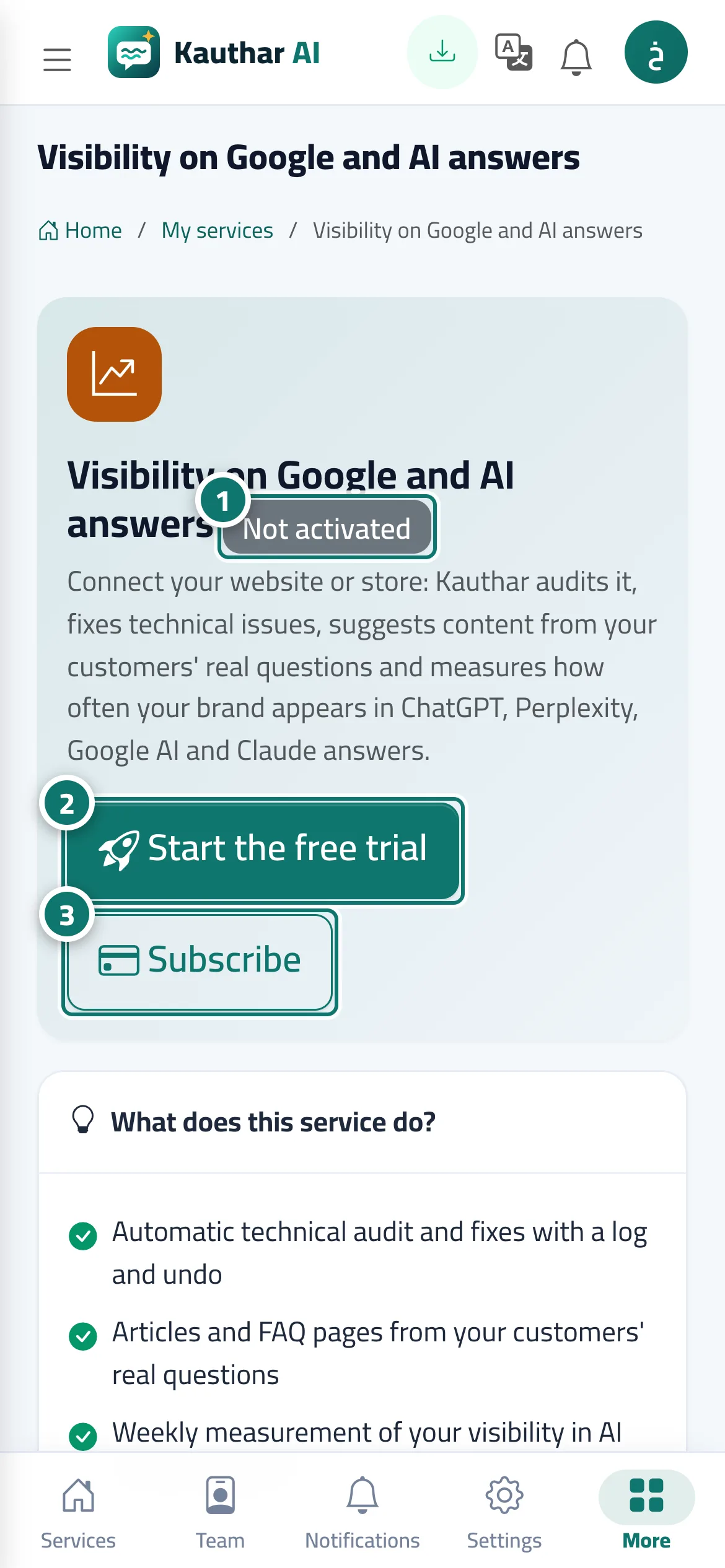
Étapes
- Open the service page from «My services»; its state for your account shows at the top. Numéro 1 sur l’image
- Click «Start the free trial» to try it with the limits shown on the page, no card needed. Numéro 2 sur l’image
- Or click «Subscribe», choose the plan and the period and complete the payment. Numéro 3 sur l’image
- Once it is active, open the service, connect your site and prove you own it; Kauthar then starts working automatically.
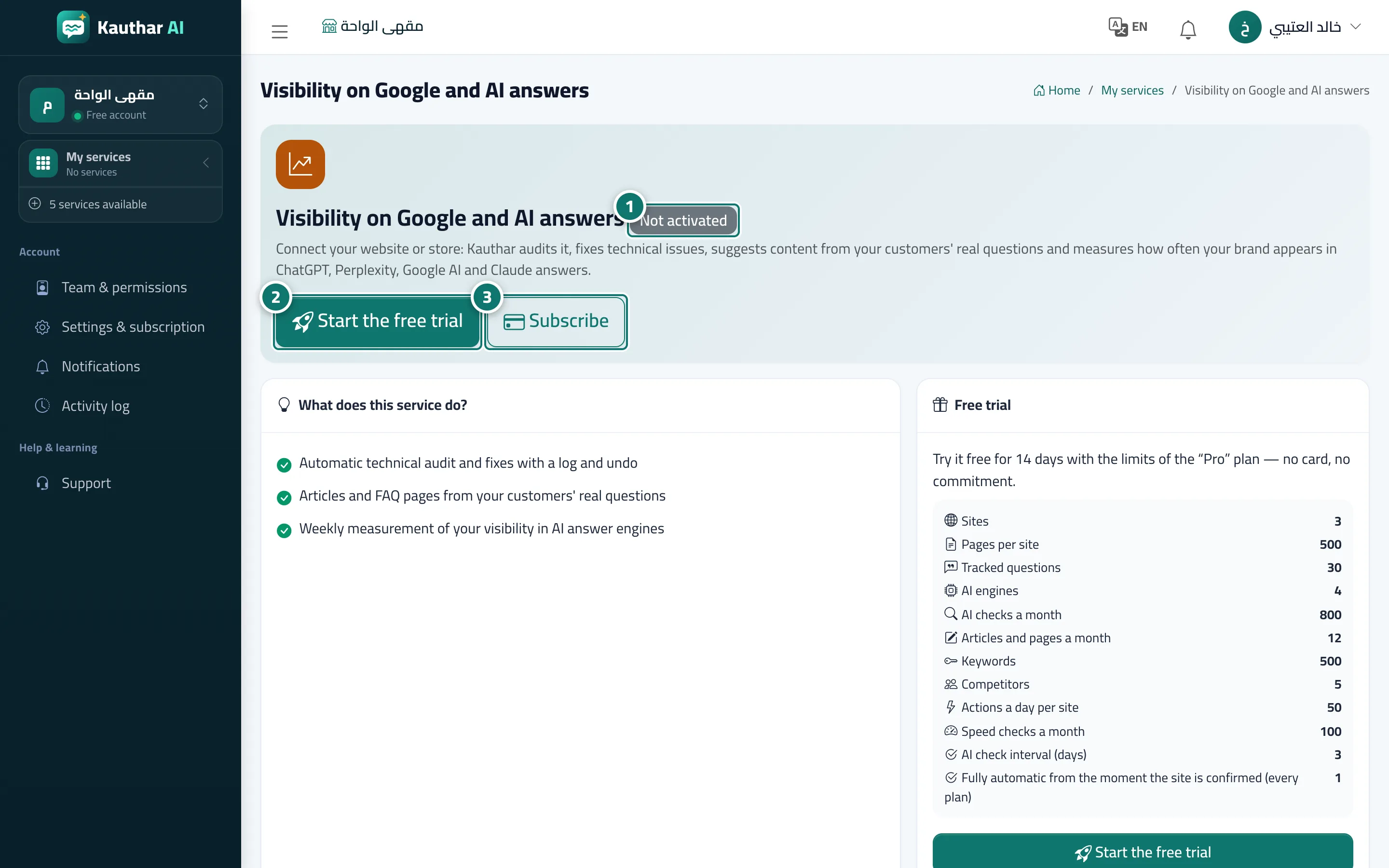
Étapes
- Open the service page from «My services»; its state for your account shows at the top. Numéro 1 sur l’image
- Click «Start the free trial» to try it with the limits shown on the page, no card needed. Numéro 2 sur l’image
- Or click «Subscribe», choose the plan and the period and complete the payment. Numéro 3 sur l’image
- Once it is active, open the service, connect your site and prove you own it; Kauthar then starts working automatically.