
Assistant & knowledge · Suggested questions for your customers
How do I add ready-made questions that customers see at the start of the chat?
Up to 6 ready-made questions that appear when a customer opens the chat, so they can tap instead of typing.
Who this is for: Owner & manager
Where: Sidebar → Account → Assistant settings → «Suggested questions shown to your customers»
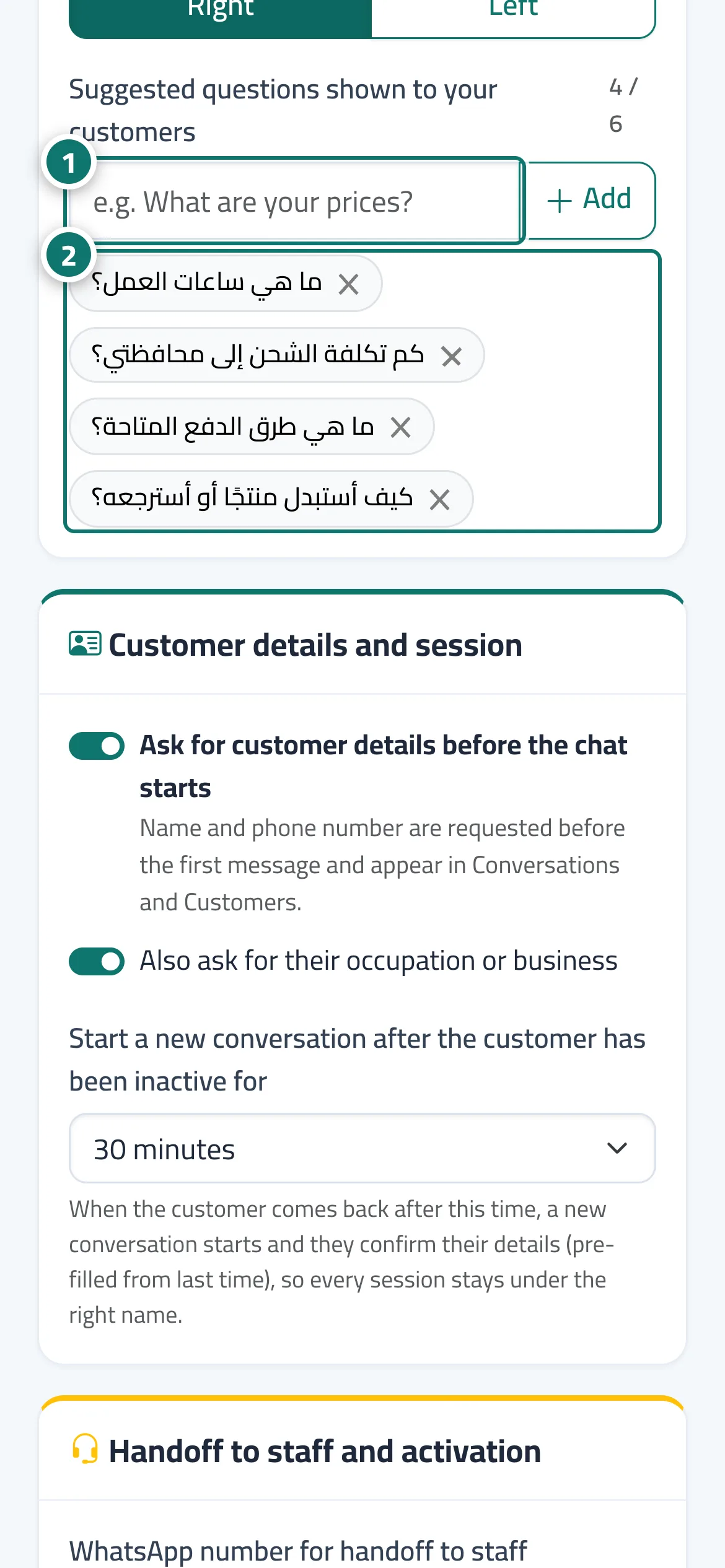
Steps
- Type the question in the box and press «Add». Number 1 on the picture
- Repeat for up to 6 questions; remove a question with the close mark next to it. Number 2 on the picture
- Check how they look in the «Live preview» and press «Save».
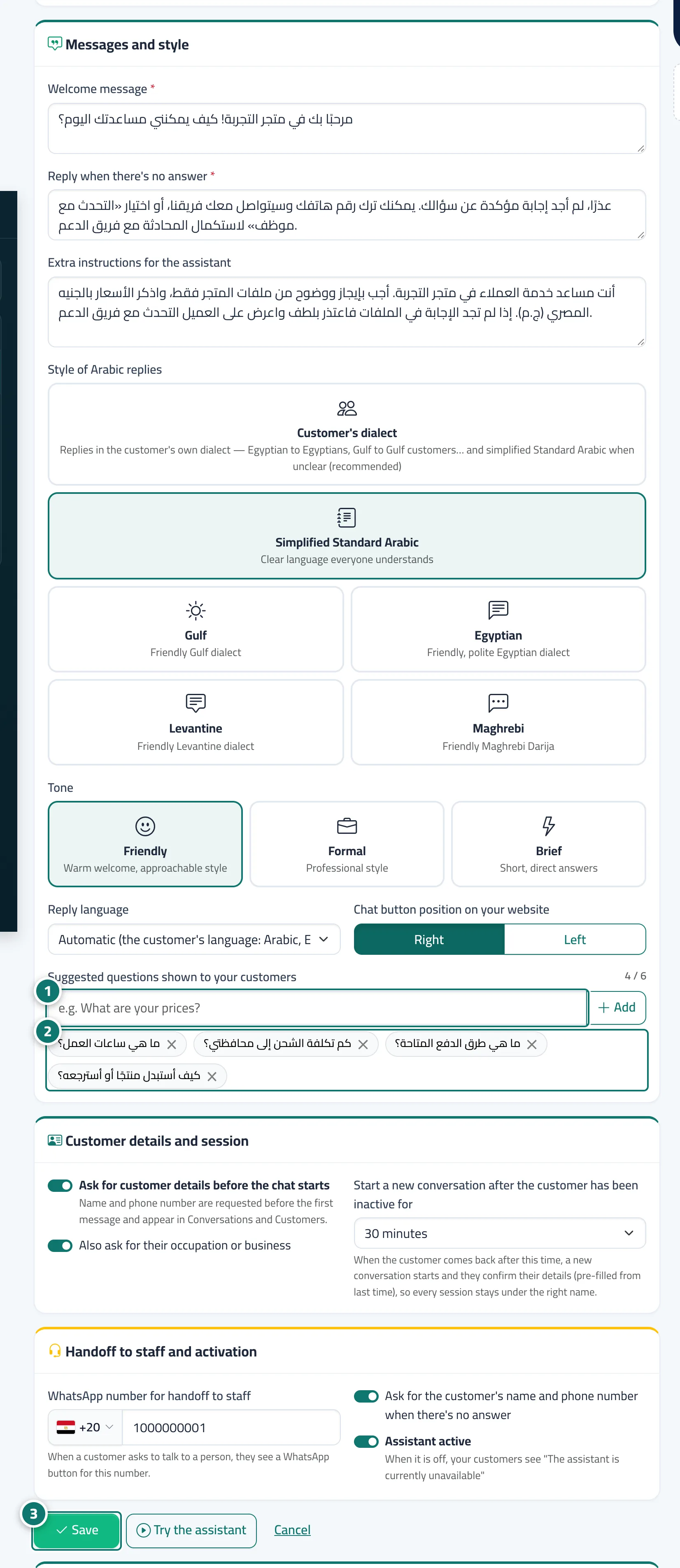
Steps
- Type the question in the box and press «Add». Number 1 on the picture
- Repeat for up to 6 questions; remove a question with the close mark next to it. Number 2 on the picture
- Check how they look in the «Live preview» and press «Save». Number 3 on the picture