
Channels · Your customers' chat page
What does a customer see when they open the chat link?
A clean chat page in your brand and in the customer's language: your customers ask, and the AI assistant's reply arrives within seconds, typed out in front of them.
Who this is for: Your customers
Where: The public chat link (ending in /c/<link-name>) · or inside the chat window on your website · or through the QR code
Steps
- The customer opens the link, scans the QR code or taps the chat button on your website, and enters their name and phone number if registration is enabled.
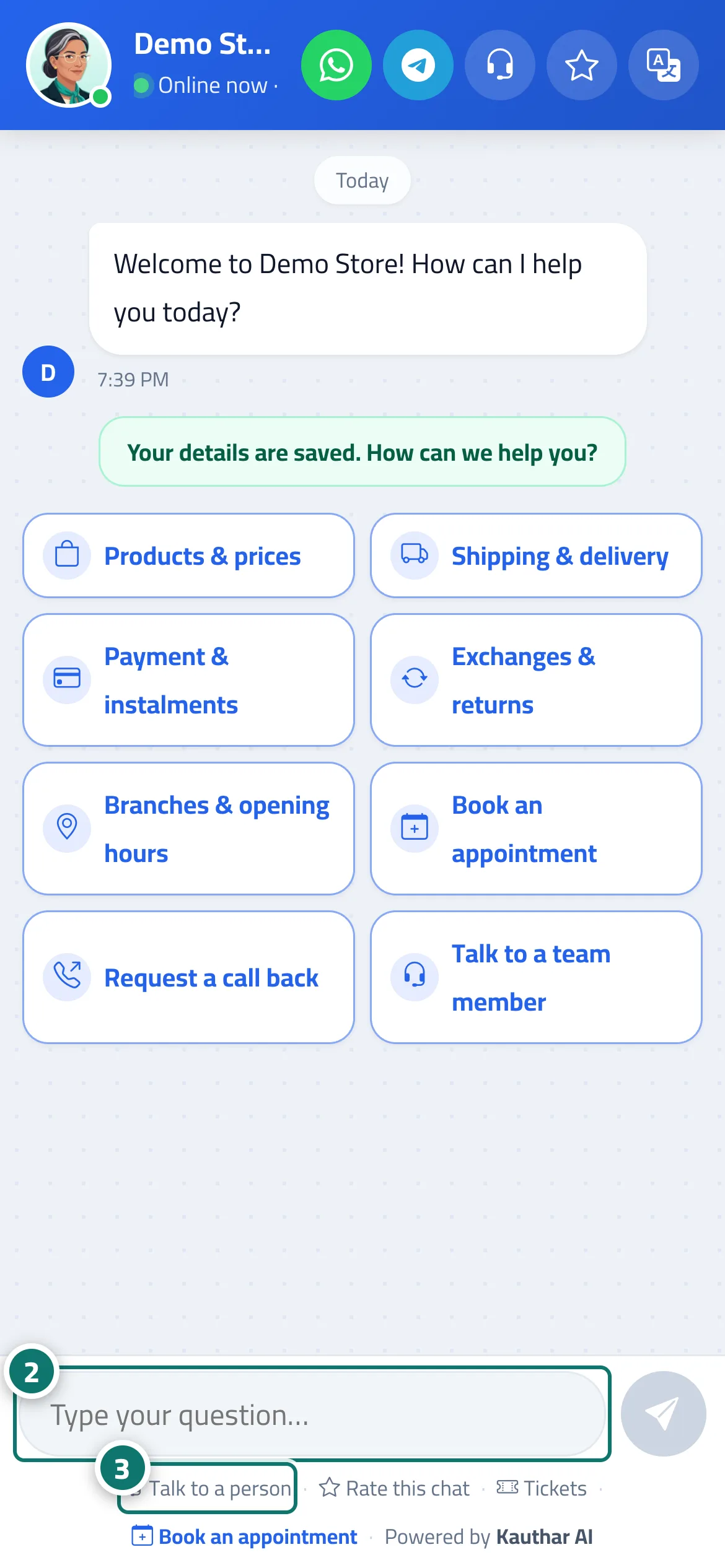
- They tap one of the menu buttons, or type their question in the “Type your question…” box and tap “Send”. Number 2 on the picture
- The reply arrives within seconds; if they need someone from your team, they tap “Talk to a person”. Number 3 on the picture
Steps
- The customer opens the link, scans the QR code or taps the chat button on your website, and enters their name and phone number if registration is enabled.
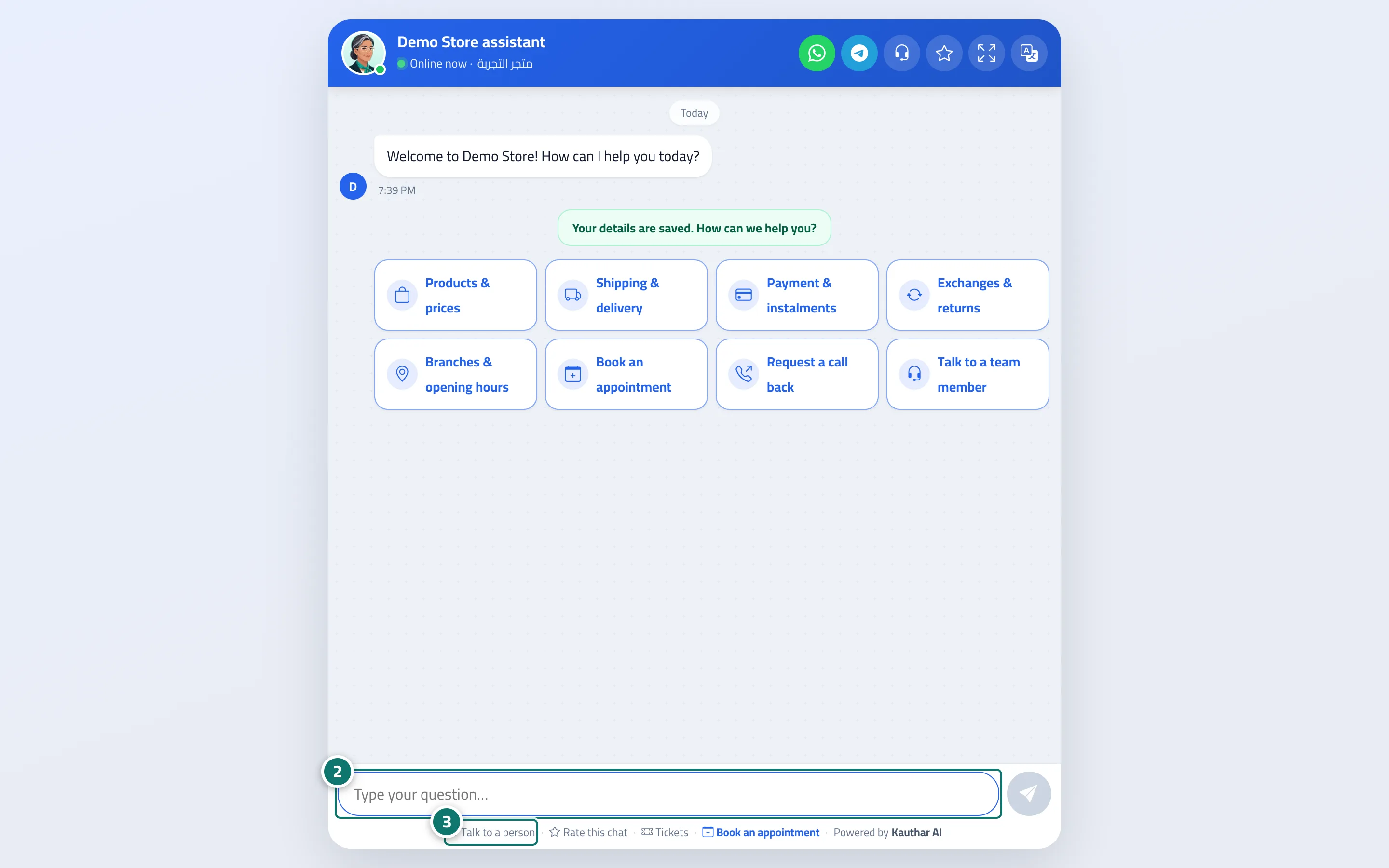
- They tap one of the menu buttons, or type their question in the “Type your question…” box and tap “Send”. Number 2 on the picture
- The reply arrives within seconds; if they need someone from your team, they tap “Talk to a person”. Number 3 on the picture