
Channels · Rating the chat and the answers
How does a customer rate the conversation or a specific answer?
Customers rate the conversation with stars and each answer as “helpful” or “not helpful”, so you can see how well the AI assistant performs.
Who this is for: Owner & manager · Your customers
Where: Chat page → “Rate this chat” · results in the sidebar → Channels & customers → Reports
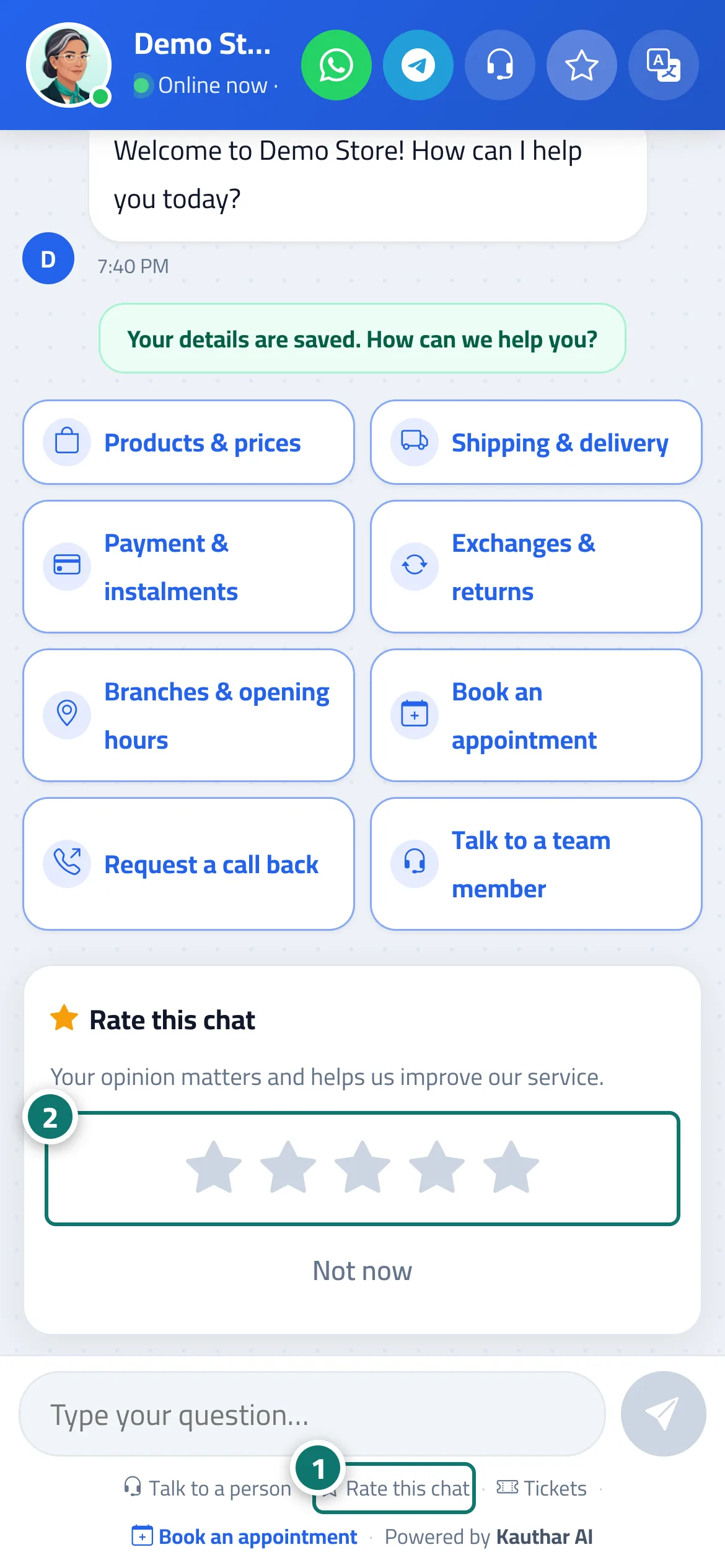
Steps
- The customer taps “Rate this chat” (or the card appears automatically). Number 1 on the picture
- They choose from 1 to 5 stars. Number 2 on the picture
- They see “Thanks for your rating!”.
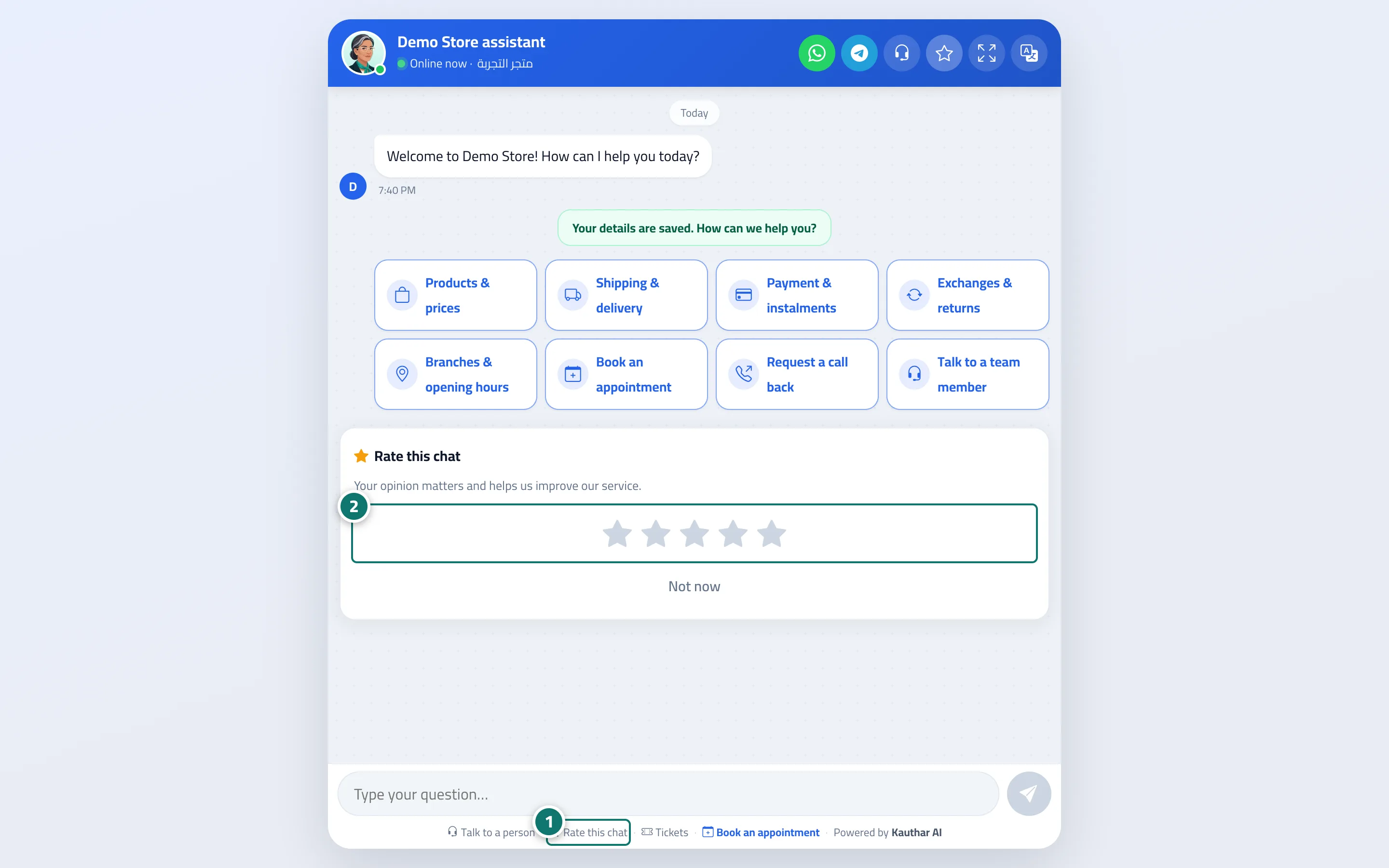
Steps
- The customer taps “Rate this chat” (or the card appears automatically). Number 1 on the picture
- They choose from 1 to 5 stars. Number 2 on the picture
- They see “Thanks for your rating!”.