
Getting started · My services: all your services on one page
How do I see all the Kauthar services active on my account?
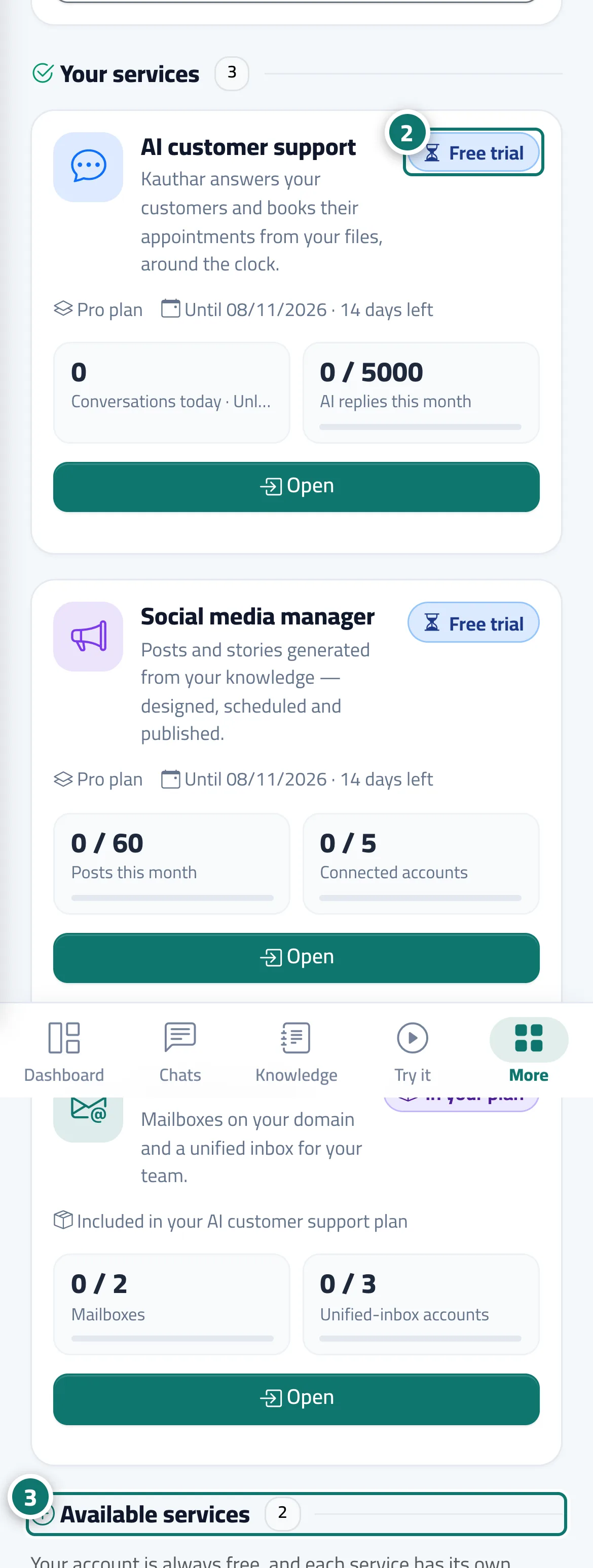
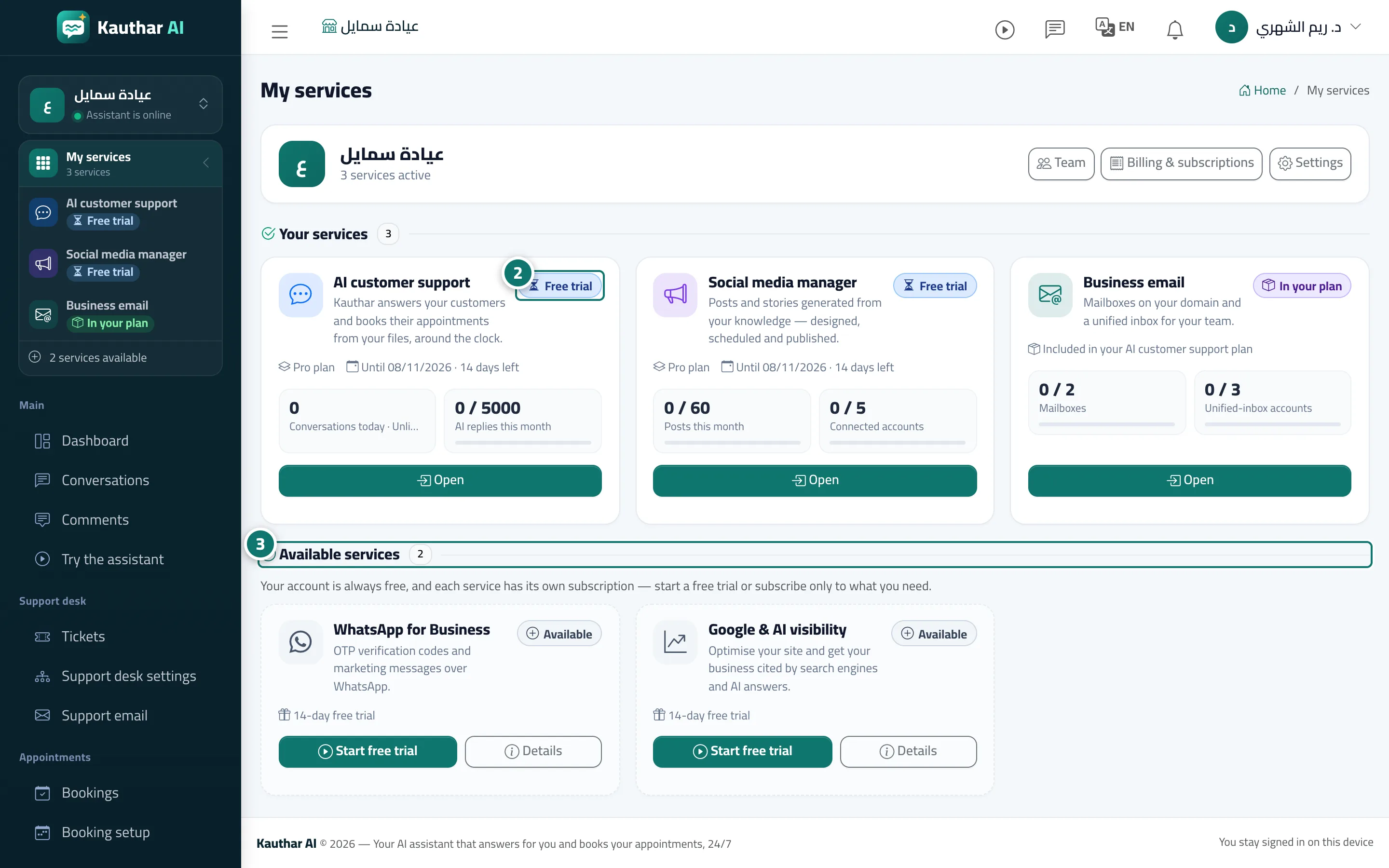
Your account's main page: a card for each active service with its status (free trial, active, ending soon, ended, in your plan) and usage numbers, and below it «Available services» to start a free trial or subscribe.
Who this is for: Owner & manager · Team members
Where: Sidebar → service switcher → «My services», or your name menu → «My services»
Steps
- Open «My services» (it opens by itself after signing in when you have two or more services, or none yet).
- In «Your services», read each service's status badge and end date, and press «Open» to go into it or «Renew» if it has ended. Number 2 on the picture
- In «Available services», press «Start free trial» (or «Subscribe») on the service you want; it is turned on at once and its pages appear in the menu. Number 3 on the picture
Steps
- Open «My services» (it opens by itself after signing in when you have two or more services, or none yet).
- In «Your services», read each service's status badge and end date, and press «Open» to go into it or «Renew» if it has ended. Number 2 on the picture
- In «Available services», press «Start free trial» (or «Subscribe») on the service you want; it is turned on at once and its pages appear in the menu. Number 3 on the picture