
SEO & AI visibility · Competitors and their keywords
How do I find the keywords my competitors target on their sites?
Add your competitors' sites or confirm the ones suggested by AI answers, and Kauthar reads their pages to find the topics they target that you don't cover.
Who this is for: Owner & manager
Where: Sidebar → Google & AI visibility → Competitors
Steps
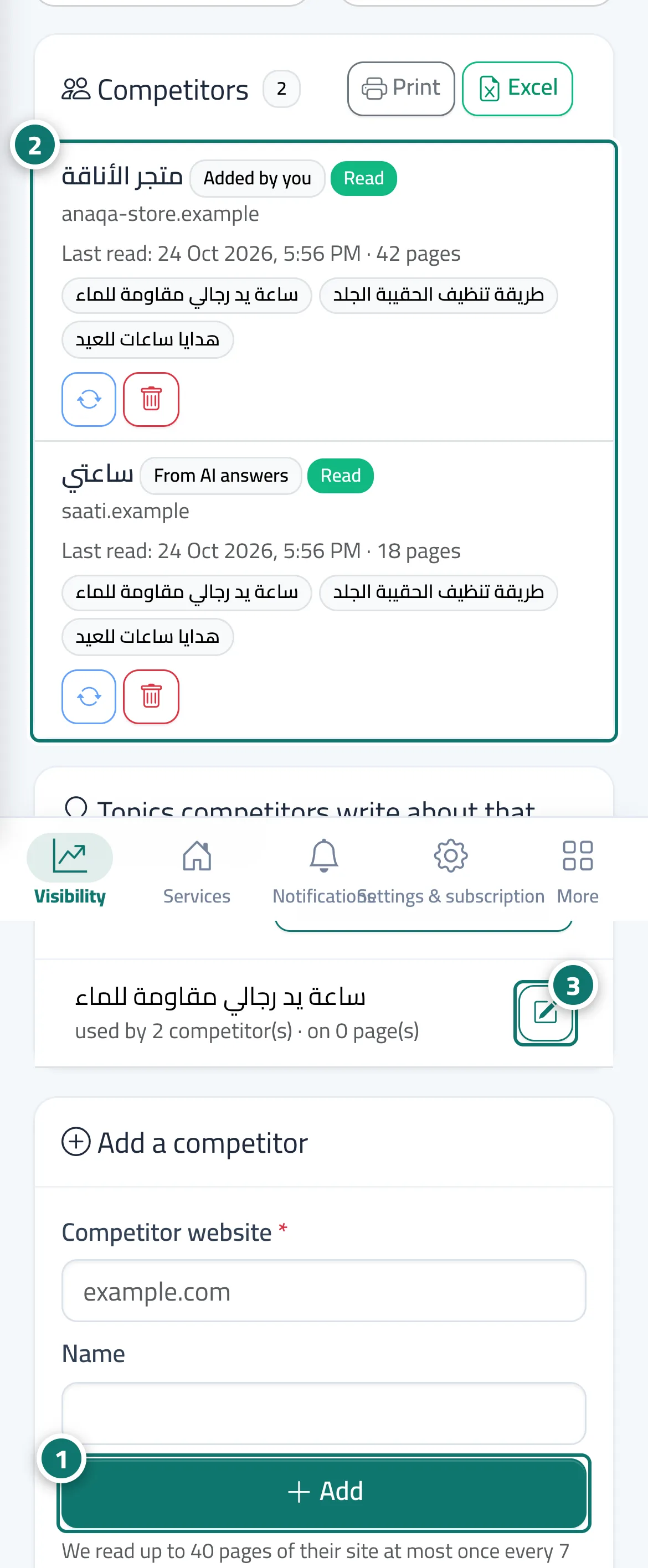
- Type the competitor's site in “Add a competitor” and click “Add”, or click “Confirm” next to a suggested competitor. Number 1 on the picture
- Once its pages are read, its main topics appear, along with “Topics competitors write about that you do not cover”. Number 2 on the picture
- Click “Write content for this” next to the topic that matters to you, or open “All competitor keywords” to filter by coverage and print. Number 3 on the picture
Steps
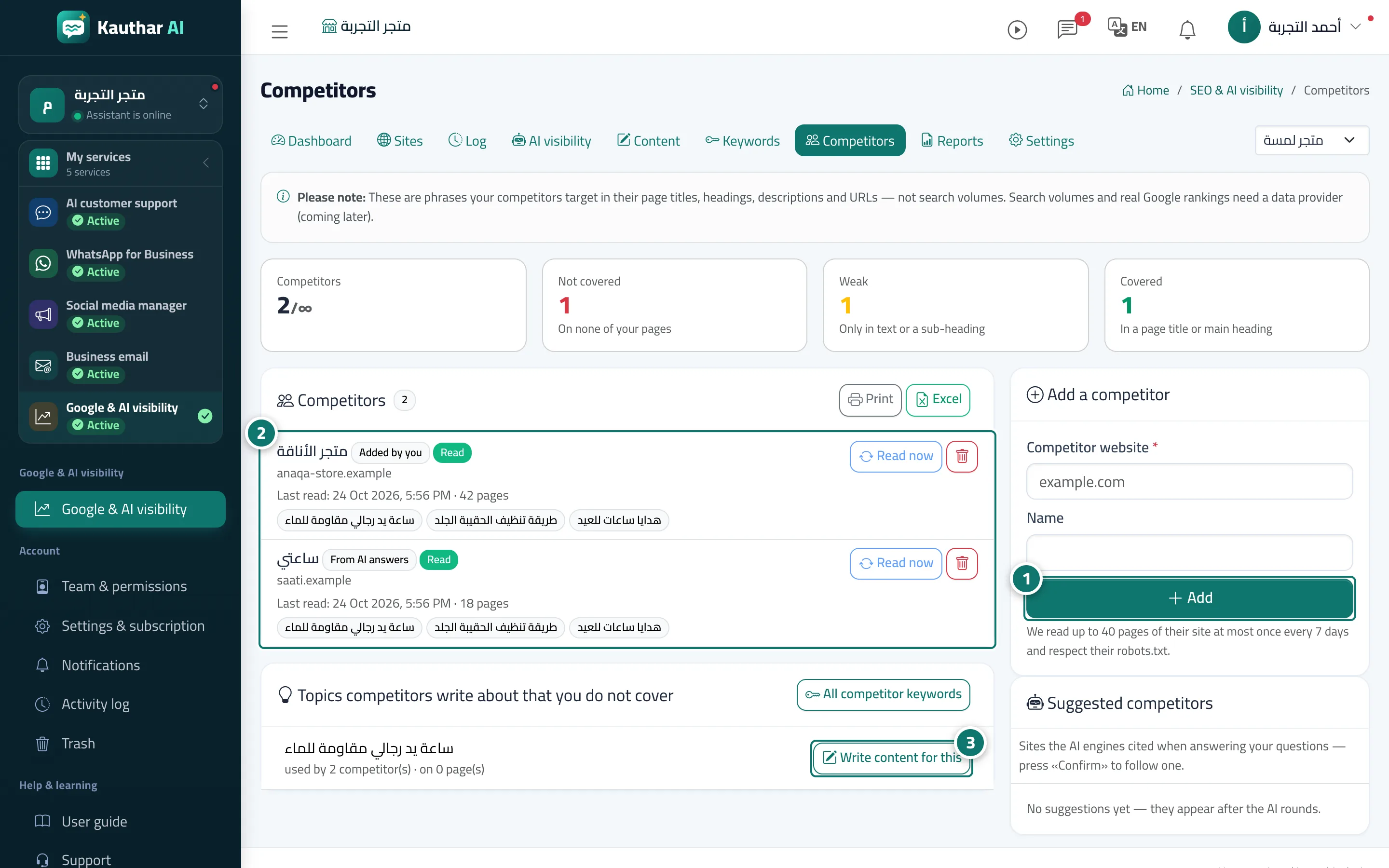
- Type the competitor's site in “Add a competitor” and click “Add”, or click “Confirm” next to a suggested competitor. Number 1 on the picture
- Once its pages are read, its main topics appear, along with “Topics competitors write about that you do not cover”. Number 2 on the picture
- Click “Write content for this” next to the topic that matters to you, or open “All competitor keywords” to filter by coverage and print. Number 3 on the picture