Competitors and their keywords
Add your competitors' sites or confirm the ones suggested by AI answers, and Kauthar reads their pages to find the topics they target that you don't cover.
On this page
Overview#
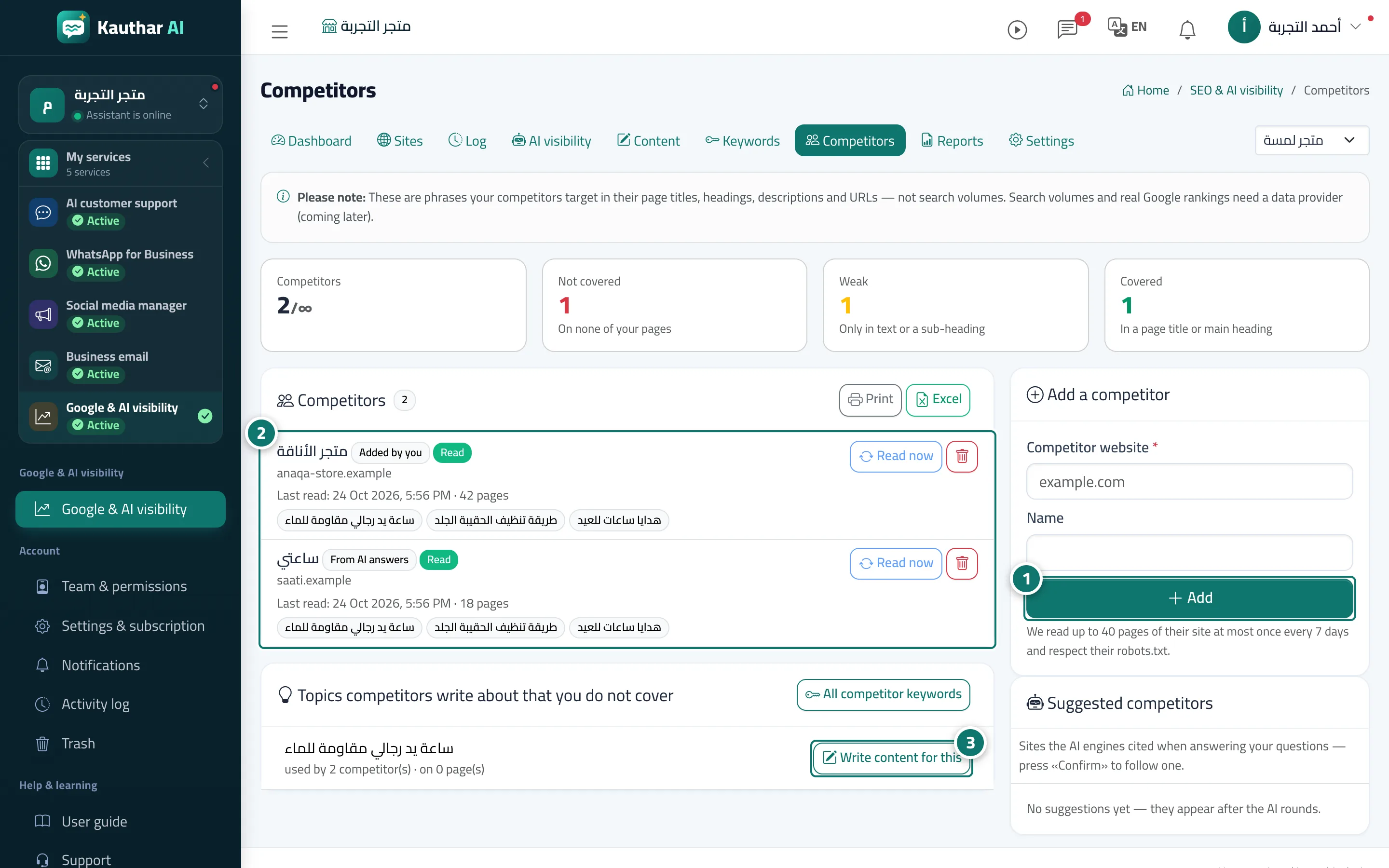
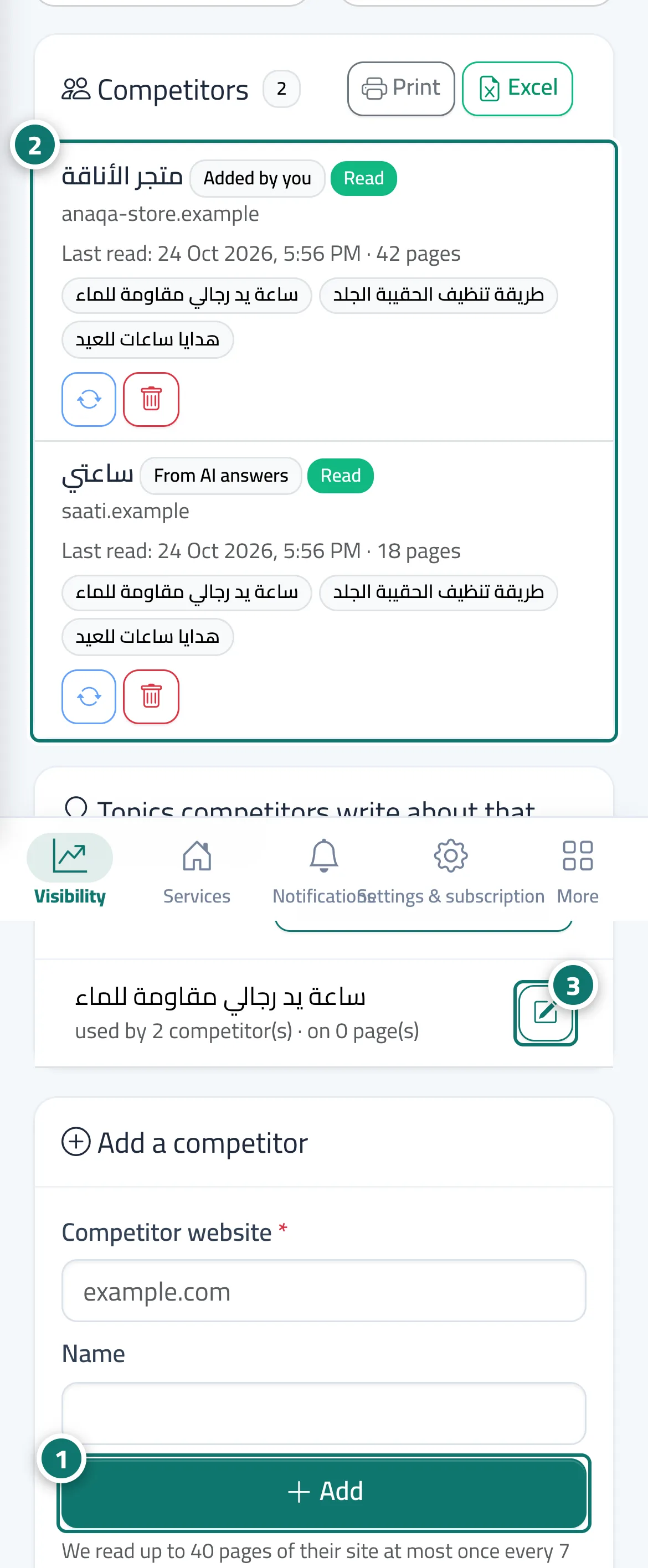
The Competitors screen lists your competitors: those you added and those you confirmed from AI suggestions (sites the engines actually cited in answers to your questions). Kauthar reads up to 40 pages of each competitor's site at most once a week, fully respecting its robots.txt, and extracts the phrases they use in page titles, headings, descriptions and links. It then compares them with your site's pages: Covered, Weak or Not covered. Important uncovered topics appear as article ideas, and with full automatic publishing Kauthar writes one article a week from them, using only your business information.
- Who can use it
- Business owner / manager
- Where to find it
- Sidebar → Google & AI visibility → Competitors
Step by step#
- Type the competitor's site in Add a competitor and click Add, or click Confirm next to a suggested competitor.
- Once its pages are read, its main topics appear, along with Topics competitors write about that you do not cover.
- Click Write content for this next to the topic that matters to you, or open All competitor keywords to filter by coverage and print.