
Alerts before and after a missed deadline
Kauthar watches your tickets every minute and alerts you a quarter of an hour before a deadline and the moment it is missed.
Overview#
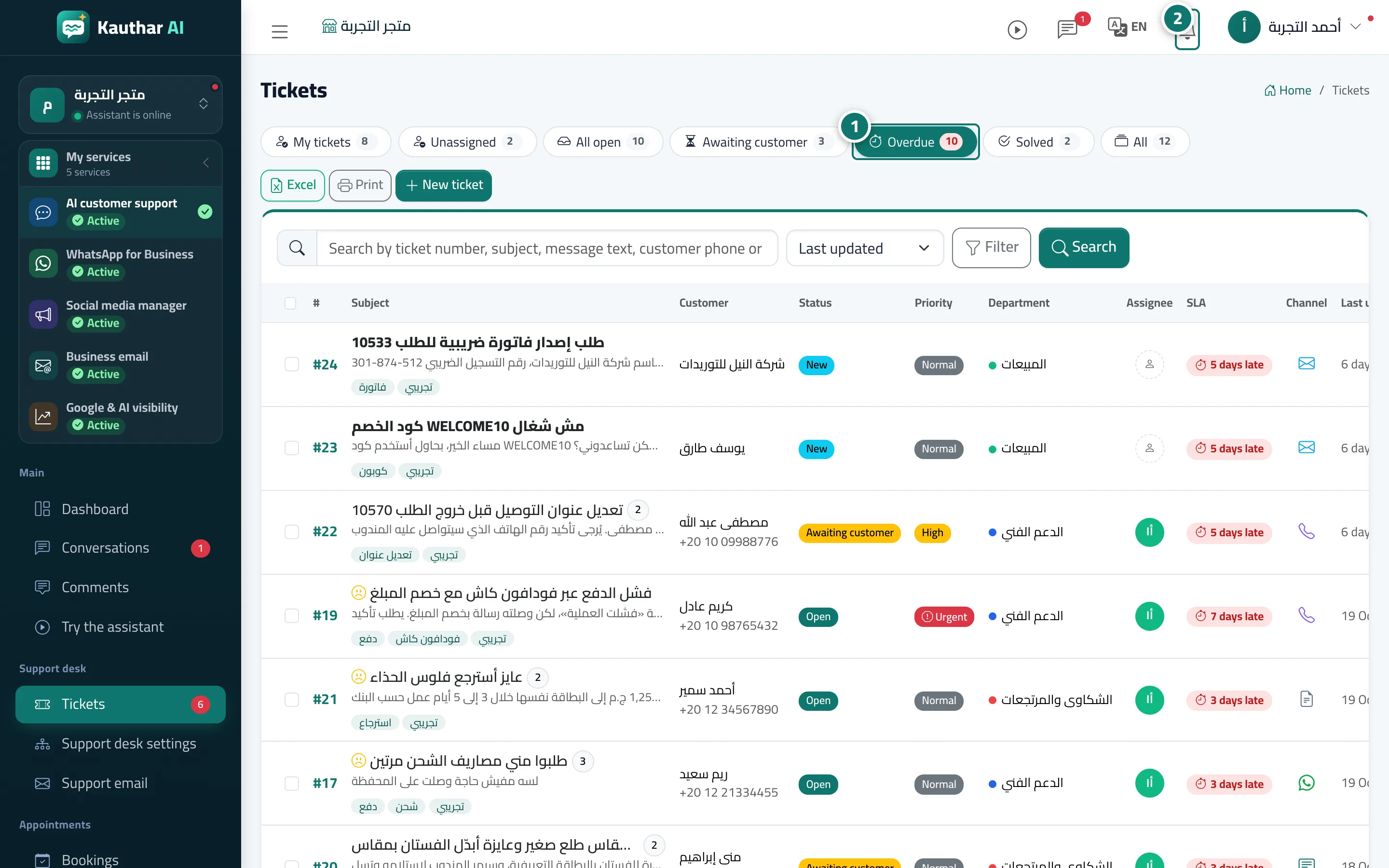
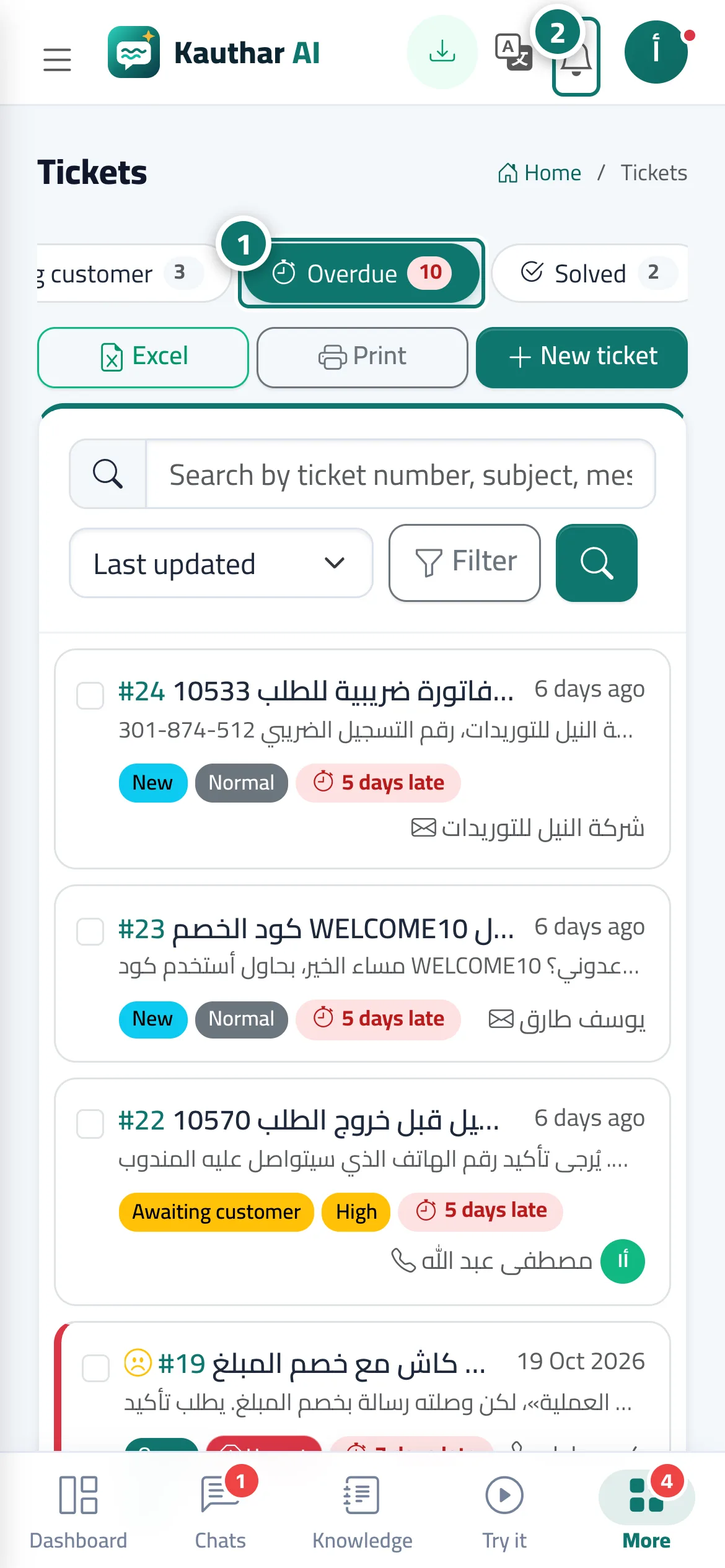
The deadline monitor runs automatically every minute. 15 minutes before a first-reply or resolution deadline it sends Ticket #… will miss its deadline in 15 min to the assigned agent (or to the whole team if the ticket is unassigned). When the deadline passes, it marks the ticket overdue, records it in the ticket history and sends Ticket #… missed its first-response deadline or …missed its resolution deadline. Overdue tickets appear in the Overdue view and on the dashboard.
- Who can use it
- Business owner / manager / agent
- Where to find it
- Sidebar → Support desk → Tickets → Overdue · alerts in the notification bell or Account → Notifications
Step by step#
- Nothing to set up — it works automatically according to your Response times settings. Check the Overdue view to deal with late tickets first.
- When an alert arrives in the notification bell, click it to open the ticket.
- To receive alerts even when the browser is closed, open the bell menu and choose Turn on notifications on this device, or turn on notifications in the Kauthar app on your phone.
Tips#
Good to know#
Frequently asked questions#
Who gets the alert?
The agent assigned to the ticket. If it isn't assigned to anyone, the whole team gets it.
Can I get the alert on my phone?
Yes, if you turn on notifications from the bell menu on your phone or in the Kauthar app (Android and iOS).