Campaign list and status
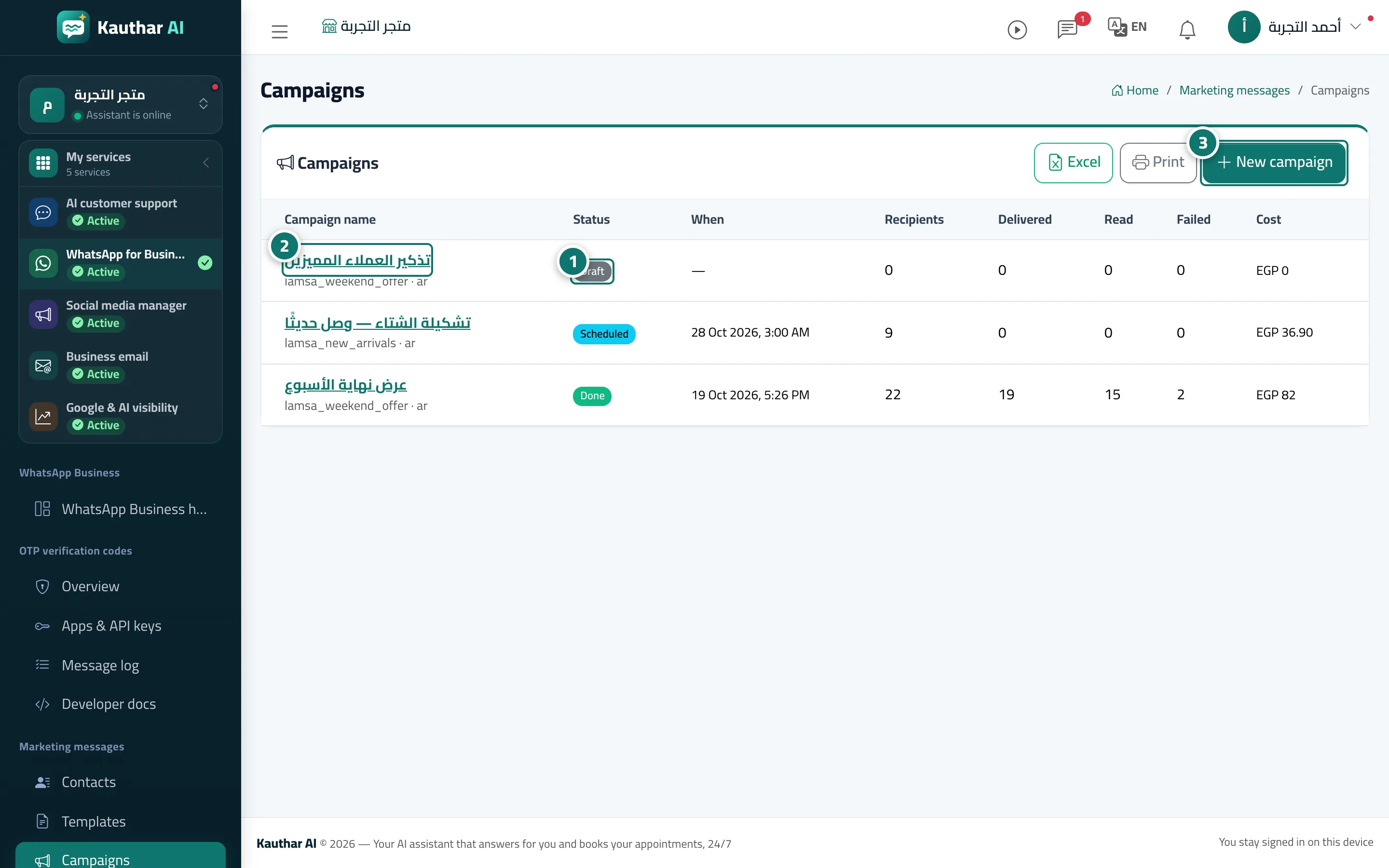
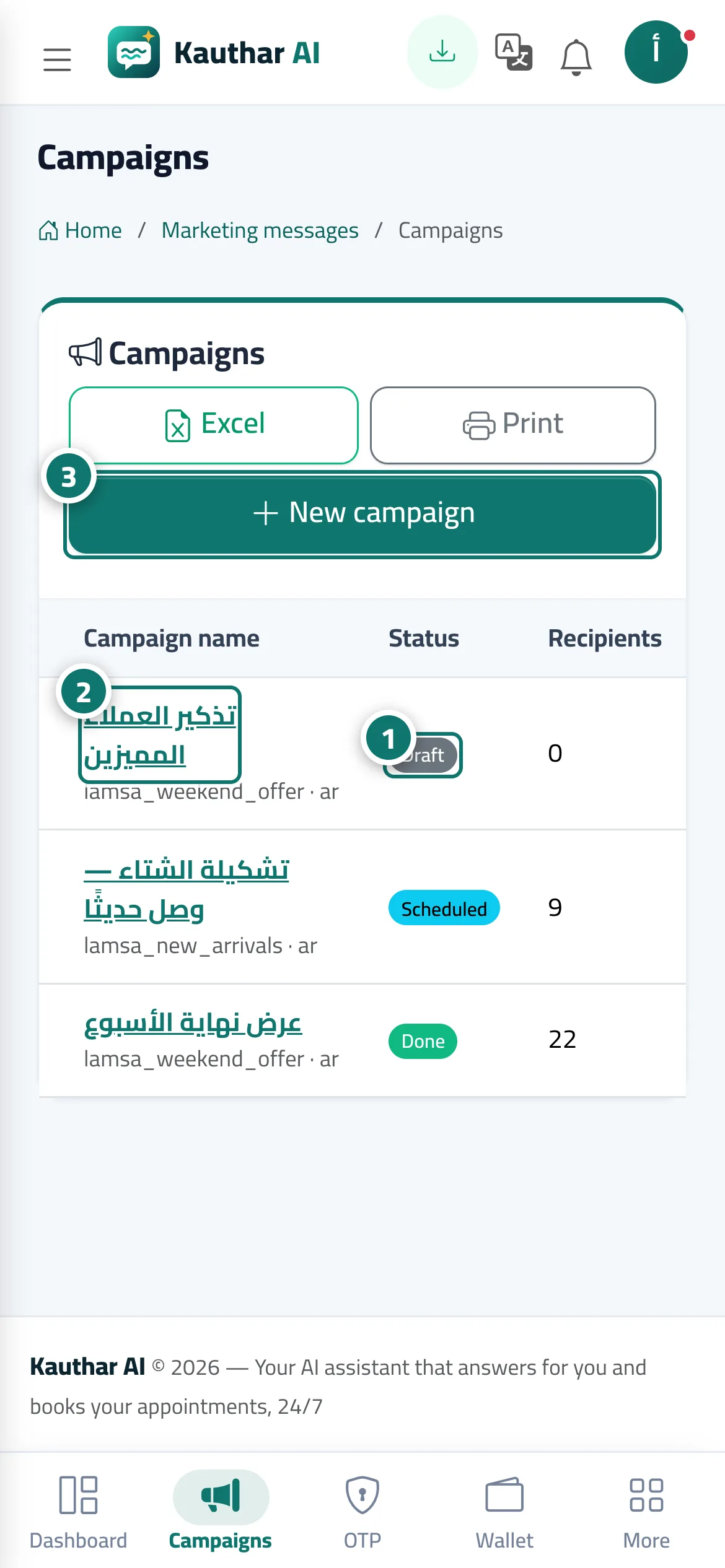
All your campaigns in one table with their status (draft, scheduled, sending, done…), recipients and cost, with review or report pages and a stop button.
On this page
Overview#
The Campaigns screen shows a table of every campaign: name, status (draft, scheduled, sending, stopped, done, cancelled, failed), time, recipients, delivered, read, failed and cost, with Excel, Print and New campaign, and a line showing how many of this month's campaigns your plan allows. Clicking a draft opens the Campaign review with Confirm and send now, Confirm the schedule or Delete draft; clicking a sent campaign opens its report, which has Stop the campaign while it is sending or before its scheduled time.
- Who can use it
- Business owner / manager / staff member with marketing permission
- Where to find it
- Sidebar → WhatsApp Business → Marketing messages → Campaigns
Step by step#
- Follow each campaign's status, recipients, delivered, read, failed and cost in the table.
- Click the campaign name to open its review (for a draft) or its report (once sent).
- Click New campaign to start a campaign.