AI questions and the visibility score
Kauthar asks the answer engines (Gemini grounded in Google Search, Perplexity, ChatGPT, Claude) the questions your customers ask, and measures whether your name appears and who competes with you.
On this page
Overview#
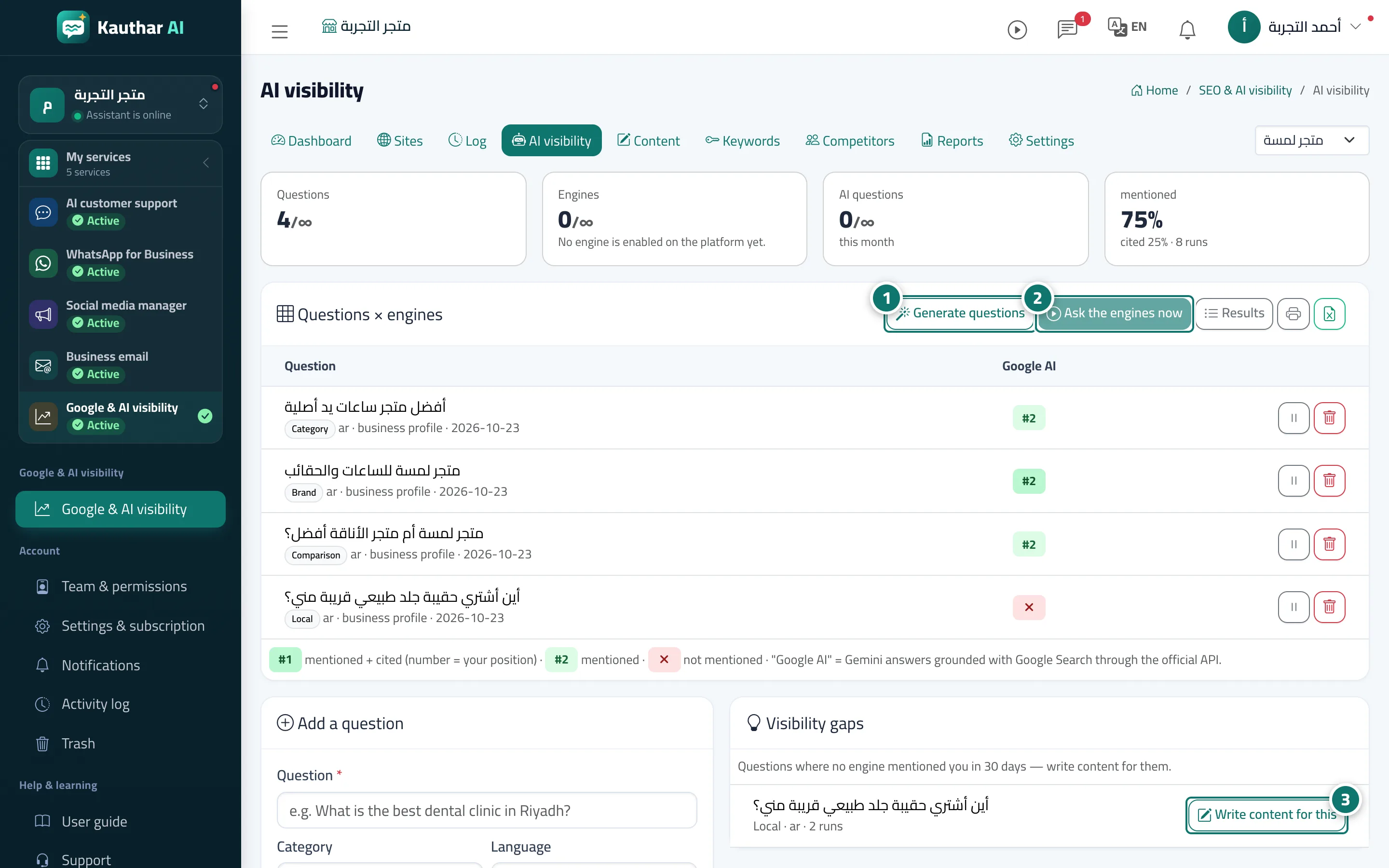
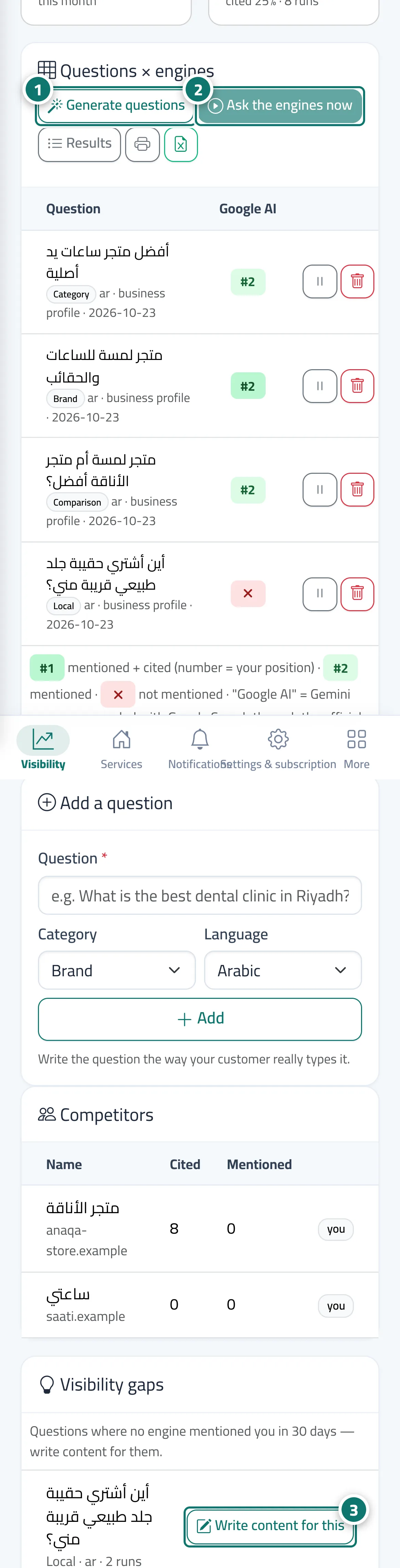
The AI visibility screen shows the list of tracked questions (generated from your business profile, your knowledge and the questions your customers actually asked in the chat that went unanswered — and you can add your own), and a grid of engines × rounds: whether your name was mentioned, in what position, and whether your site was cited. Below are the competitors that appear instead of you, and the gaps: questions in which no engine mentions you, with a Write content for this button. The visibility score out of 100 = 50% mention rate + 30% rate of citing your site + 20% mention position, per engine, then averaged.
- Who can use it
- Business owner / manager
- Where to find it
- Sidebar → Google & AI visibility → AI visibility
Step by step#
- Click Generate questions so Kauthar suggests questions in categories: name, category, comparison, local; edit them or add your own from the add form.
- Rounds run automatically according to your plan (weekly, twice a week or daily), or click Ask the engines now.
- Review the engine grid, the competitors and the Visibility gaps, and click Write content for this on the gap that matters to you.