
Connecting Facebook, Instagram, TikTok, YouTube and LinkedIn
In the “Accounts” tab, connect each account once with “Connect”, follow each platform’s status in one clear line, set up replies to YouTube comments, and disconnect any account whenever you like.
Overview#
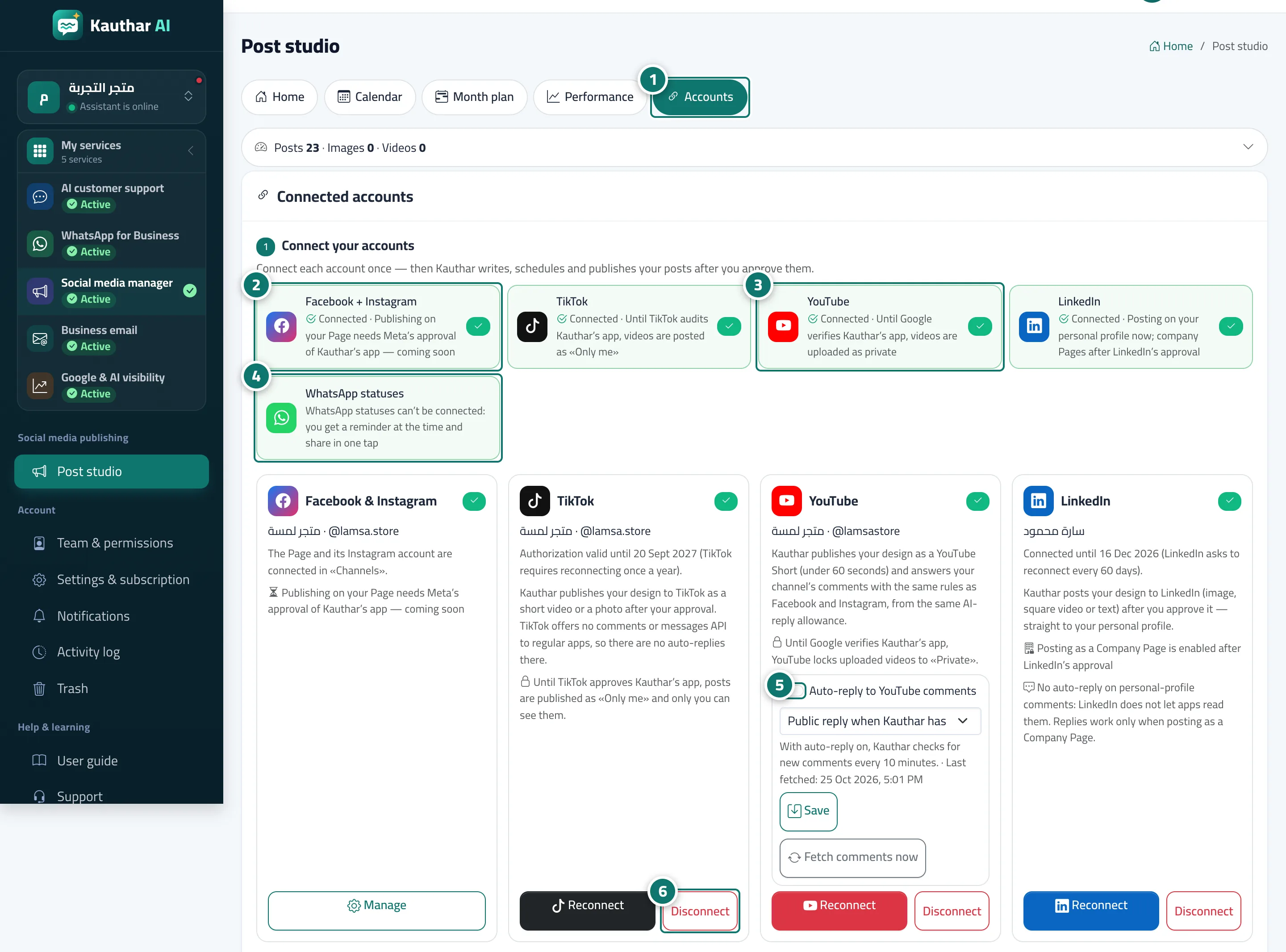
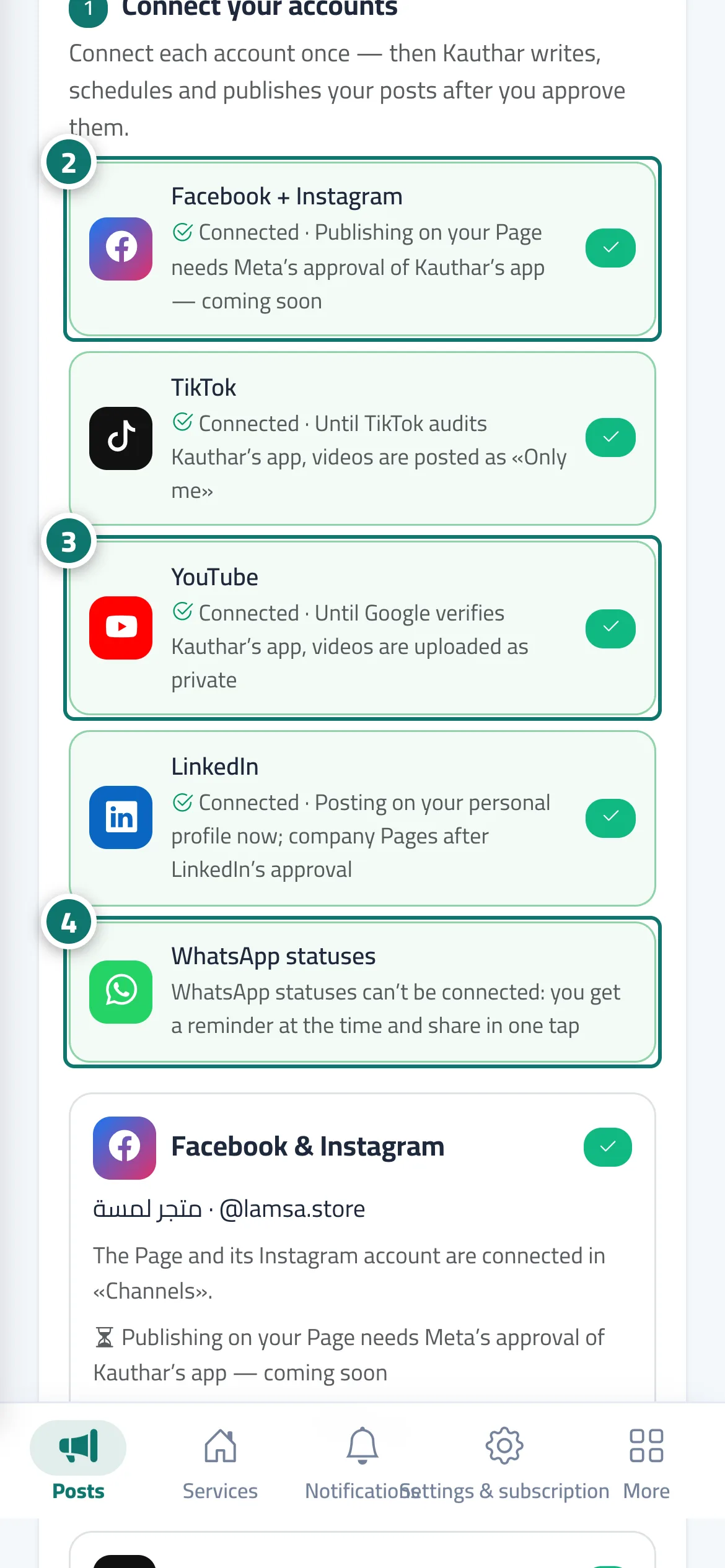
The Accounts tab holds the Connected accounts card. Its first part, Connect your accounts, has one line per platform — Facebook + Instagram, TikTok, YouTube, LinkedIn, WhatsApp statuses — showing Connected, a Connect button or Coming soon, with an honest note on the platform’s state (for example that publishing on your Page needs Meta’s approval of Kauthar’s app, that TikTok videos are posted as Only me and YouTube videos as private until the platform approves the app, or that LinkedIn posts on your personal profile now and on company Pages after its approval). Below are cards for each connected account: the name, how long the connection is valid, and Reconnect and Disconnect buttons; YouTube also has Auto-reply to YouTube comments, its mode (Public reply when Kauthar has an answer or Notify the team only) and Fetch comments now, while Facebook and Instagram are managed in Channels with the Manage button. Connecting goes through Kauthar’s own app: you sign in in the platform’s window, accept the permissions and come back to the studio.
- Who can use it
- Business owner / manager
- Where to find it
- Sidebar → Social media publishing → Post studio → Accounts
Step by step#
- Open the Accounts tab.
- For Facebook and Instagram, press Connect on the Facebook + Instagram line and finish in Meta’s window.
- For TikTok, YouTube or LinkedIn, press Connect on its line, sign in and accept the permissions.
- WhatsApp statuses need no connection: at the status’s time you get a reminder and share it in one tap.
- For YouTube, turn on Auto-reply to YouTube comments, choose the mode, then Save.
- To disconnect an account, press Disconnect on its card and confirm; anything already published stays as it is.
Tips#
Good to know#
Frequently asked questions#
Can Kauthar publish without my approval once connected?
No. The connection only lets Kauthar publish when you, or a team member allowed to, approve or schedule a post.