
Chat widget on your website
A chat button in the corner of your website with a single line of code — it works on WordPress, Shopify or any site, and speaks your visitor's language.
Overview#
One line of code that you paste into your website makes a chat button appear in the corner in your brand colour. When the visitor clicks it, the chat window opens inside the site without leaving the page, and a short greeting (Hello! Have a question? We're happy to help.) appears three seconds after the page opens. The window follows your website's language or the visitor's device language (Arabic, English or French). The page has instructions for WordPress, Shopify and Any HTML website, and a Live preview button opens a demo site with the button installed.
- Who can use it
- Business owner / manager
- Where to find it
- Sidebar → Channels & customers → Channels → Chat widget on your website card
Step by step#
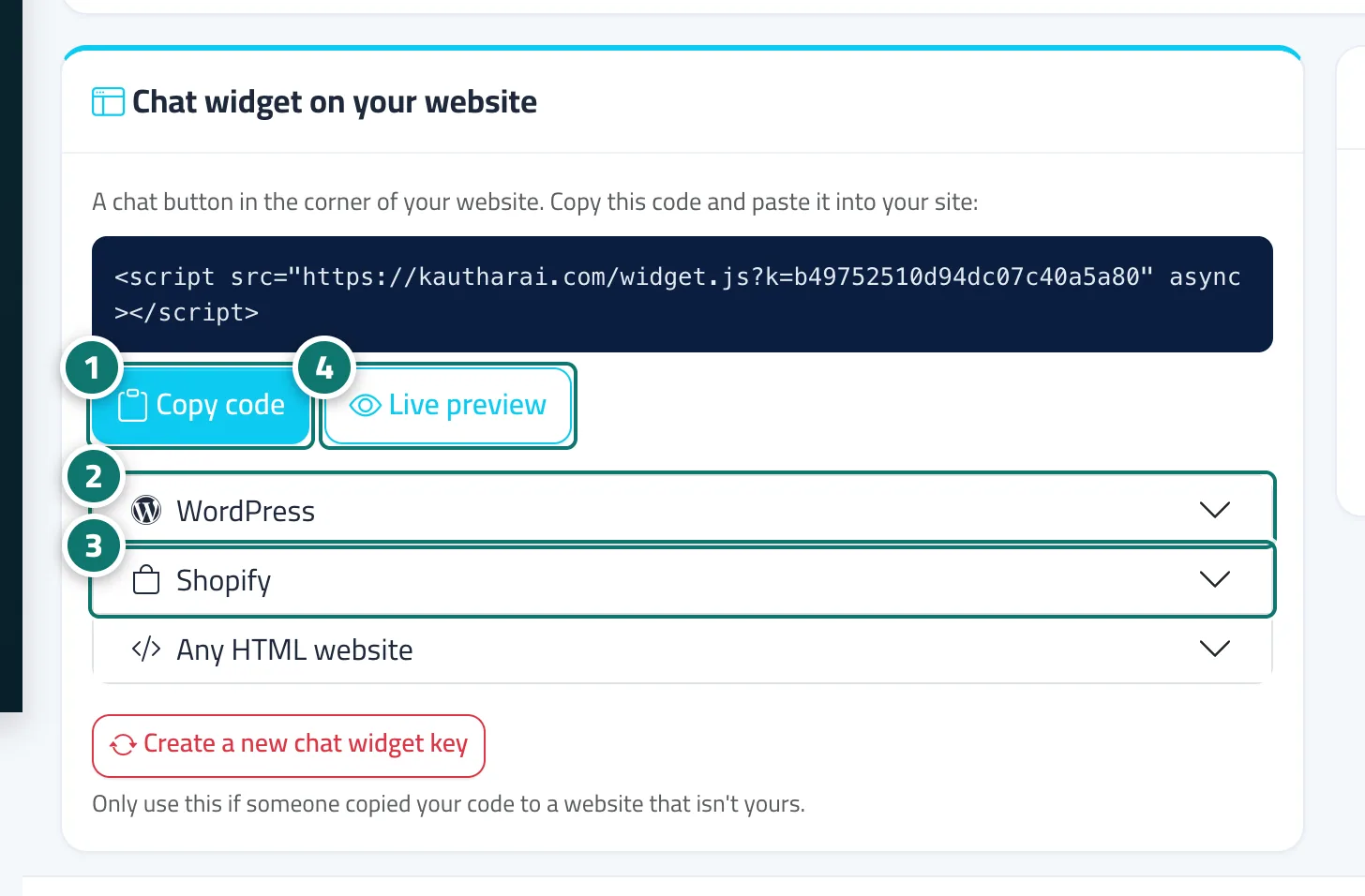
- Click Copy code.
- WordPress: Appearance → Theme File Editor → footer.php and paste the code before </body>, or use a plugin such as WPCode → Footer.
- Shopify: Online Store → Themes → Edit code → theme.liquid, paste the code before </body> and save.
- Any HTML website: paste the code on every page just before </body>, then check how it looks with Live preview.
Tips#
Good to know#
Frequently asked questions#
Will the button slow down my website?
No. The code loads after the page has loaded, and the chat window itself only loads when the visitor clicks the button.
Do I need a developer?
Not if you can edit your theme. If you have a developer, send them the code and they can add it in minutes.
How do I change the button colour?
From Settings & subscription → the Branding tab; the button and window colours change automatically.