
Kauthar team: specialised roles behind one assistant
Instead of a single assistant, run a team behind Kauthar — reception, support, sales, marketing and social media (plus custom roles). The customer talks to one Kauthar in the same chat, and the right role answers.
Overview#
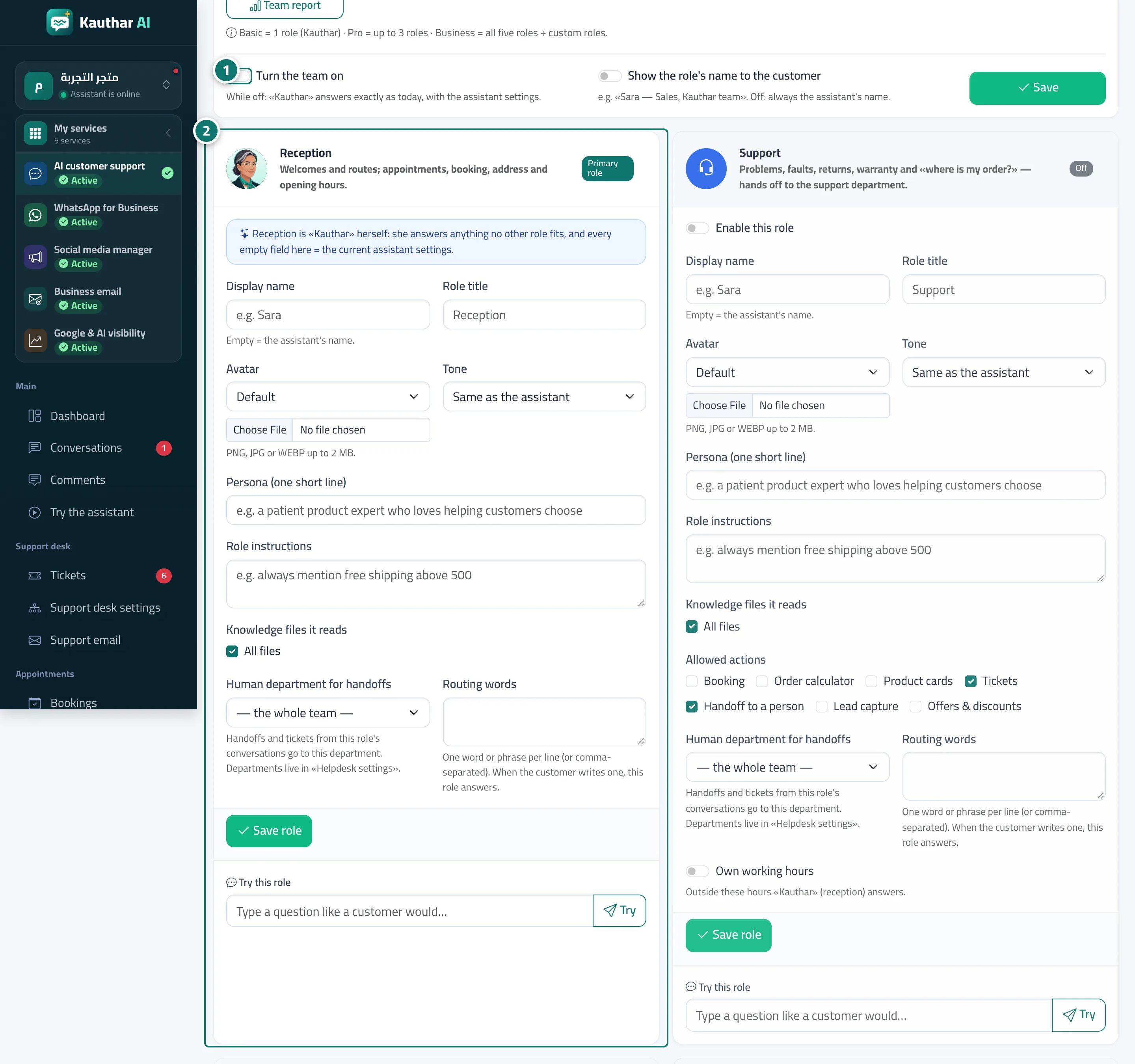
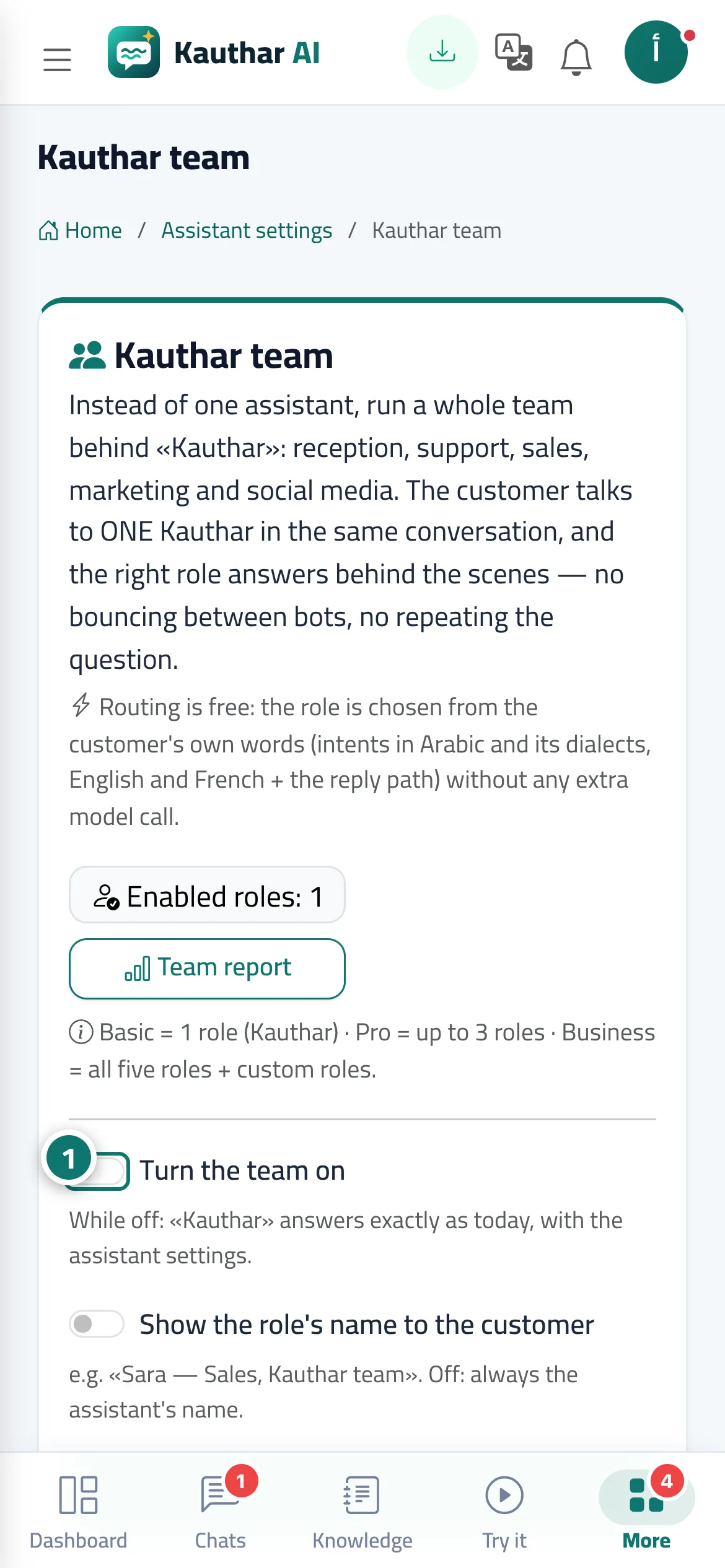
The Kauthar team page has a Turn the team on switch (when it's off, Kauthar answers as she is, using Assistant settings), Show the role's name to the customer, and then a card for each role: Reception (the main role = Kauthar herself), support, sales, marketing and social media manager. Each role has a display name and picture, a style (friendly, formal, concise), a personality and role instructions, the files it reads from, its Allowed actions (booking, order calculator, product cards, handing over to a person, collecting customer details, offers), a Human department for handoffs (handoffs and tickets from that role's chats go to this department), routing keywords and its own working hours. The role is chosen from what the customer actually says (Arabic and its dialects, English, French and the reply-path name) with no extra AI call, and the conversation remembers its role and only switches on a clear signal. Each role has a Try button, and the Team report shows which role answered each conversation.
- Who can use it
- Business owner / manager
- Where to find it
- Sidebar → Account → Kauthar team (or from Assistant settings)
Step by step#
- Turn on Turn the team on, choose whether to Show the role's name to the customer, then click Save.
- Open a role's card (such as sales): name, style, instructions, files, Allowed actions and Human department for handoffs, then click Save role.
- Type a question in Try this role to see the role's reply before it goes live for your customers.
- Follow the Team report to see the number of conversations and replies per role.
Tips#
Good to know#
Frequently asked questions#
Does the team use up more AI replies?
No. Choosing the role uses no reply at all, and each message counts as one reply, as before.