
QR code and a print-ready poster
A QR code for your chat link that customers scan with their phone to ask instantly, plus a print-ready A5 poster in your brand colour and your customers' language.
Overview#
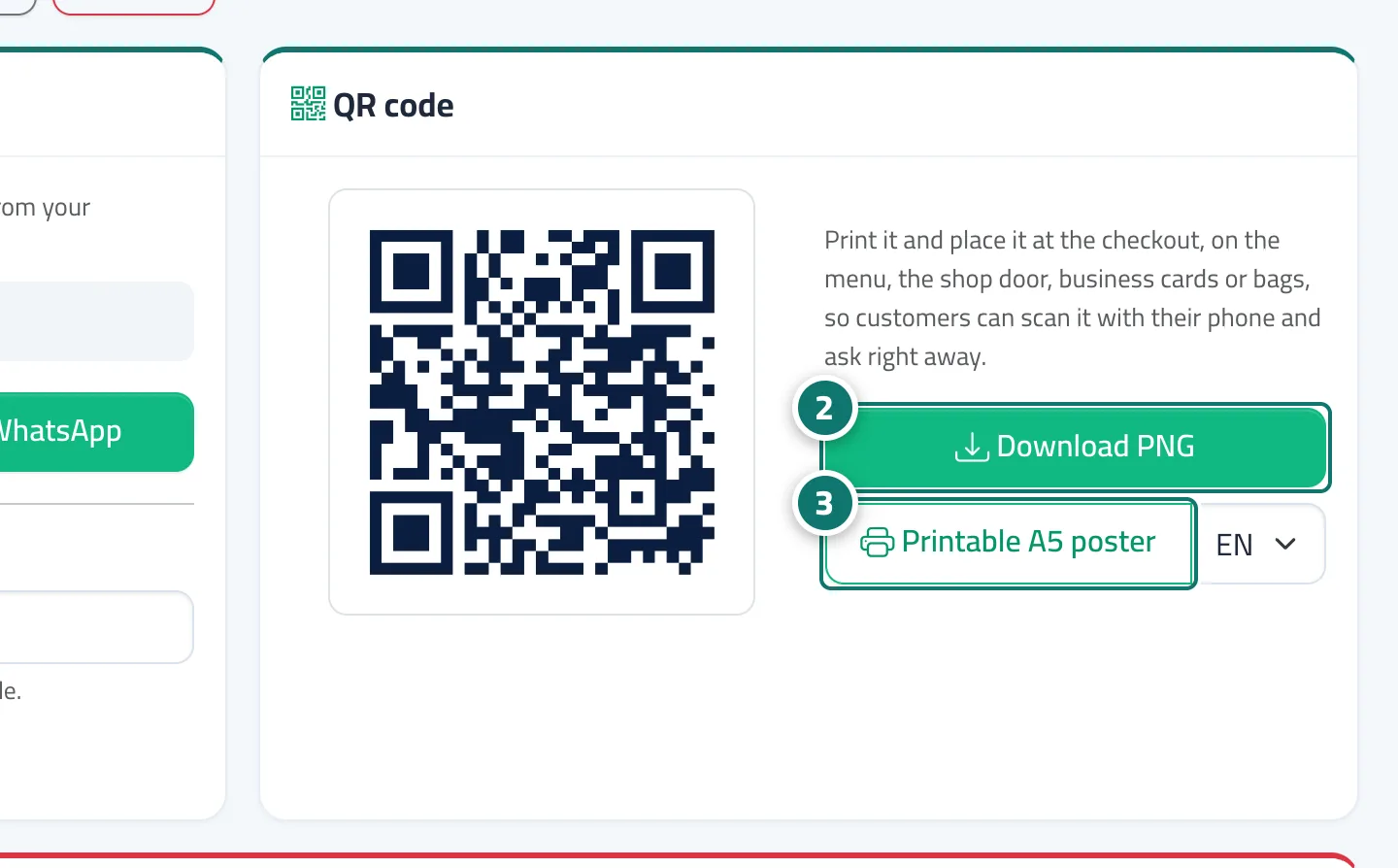
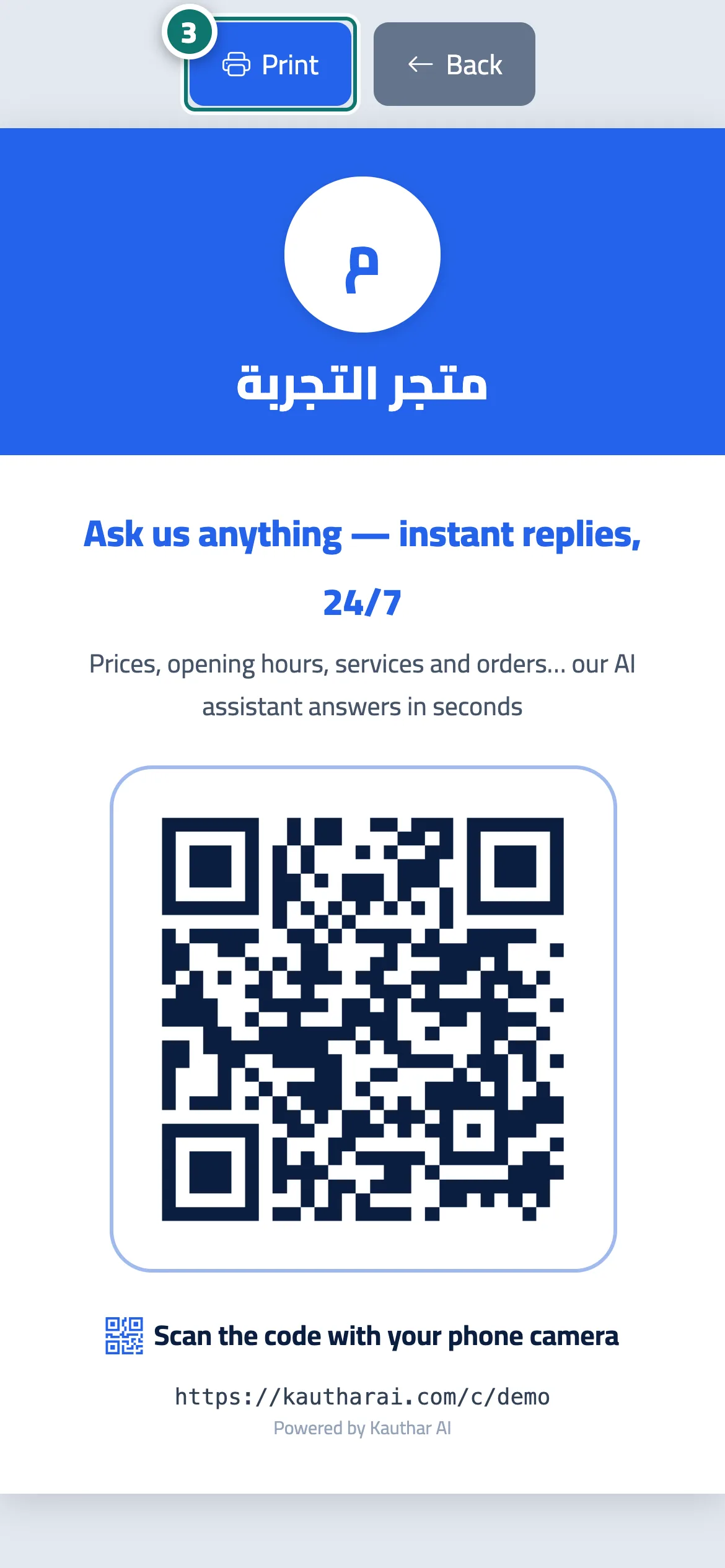
The QR code card shows a code for your chat link that you can download as a PNG image with Download PNG to use in your own designs. The Printable A5 poster button opens a ready poster with your business's name, logo and colour, the line Ask us anything — instant replies, 24/7 and the instruction Scan the code with your phone camera; you can choose the Poster language (Arabic, English or French). Conversations that start from the code are recorded under the QR channel in Conversations and in the reports.
- Who can use it
- Business owner / manager
- Where to find it
- Sidebar → Channels & customers → Channels → QR code card
Step by step#
- Open Channels.
- In the QR code card, click Download PNG to save the code.
- Or choose the Poster language, then click Printable A5 poster and then Print.
- Put the poster by the till, on the shop door, on the menu, on business cards or on bags.
Tips#
Good to know#
Frequently asked questions#
Does the code need internet in the shop?
No — the customer scans it with their phone and opens the chat on their own connection.
Is the image good enough for printing?
Yes — a PNG at a print-friendly resolution, and the poster is A5 size.