
Customers: one profile per customer
Every customer who contacted you on any channel has one profile tied to their phone number: their conversations, bookings, tickets and orders in one place, with one-tap WhatsApp and call buttons.
Overview#
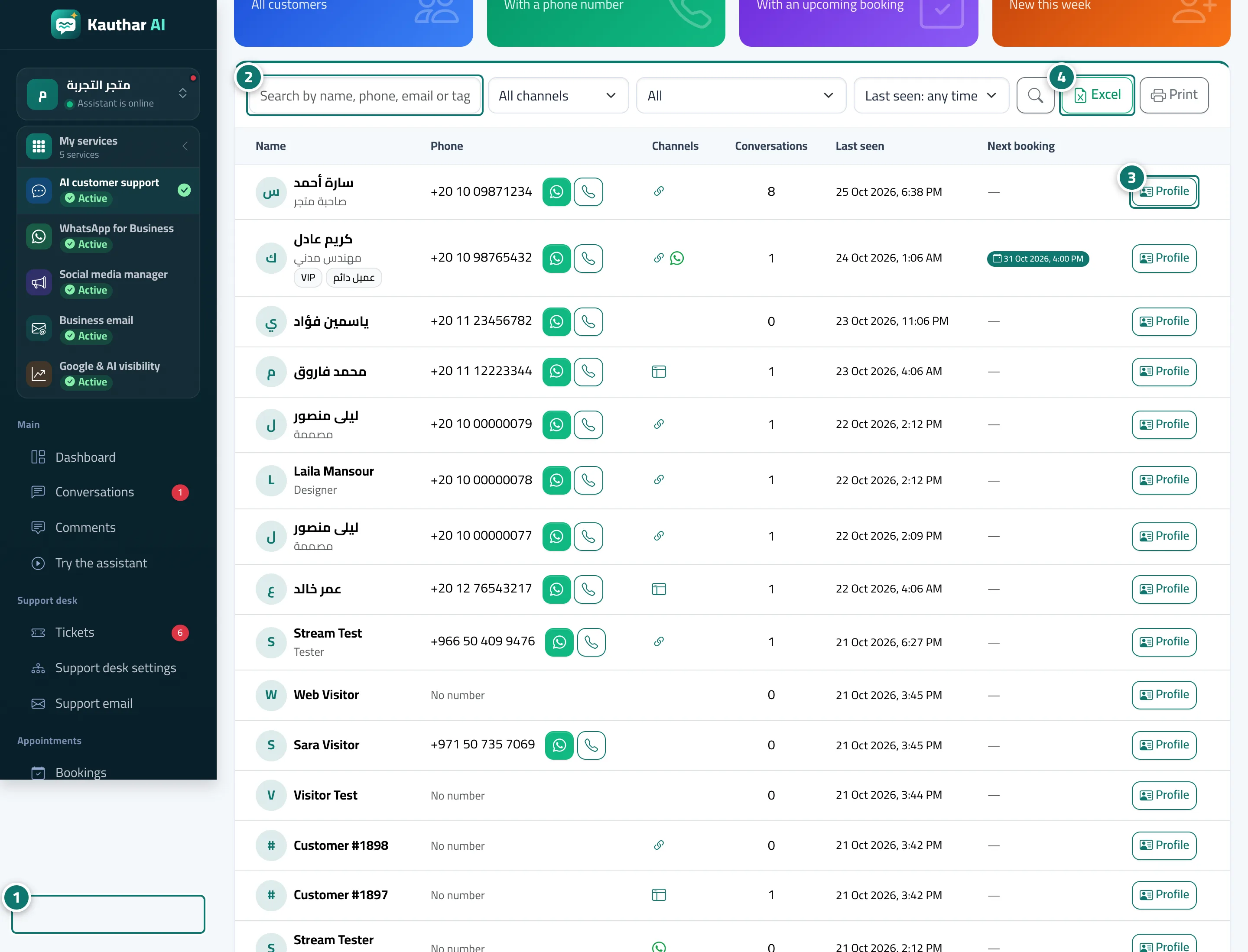
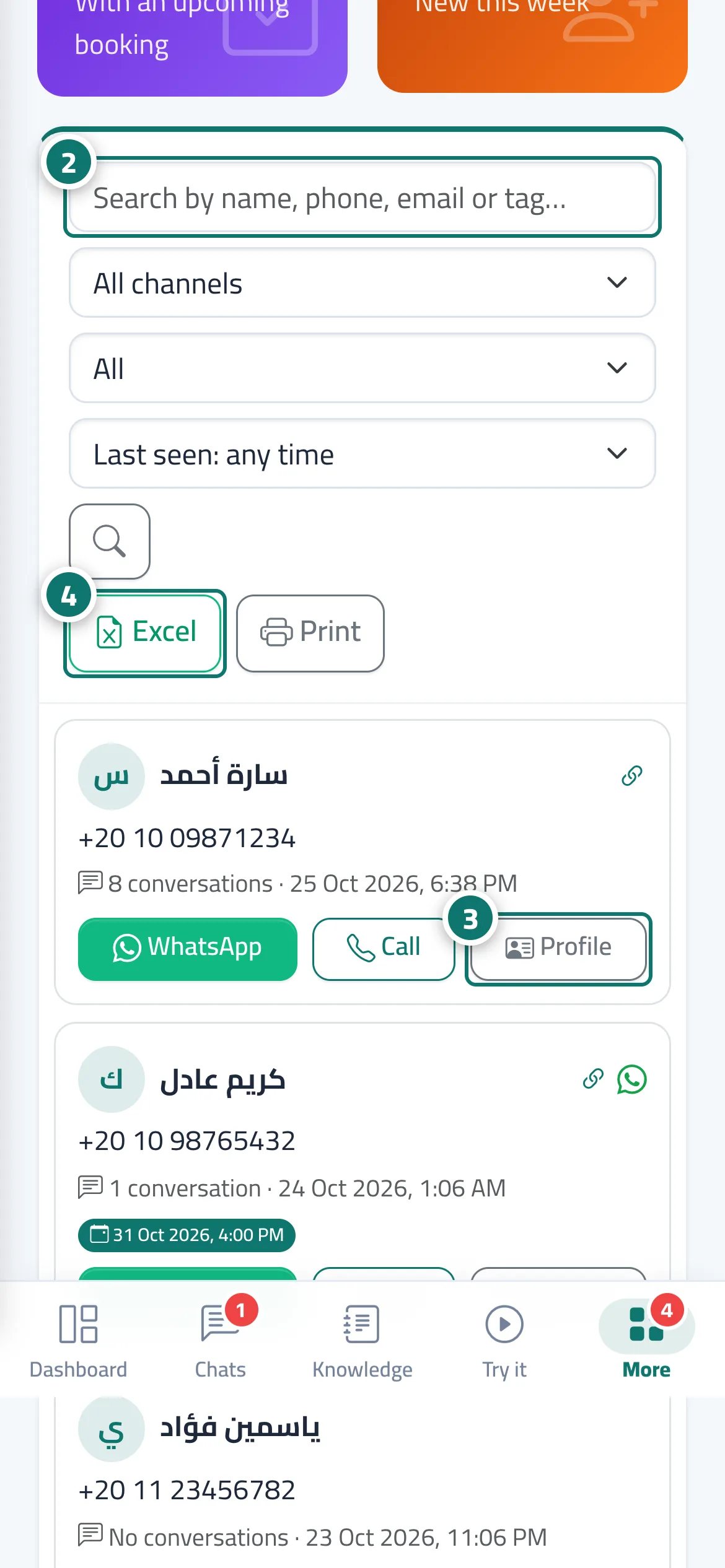
The Customers screen gathers everyone who has contacted your business in one list: any customer who writes on WhatsApp, Messenger or Instagram, leaves their name and number in the chat (when registering before the chat, when the assistant can't find an answer, when asking for a team member, or through a Collect details reply path), or books an appointment gets a profile automatically. The profile is tied to the phone number, so when the customer comes back on another channel Kauthar recognises them and doesn't ask for their details again. At the top are indicators: All customers, With a phone number, With an upcoming booking, New this week. The table shows Name (with occupation and tags), Phone (with a Verified number mark), Channels with an icon for each channel, Conversations, Last seen, Next appointment and a Profile button.
- Who can use it
- Business owner / manager / team member
- Where to find it
- Sidebar → Channels & customers → Customers
Step by step#
- Open Customers from the sidebar.
- Search by name, phone number, email or tag, or filter by All channels, Filter (with an upcoming booking · with bookings · with a phone number · used more than one channel) and Last seen, then click the search button.
- Click Profile to open the customer's full profile, or the WhatsApp or call button next to their number to contact them directly.
- Export the list with the current filters using Excel, or Print (A4 paper).
Tips#
Good to know#
Frequently asked questions#
When is a customer profile created?
On their first message on WhatsApp, Messenger or Instagram, when they leave their name and number in the chat, or when they book an appointment. If their number already exists, the new channel is added to the same profile.
Am I alerted when a customer leaves their number?
Yes — you get the alert A customer left their contact details when details are left in the Leave your details card. Registration before the chat starts appears in the list without an instant alert.
Can I download the numbers to an Excel file?
Yes — the Excel button exports the list with the current filters.