
Create a WhatsApp marketing campaign
A campaign in four steps — number and template, audience, template variables and send time — with a live estimated cost by country before you confirm.
Overview#
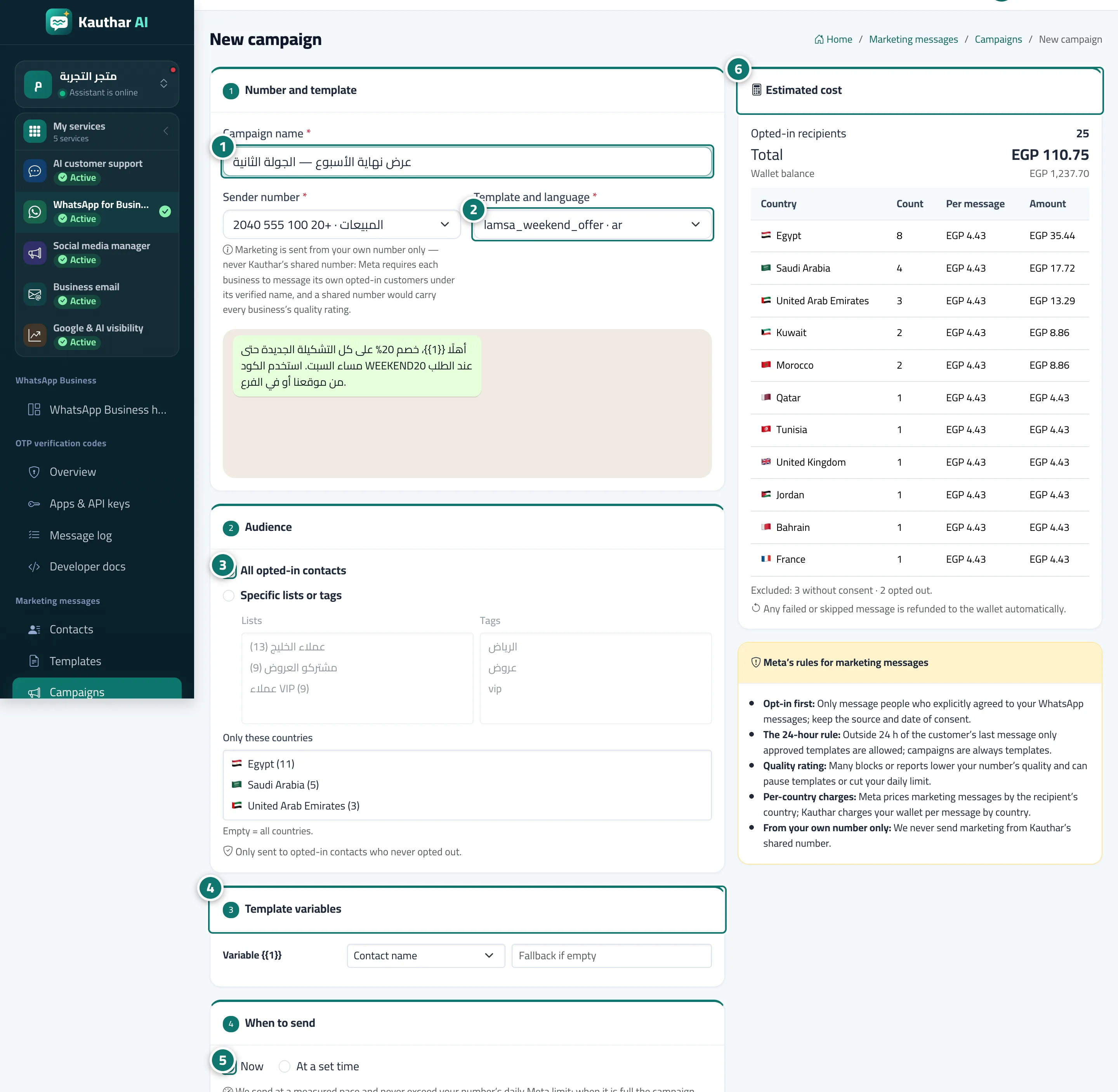
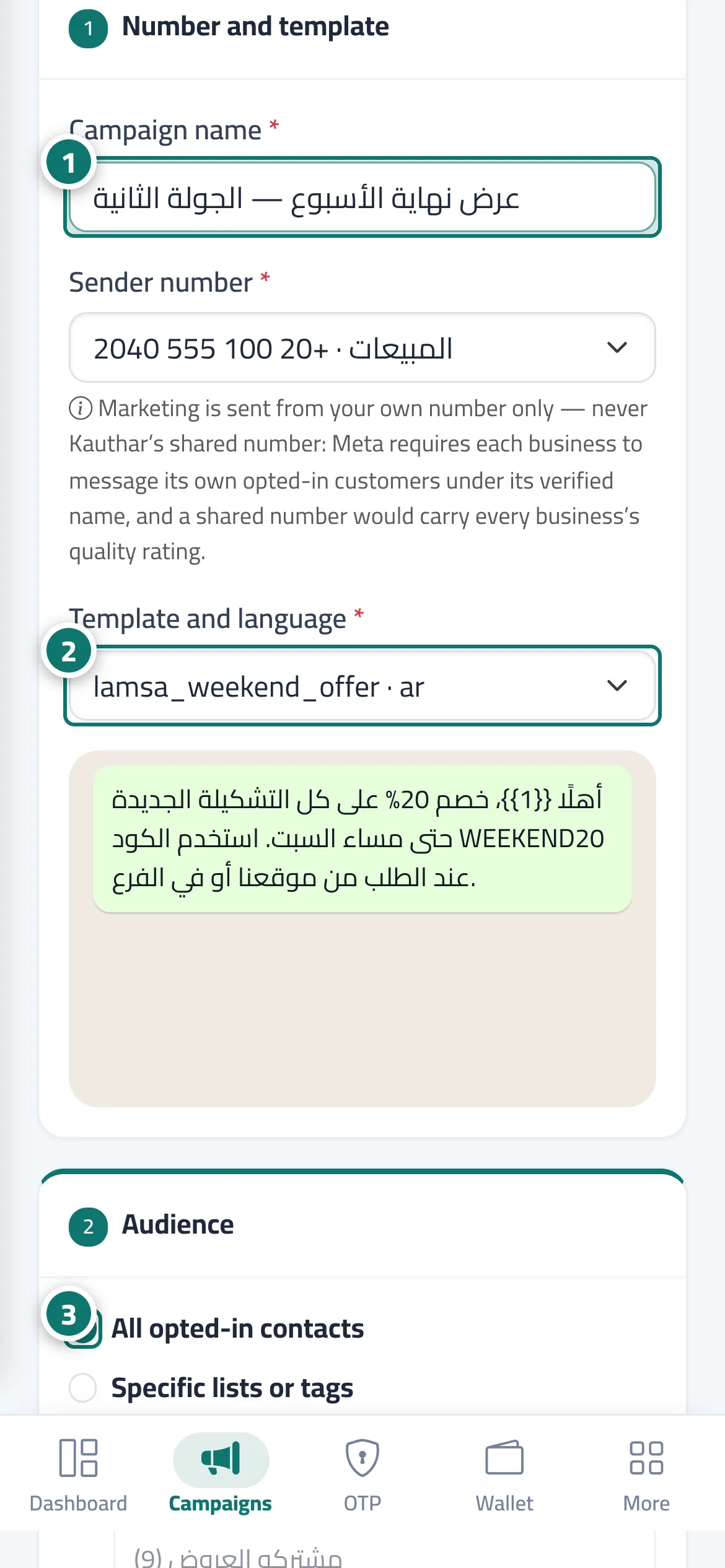
The New campaign page: (1) Number and template: the campaign name, the sending number (from your business's numbers only), and the template and language with a preview. (2) Audience: All opted-in contacts or Specific lists or tags, with Only these countries. (3) Template variables: a source for each variable (customer name, number, email, fixed text, or an imported field) and a fallback value. (4) When to send: now or At a set time in your business's time zone. On the side are the Estimated cost card (opted-in recipients, total, wallet balance, a by-country table with count, price per message and amount, and those excluded) and the Meta rules card. Then Review the cost before sending opens the review page with Confirm and send now or Confirm the schedule.
- Who can use it
- Business owner / manager / staff member with marketing permission
- Where to find it
- Sidebar → WhatsApp Business → Marketing messages → Campaigns → New campaign
Step by step#
- Enter the Campaign name and choose the sending number.
- Choose the approved template and its language.
- Choose the audience: all opted-in contacts or specific lists and tags, and limit it to certain countries if you like.
- Set the source of each variable (such as the customer's name) and a fallback value in case the field is empty.
- Choose now or At a set time.
- Review the Estimated cost, then click Review the cost before sending and confirm.
Tips#
Good to know#
Frequently asked questions#
Does the campaign reach people who didn't opt in?
No. It goes only to contacts who opted in and haven't opted out, and the number excluded is shown in the estimated cost.