
Activity log
Who did what, when and from which device: every addition, edit, deletion and sign-in is recorded, with a before-and-after comparison.
Overview#
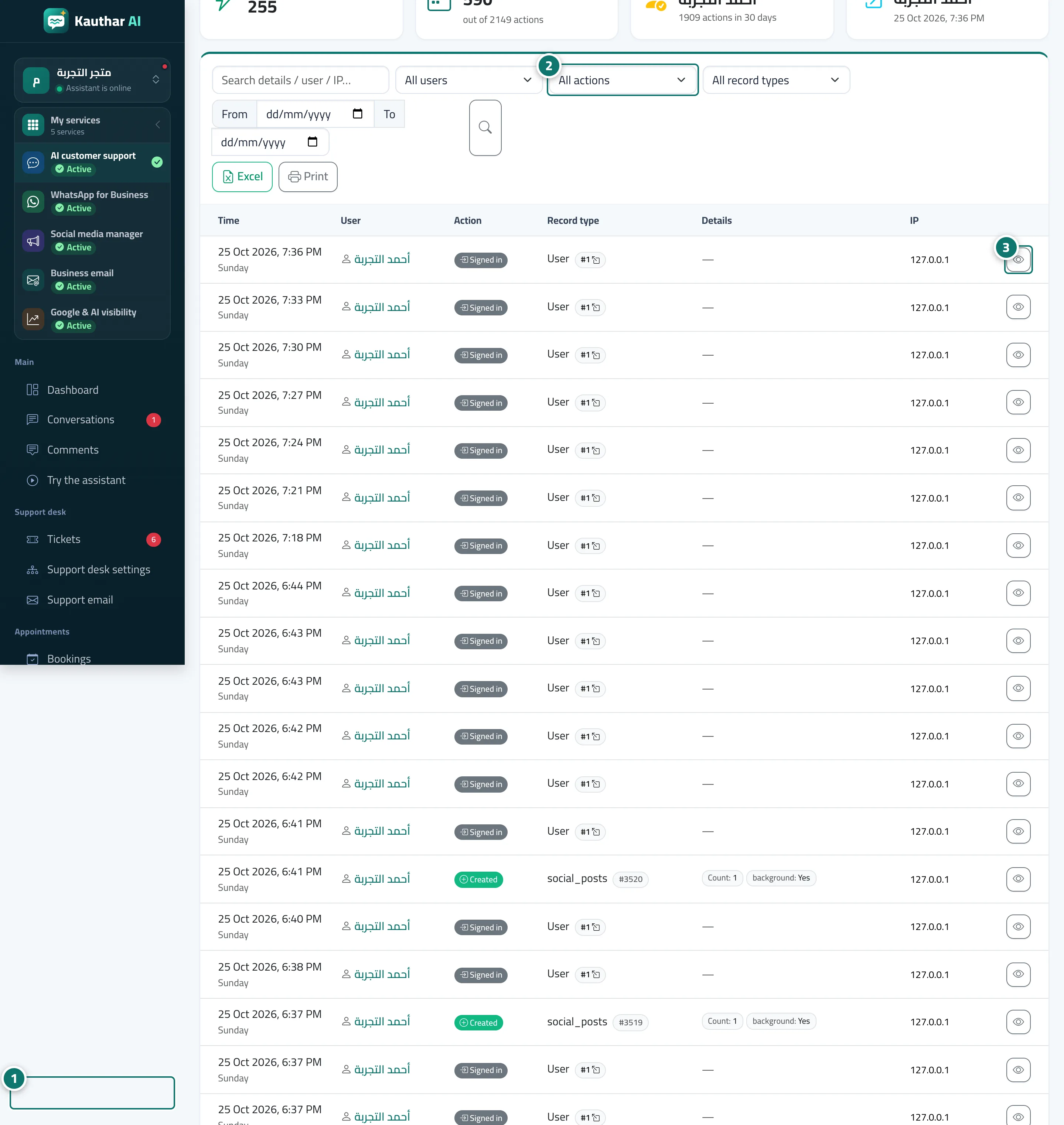
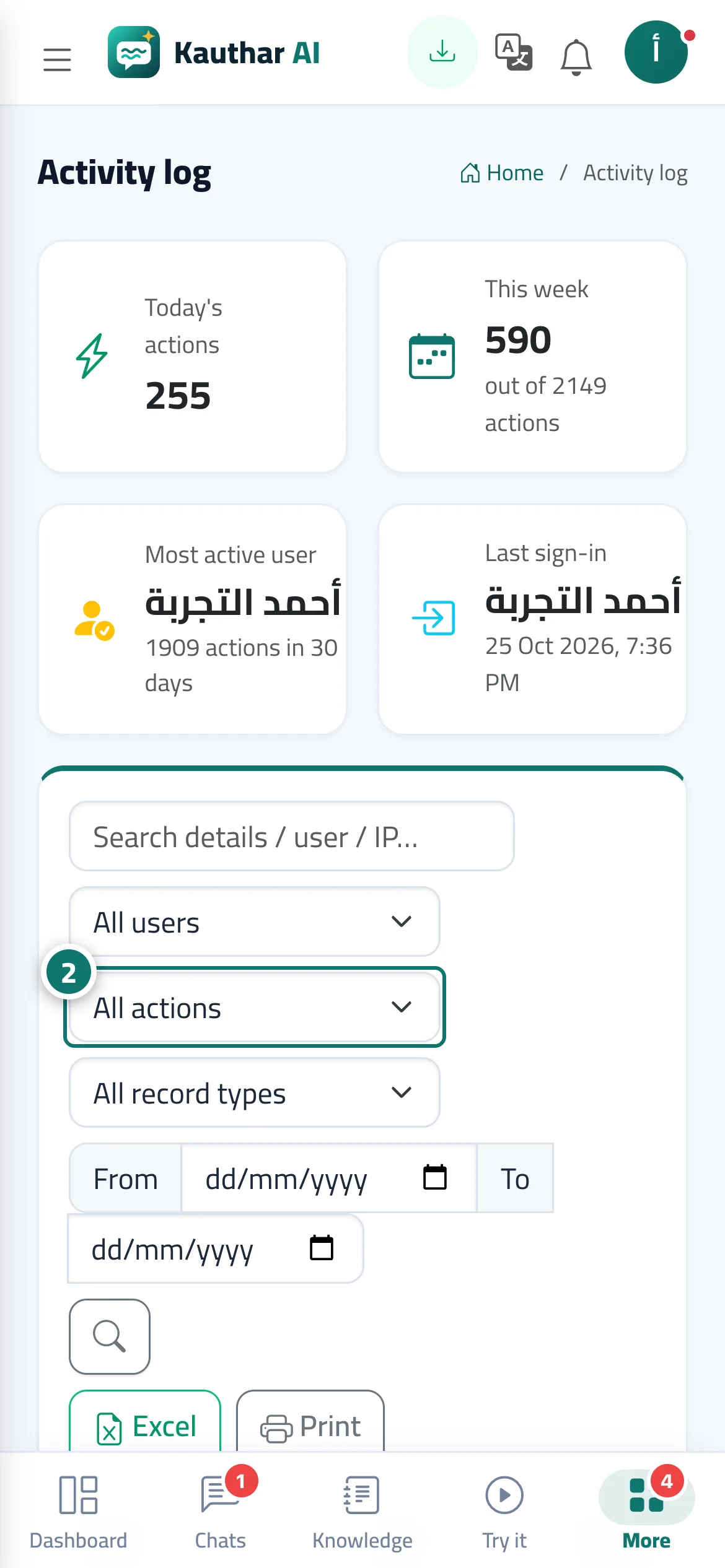
A complete record of every action in your account: time, user, action (add, edit, delete, restore, sign-in, export, merge…), record type, details and the device address (IP). Cards at the top show today's actions, this week, the most active user and the last sign-in. You can filter by user, action, record type and date and search the details, with Excel and Print. Opening any entry shows a Before / after comparison and Other actions on the same item. Actions by the Kauthar team (the platform administrator) carry a distinct badge.
- Who can use it
- Business owner / admin
- Where to find it
- Sidebar → Account → Activity log
Step by step#
- Open Activity log.
- Filter with All users, All actions, All record types or by date.
- Press the eye icon on a row to see the details, or use Excel or Print.
Tips#
Good to know#
Frequently asked questions#
How do I find out who deleted a ticket?
Choose the action Delete and the record type Ticket; the name and time appear. You can restore it from Trash.
Can staff see the log?
Only if you give them the Activity log → View permission.